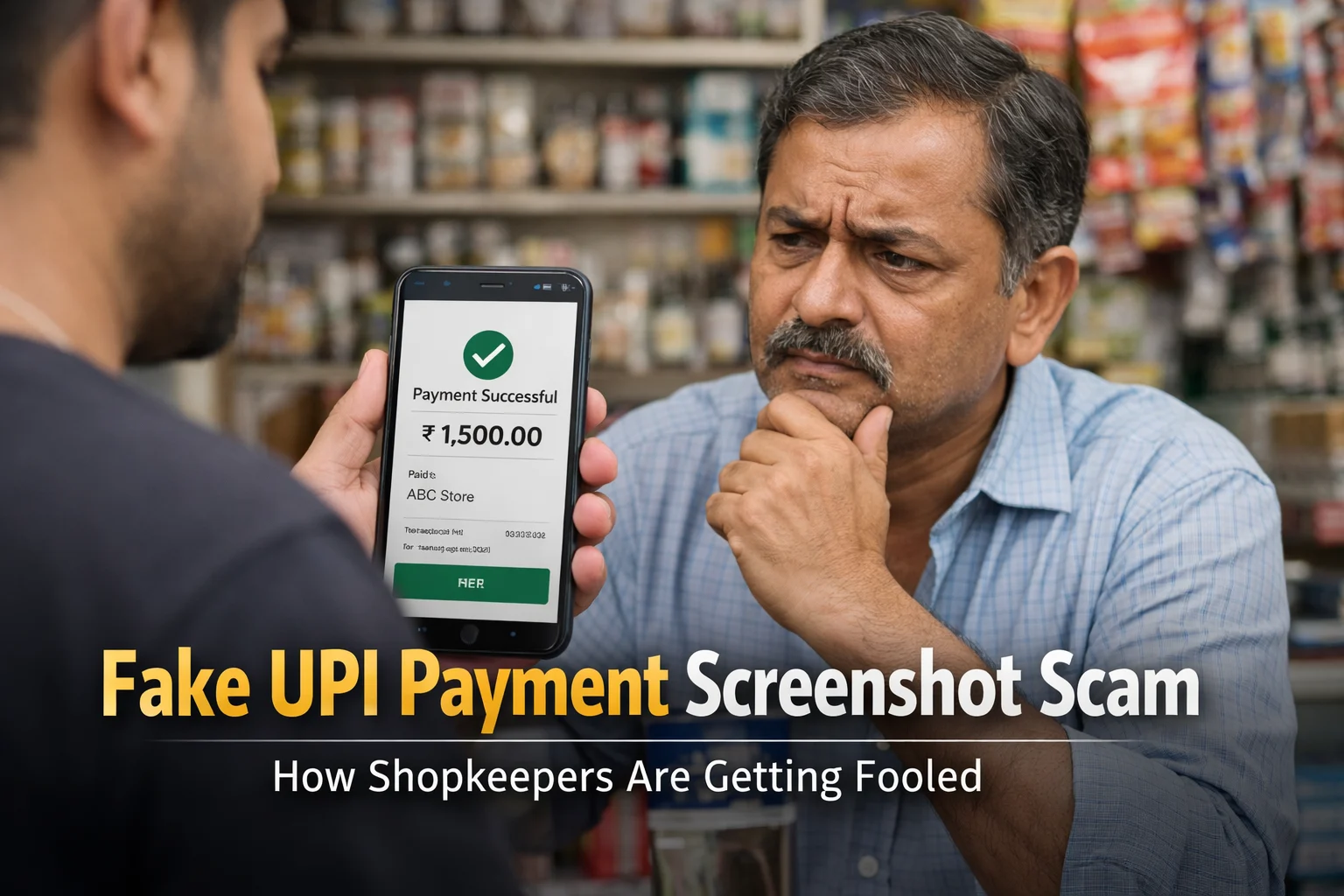
In March 2026, a kirana store owner in Ghaziabad handed over ₹2,400 worth of groceries after a customer showed a “Payment Successful” screen on his PhonePe app. Three hours later, when the shopkeeper checked his bank account during closing, the money had never arrived. He had lost an entire day’s profit to a 30-second trick.
This isn’t an isolated story. The same scam plays out thousands of times every day across India — in busy markets, at petrol pumps during rush hour, at chai stalls during evening tea time. Scammers have refined this into an assembly line operation, and the people paying the price are small business owners working on thin margins.
I’ve spent the last year collecting scam reports through ScamDekho and talking to shopkeepers across India. What I’ve learned is that this scam is not a technology problem — it’s a training problem. The fix doesn’t require new apps or fancy tools. It requires changing one habit: never trust a customer’s phone.
This guide is for you if you accept UPI payments in any capacity. By the end, you’ll have a complete playbook: how the scam works, real police cases, staff training scripts you can use tomorrow morning, and the exact steps to take if you’ve already been victimized.
Disclaimer: This article is for educational and awareness purposes only. It is not legal advice. Individual fraud cases have unique circumstances — consult your bank, local police, and a qualified lawyer for case-specific guidance. Fraud patterns and laws evolve continuously; always verify current guidance with official sources like the Reserve Bank of India and NPCI.
The True Scale: UPI Fraud in India by the Numbers
Before we get to prevention, let me show you why this matters. These aren’t scary internet numbers — they’re official government data.
Union Minister of State for Finance Pankaj Chaudhary informed the Lok Sabha in December 2025 that India saw UPI-related fraud worth ₹805 crore across 10.64 lakh incidents in just the first 8 months of FY26. FY24-25 recorded ₹981 crore in losses, and FY23-24 saw ₹1,087 crore, as reported by Free Press Journal.
A LocalCircles survey of 32,000+ respondents across 365 Indian districts, published in June 2025, found that 1 in 5 Indian families using UPI had experienced fraud at least once in the past three years. Worse, 51% of victims never reported the fraud — meaning real numbers are significantly higher.
According to NPCI’s official data, UPI processed 21.7 billion transactions in January 2026 alone — the highest ever recorded. With scale of that magnitude, even a tiny fraud percentage translates to thousands of crores lost annually.
And here’s what’s rarely discussed: small businesses bear the brunt. Unlike banks that can absorb fraud losses, a kirana store owner who loses ₹5,000 to a fake screenshot has lost his entire weekly profit margin.
How the Fake UPI Payment Screenshot Scam Actually Works
The scam follows a disturbingly consistent 5-step playbook. Understanding each step helps you recognize it in the moment.
Step 1: The Target Selection
Scammers specifically target businesses where payment verification is likely to be skipped:
- High-volume, low-margin shops (kirana stores, vegetable vendors)
- Busy rush-hour environments (petrol pumps at 8-9 AM, chai stalls at evening tea)
- Small staff, no owner present (staff less likely to question customers)
- Elder shopkeepers unfamiliar with UPI mechanics
Step 2: The Normal Customer Act
The scammer behaves like any other customer. They browse, select products, ask prices, and show no suspicious behavior. This is critical — by the time payment happens, you’ve already built mental trust.
Step 3: The Fake Payment
Here’s where it gets interesting. Scammers have three methods:
Method A — Pre-edited screenshot: They’ve already prepared a screenshot with a PhonePe/GPay/Paytm success screen. They quickly modify the amount using a photo editor on their phone (takes 15 seconds) and show it.
Method B — Screenshot generator website: Browser-based tools where they type your name, amount, and UPI ID — the site generates a realistic fake confirmation screen.
Method C — Fake payment app (APK): A full fake UPI app installed on their phone that mimics real payment flows. See our guide on fake UPI payment apps in India for the full breakdown.
Step 4: The Pressure Play
This is the psychological core of the scam. The scammer uses urgency:
- “Bhai jaldi karo, line mein log khade hain”
- “Network slow hai, SMS 2 minute mein aa jayega”
- “Mujhe hospital jaana hai, patient serious hai”
- “Main regular customer hoon, roz aata hoon”
Some throw in fake familiarity — “Sharma uncle ki dukaan se hamesha lete hain” — to create false trust.
Step 5: The Disappearance
They leave with the goods. By the time you check your bank account during closing, they’re untraceable. Without CCTV footage or a phone number, local police can do little.
Real Police Cases: Fake UPI Screenshot Scams in India
Abstract scams become real when you hear specific cases. These are documented with names, dates, and sources.
1. Bengaluru, Rajajinagar (February 2026)
A mobile shop owner was cheated of ₹76,000 by a gang using a fake payment app. The scam targeted an expensive smartphone purchase. Karnataka police is still tracking suspects. Source: Asianet News coverage.
2. Indore, Madhya Pradesh (May 2024)
Kanadia Police arrested Dheeraj Goyal and Suyash Parmar after they defrauded over 29 shopkeepers and petrol pump workers. The duo had purchased a duplicate PhonePe app from a Telegram channel. The first victim, petrol pump employee Nitin Patidar, lost ₹6,000 during a transaction where the scammers claimed “patient admitted in hospital.” Police caught them via CCTV and scooter tracking. Source: Free Press Journal.
3. Arunachal Pradesh, Ruksin (July 2025)
Raj Thapa and Boge Sonar were convicted in East Siang district for using a fake PhonePe app against a local shop. Both received two-month prison sentences. The case was investigated by SI Igel Lollen and originally registered in October 2024. Source: India Today NE.
4. Hyderabad, Vanasthalipuram (2022, ongoing pattern)
Cyberabad police arrested two individuals for running a Paytm “spoof app” with pre-fill capability for shopkeeper details, amount, and notifications. This was one of India’s first documented cases — the pattern has only grown since. Source: News9 Live.
5. Gujarat Diwali Alert (October 2025)
Cybercrime officer Hardik Makadia issued public warnings about coordinated fake PhonePe and Paytm frauds targeting sweet shops during Diwali 2025. The alert specifically warned small traders across Gujarat. Source: Gujarat Samachar.
6. Kerala Police Advisory (July 2025)
Ottapalam police issued statewide warnings to merchants about rising fake app fraud, reporting multiple incidents across Kerala where fraudsters used counterfeit PhonePe, Google Pay, and Paytm versions. Source: Kerala Kaumudi.
What connects every case? The shopkeeper trusted a screen on the customer’s phone without verifying credit on their own side.
Check: Fake payment screenshot
The 4 Types of UPI Scams Shopkeepers Face
Understanding the variations helps you identify the scam quickly.
1. Fake Screenshot Scam (Most Common)
The classic edited screenshot or app-generated fake confirmation. No money moves. Requires only a basic photo editor or generator website.
2. Overpayment “Honest Mistake” Scam
Scammer makes a real UPI payment of an inflated amount (e.g., ₹5,000 instead of ₹500). Then immediately panics, asks for ₹4,500 back in cash, and leaves. A few days later, they file a chargeback with their bank — reversing the original ₹5,000 transfer. You lose the product AND the cash you returned.
Rule: Never return cash for a digital overpayment. Direct them to raise a refund request in their own UPI app.
3. Chargeback Fraud
Scammer makes a genuine UPI payment, collects the product, then raises a dispute claiming the payment was unauthorized. Bank reverses the payment. You lose both goods and money.
Rule: Keep CCTV footage, delivery receipts, and digital payment records for at least 90 days for all high-value transactions.
4. QR Code Swap Scam
Scammer pastes their own QR code sticker over your original one. Customers scan and pay — money goes to the scammer’s account. You never see a single transaction even though customers say they paid.
Rule: Physically inspect your QR code every morning. Scan it yourself to verify the UPI ID and registered name displayed.
Shopkeeper Warning Signs: The Red Flags Every Merchant Must Know
If any of these happen during a transaction, pause and verify before releasing goods:
- Customer is showing you their phone screen but you haven’t received a bank SMS
- Customer says “payment will reflect later” or “SMS thoda late aata hai”
- Customer is visibly in a hurry or creating urgency
- Customer’s payment sound came from their phone, not your SoundBox
- Payment screenshot looks slightly blurry, misaligned, or has font inconsistencies
- Customer requests cash refund for “excess payment” or “wrong amount”
- Your QR code sticker appears newer, moved, or pasted over another layer
- Customer is showing a screenshot instead of the live transaction history in their app
Remember one rule above all: If the money is not visible in your account, no payment has happened. Period.
Industry-Specific Prevention: Tailored Guidance by Shop Type
Different businesses face different risk patterns. Here’s specific guidance by industry.
For Kirana Stores and Vegetable Vendors
- Biggest risk: Rush-hour high-volume transactions
- Fix: Keep a dedicated staff member whose only job during rush hours is payment verification
- Signage: Hindi + English sign saying “Payment verify hone ke baad hi samaan milega / Goods given only after payment confirmation”
For Petrol Pumps
- Biggest risk: Customers with fuel already in tank pressure staff to accept screenshot
- Fix: Make verification mandatory BEFORE pump nozzle is activated, not after. Train staff to say “Verification ho gaya, ab fuel bhara ja raha hai”
- Escalation: Keep local police helpline on speed dial for every cashier
For Mobile and Electronics Shops
- Biggest risk: High-value items (phones, laptops) are prime targets
- Fix: For any transaction above ₹5,000, wait for SoundBox announcement + bank SMS + UPI app notification — all three
- Additional: Mandatory ID verification for purchases above ₹25,000
For Restaurants and Cafes
- Biggest risk: Payment happens AFTER the meal, when refusing service is awkward
- Fix: Have customers pay and wait at counter for confirmation before exit
- Additional: Use a QR code stand that makes the display visible to the cashier
For Delivery Businesses
- Biggest risk: Delivery agent in field cannot verify payment at time of drop-off
- Fix: Mandatory Cash-on-Delivery OR prepayment verified in your business dashboard before dispatch
- Tool: Enable webhook notifications on your payment gateway for real-time alerts to the delivery agent’s app
Ready-to-Use Staff Training Script
Here’s an actual dialogue script you can use during staff briefings. Tested with real shopkeepers.
Scenario 1: Customer Shows Screenshot During Rush Hour
Scammer says: “Bhai jaldi karo, yeh dekho payment ho gaya”
Your staff’s response:
“Sir/Madam, 30 second rukiye please, mera SoundBox/phone check karta hoon. Company ka rule hai — screenshot se confirm nahi hota, hamari app se hota hai.”
Important: The phrase “company ka rule hai” deflects anger from your staff to the shop policy.
Scenario 2: Customer Creates Urgency
Scammer says: “Network slow hai, SMS thodi der mein aa jayega, main baad mein dekhta hoon”
Your staff’s response:
“Koi baat nahi sir, aap paas khade rahiye, saath mein hum verify kar lete hain. UPI ka rule hai — payment 30 second mein reflect hota hai.”
Scenario 3: Customer Claims Regular Customer Status
Scammer says: “Main yahan ka purana customer hoon, uncle ji jaante hain mujhe”
Your staff’s response:
“Sir, uncle ji ki bhi yahi policy hai — har payment verify hota hai. Uncle ji se call karke pooch lete hain.”
Then actually call the owner. Real regulars won’t object; scammers will flee.
Scenario 4: Customer Requests Cash Refund for Overpayment
Scammer says: “Galti se ₹5,000 bhej diya, ₹500 kaat ke ₹4,500 cash de do”
Your staff’s response:
“Sir, cash wapas nahi kar sakte — company ka rule hai. Aap apne UPI app mein refund request raise kariye, hum refund kar denge.”
Train your staff that this line alone prevents the most common chargeback frauds.
Shop Signage Templates You Can Print Today
Visible signage reduces fraud attempts significantly. Scammers avoid shops where policies are publicly displayed. Print these on A4 and display prominently.
Sign 1 (Hindi + English, for counter):
ध्यान दें | ATTENTION
“स्क्रीनशॉट से पेमेंट कन्फर्म नहीं होती”
“Screenshots are not payment proof”
हम केवल अपने बैंक खाते में पैसा आने के बाद ही सामान देते हैं।
We only release goods after payment is confirmed in our bank account.
Sign 2 (for petrol pumps/fuel stations):
ADVANCE PAYMENT VERIFICATION REQUIRED
पहले पेमेंट कन्फर्म, फिर फ्यूल
Payment must appear in our system BEFORE nozzle activation.
Sign 3 (for mobile/electronics shops):
For transactions above ₹5,000:
We verify via: SoundBox announcement + Bank SMS + UPI app notification.
This takes 30 seconds — thank you for your patience.
What To Do If You’ve Already Been Scammed
The first hour is critical. Follow this exact sequence:
Step 1: Don’t confront the scammer if they’re still around. Note their appearance, vehicle number if visible, direction of exit.
Step 2: Call 1930 immediately. This is the National Cyber Crime Helpline operated by the Indian Cyber Crime Coordination Centre (I4C). Faster reporting = higher chance of freezing the scammer’s account before money moves through mule accounts.
Step 3: File complaint at cybercrime.gov.in. Upload:
- The fake screenshot (if you have it)
- CCTV footage timestamp and file
- Any phone number or UPI ID visible
- Invoice or receipt of the goods handed over
Step 4: File a written complaint with your bank. Required within the timelines specified by RBI’s “Customer Protection – Limiting Liability of Customers in Unauthorised Electronic Banking Transactions” circular for any recourse.
Step 5: File a local police FIR. Under Section 420 of the Indian Penal Code (cheating) and Section 66D of the IT Act, 2000 (cheating by personation using a computer resource), fake UPI payment fraud is a cognisable criminal offense.
Step 6: Preserve all digital evidence — don’t delete WhatsApp chats, messages, or screenshots the scammer showed. This is evidence.
Disclaimer: Recovery outcomes vary based on how fast you report, what evidence exists, and how the scammer moved money. No guarantees. For case-specific legal advice, consult a qualified lawyer.
Building a Long-Term Defense: The 3-Layer Approach
One-time vigilance isn’t enough. Build a system.
Layer 1: Technology
- Use a UPI SoundBox from your payment provider (Paytm, PhonePe, BHIM) — audio alerts from your own device, not the customer’s
- Enable bank SMS alerts on your registered mobile
- Install two phones at the counter if possible — one for customer-facing QR, one for your verification
Layer 2: Process
- Morning checklist: QR code physical inspection, SoundBox battery check, bank balance note
- Every transaction rule: No credit in your system = no goods out
- Evening reconciliation: Match day’s physical cash + digital payments against inventory moved
Layer 3: People
- Weekly 10-minute staff briefings (use the scripts above)
- Cross-train all staff — don’t let fraud prevention depend on one experienced cashier
- Reward staff who catch suspicious transactions — even false alarms
Beyond Prevention: If You’re Hit, Help Others
One overlooked piece: report even if you don’t expect recovery. Every filed complaint on cybercrime.gov.in helps build the database that police use to identify scam patterns and catch repeat offenders. The Indore gang caught in May 2024 was identified only because petrol pump employee Nitin Patidar took the time to file an FIR.
Share this guide with fellow shopkeepers in your area — local WhatsApp business groups, market associations, fuel station federations. Awareness is still India’s strongest defense against a fraud that costs our economy crores every month.