You just sold something. The buyer shows you a PhonePe success screen. You hand over the goods. Later you open your app and nothing is there.
This is not a rare occurrence anymore. It is happening every day across India, in grocery stores, petrol pumps, mobile shops, and to freelancers receiving online payments. In January 2026 alone, UPI processed over 21.70 billion transactions worth more than Rs 28 lakh crore. Scammers know that at this volume, all they need is for a few people to skip the verification step.
This guide explains exactly how fake PhonePe transactions work in 2026, how to verify any payment in under 60 seconds, and what to do if you have already been scammed.
What Is a Fake PhonePe Transaction
A fake PhonePe transaction is a false payment where the scammer shows you a convincing proof of payment but no real money ever moves. Your bank account receives nothing. The transaction exists nowhere except on the scammer’s screen or in an edited image.
There are three methods being actively used in 2026:
Method 1: Edited Screenshot
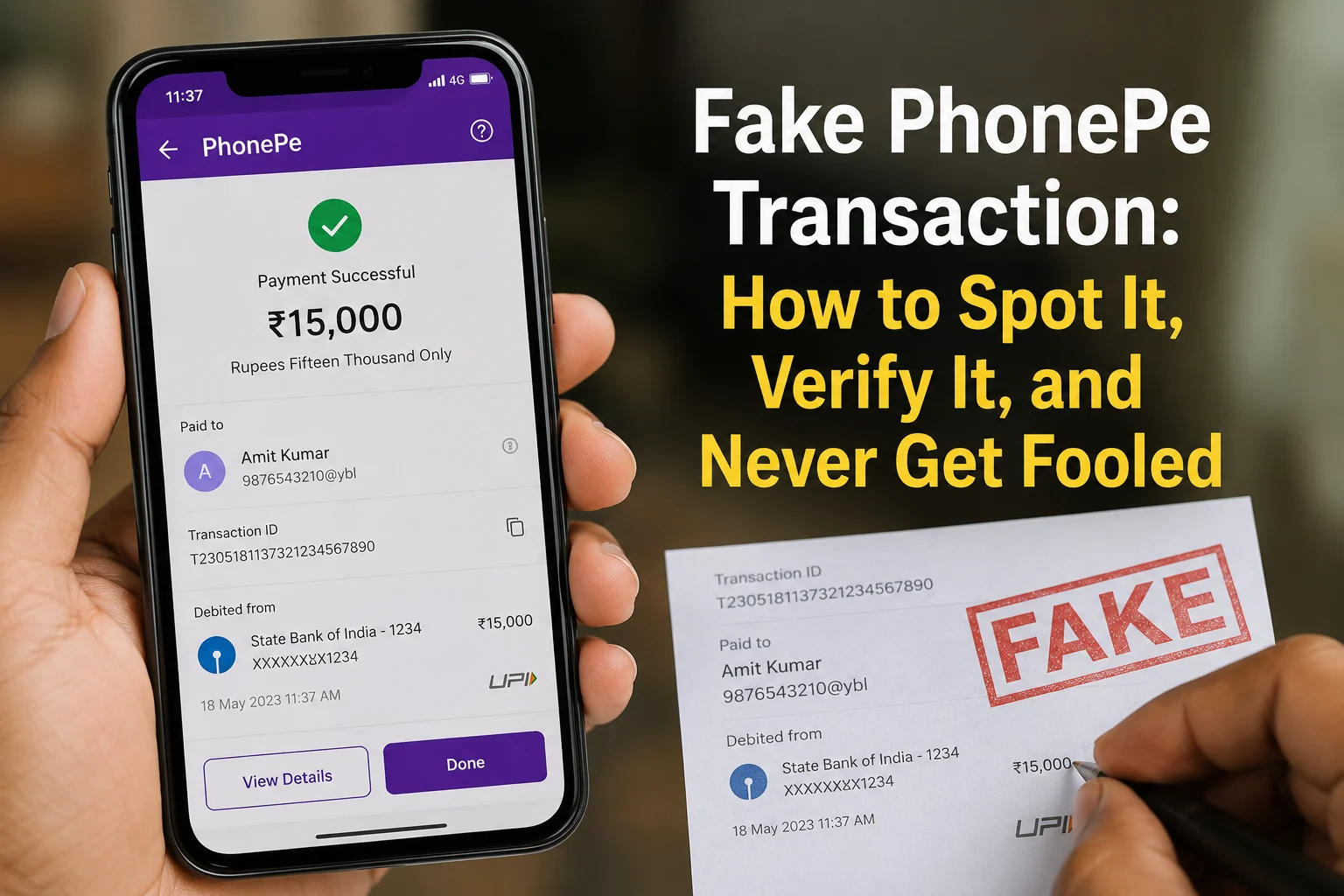
The scammer takes a real old payment receipt and edits it using a photo editing app. They change the amount, the recipient name, the date, and sometimes even the transaction ID. The result looks pixel-perfect. Many victims cannot tell the difference just by looking.
Method 2: Spoof or Clone App
This is more dangerous. Apps like PhonePe clone APK or PhonePe spoof APK mimic the original PhonePe interface exactly, including the green tick, the payment sound, and the success animation. The scammer enters your name and the amount, and the app generates a fake “Payment Successful” screen. Many fake payment apps can generate fake success screens without contacting bank servers or transferring any money.
Method 3: Cancelled Payment
The scammer initiates a real payment but cancels it at the last moment, or deliberately sends a negligible amount like Rs 1. They screenshot the in-progress “processing” screen and show it as completed. The screenshot is technically from PhonePe but it proves nothing.
All three methods share one weakness: the payment will never appear in your own transaction history.
How to Verify Any PhonePe Payment in 60 Seconds
This is the only section that matters. Follow these steps every single time before releasing any goods or services.
Step 1: Open your own PhonePe app
Go to your transaction history. If the payment is real, it will appear immediately. UPI is instant. Most genuine UPI transactions appear instantly in your history, although rare banking or server delays can sometimes occur. If it is not there, the payment is likely incomplete or unsuccessful, though rare technical delays are possible.
Step 2: Check your bank SMS
When a real UPI credit hits your account, your bank sends an SMS to your registered mobile number. This SMS comes from your bank, not from PhonePe, and not from the customer’s phone. If you did not receive this SMS, verify the payment through your bank balance or transaction history before releasing goods or services.
Step 3: Cross-check the Transaction ID
Ask for the transaction ID. Look it up in your PhonePe app. A real transaction ID will correspond to an actual entry in your history. Fake PhonePe screenshots either use random numbers that match nothing, or reuse old IDs from real transactions that will not match the amount or date being claimed.
Never accept as proof: A screenshot on the buyer’s phone. A sound from the buyer’s phone. A message forwarded on WhatsApp. An SMS on the buyer’s phone. The safest proof is verifying the payment in your own app, bank account, or merchant transaction history.
If you want a faster second opinion on a suspicious screenshot, use the Fake Payment Screenshot Checker on ScamDekho. Upload the screenshot and get an instant result. Free, no signup needed.
7 Warning Signs a PhonePe Payment Is Fake
1. Payment does not appear in your transaction history This is the definitive sign. Everything else below is secondary.
2. The buyer is rushing you Scammers depend on speed. They will say “aur log wait kar rahe hain,” “mujhe jaldi hai,” “screenshot dekh lo, ho gaya.” Genuine buyers do not panic when you say “ek second, let me verify.”
3. Font, spacing, or color looks slightly off In edited fake PhonePe screenshots, the font weight is sometimes inconsistent with the real app, the green color shade is slightly different, or the numbers have irregular spacing.
4. No bank SMS arrived Real payment, real SMS. No SMS means no payment.
5. The transaction ID cannot be verified In the PhonePe app, go to history and search for the transaction ID. If it does not exist, the screenshot is fake.
6. The “Paid to” name does not match yours In a real transaction to you, the name shown should be your name or your registered merchant name. If it shows something else, the screenshot was taken from a different transaction and edited.
7. They claim “PhonePe transaction failed due to security reasons” but show a success screen This contradiction is a deliberate confusion tactic. A failed transaction means no money reached you. There is nothing to show on a success screen if it failed.
The Pending Payment Trap
Sometimes a genuine customer’s payment gets stuck. The money was debited from their account but did not reach you. This is a real technical issue and different from a scam.
How to tell the difference: In a genuine pending case, you will see the transaction in your PhonePe history marked as “Pending” or “In Progress.” In a fake payment situation, nothing appears in your history at all.
If a payment shows as pending in your history, wait up to 48 hours. Most pending UPI transactions are resolved automatically within a few hours to 48 hours. If the PhonePe transaction is still pending and money was debited from the sender, they should raise a dispute from their own PhonePe app under “Issue with this payment.” Their bank will investigate and either complete the transfer or refund them.
Do not release goods or services based on a pending transaction. Wait for final confirmation.
If You Are a Merchant: 4 Rules to Post at Your Counter
These rules, applied consistently, will prevent this scam entirely.
Rule 1: “Payment confirmed only after it appears in our PhonePe app. Screenshots are not accepted as proof.”
Rule 2: “For transactions above Rs 2,000, we also wait for the bank SMS before completing the sale.”
Rule 3: “Sound box alerts are a secondary indicator only. App verification is the final step.”
Rule 4: “If payment is pending, we will complete the transaction once it clears. This is our policy for all customers.”
Posting these visibly at your counter serves two purposes. It sets clear expectations for genuine customers, and it signals to scammers that your shop is not an easy target. Most scammers will simply leave.
Is Using a Fake PhonePe Transaction Illegal
Yes, completely. Creating, using, or forwarding a fake PhonePe transaction is a criminal offence under Indian law.
The applicable sections are IPC 420 (cheating), IPC 468 (forgery for the purpose of cheating), IPC 471 (using forged documents as genuine), and IT Act Section 66D (cheating by personation using computer resources).
The punishment can include up to 7 years imprisonment, fines, or both, especially when actual financial loss is involved. Cases are actively being filed and pursued. The Huzurnagar and Rajasthan arrests mentioned above are examples from 2026 and 2024 respectively.
If you encounter someone using a fake payment app, report it immediately. The legal framework exists and is being enforced.
What to Do If You Have Already Been Scammed
Act within the first hour. Speed determines whether you recover anything.
- Immediately call 1930, India’s Cyber Crime Helpline. It operates 24 hours a day, 7 days a week. Reporting fast allows authorities to flag the scammer’s account before funds are withdrawn.
- File a complaint at cybercrime.gov.in under “Financial Fraud.” Attach every piece of evidence you have: the fake screenshot, the scammer’s phone number or UPI ID, CCTV footage if available, any chat messages.
- Report inside PhonePe as well. Go to Help inside the app, find the transaction, and select “Report a Fraud.” You can also email social@phonepe.com.
- Note down everything immediately before memory fades: time of the incident, description of the person, vehicle number if applicable, any name or UPI ID they provided.
For the complete step-by-step complaint filing process, read our guide on Cyber Crime Helpline Number and How to File a Complaint in India.
Real Cases From 2026
In Huzurnagar, Telangana, a man from Andhra Pradesh was arrested in April 2026 after targeting multiple small traders using a fake PhonePe app. He had been operating across the Nalgonda district for weeks before local residents caught him red-handed and handed him to police. By then, several shopkeepers had already lost money.
In Indore, two scammers visited multiple petrol pumps claiming they needed emergency cash. They showed fake PhonePe payment screens and walked away with money from several outlets before being caught.
In Rajasthan, a teenager was arrested after using a modified PhonePe APK to make fake payments across five mobile phone shops. He was charged under IPC Section 420, 468, 471, and IT Act Section 66C and 66D.
These are not edge cases. This scam operates in every state, targets small merchants who move fast, and relies entirely on the victim not checking their own app.
Sources: Free Press Journal, The Hans India
Related Scams That Work the Same Way
Fake payment fraud does not stop at PhonePe. UPI QR code scams use the same visual deception to steal money. Scammers swap a merchant’s real QR code with a fake one so payments go to them instead. Read how it works: UPI QR Code Scam: How Fake Scanners Drain Your Account
If you want to check a suspicious UPI QR code before scanning it, use the UPI QR Checker on ScamDekho.
The One Rule That Stops Every Fake PhonePe Scam
After everything covered in this guide, it comes down to one habit.
Before anything leaves your hands, open your own PhonePe app and look for the payment in your transaction history.
Not the buyer’s phone. Not a forwarded screenshot. Not a sound. Your own app, your own history.
If it is there and matches the amount, you are done. If it is not there, no payment happened, regardless of what the buyer shows you.
That one step, applied consistently, makes every version of this scam impossible.