Got an email saying your Geek Squad subscription just renewed for $349.99 or $399.99? Before you panic and call that number in the email, stop. You are likely looking at a Geek Squad renewal scam, and thousands of people across the US and UK fall for it every year.
This guide will show you exactly how the scam works, what the fake emails look like, and what to do if you already clicked something you should not have.
So What Is the Geek Squad Auto Renewal Scam, Exactly?
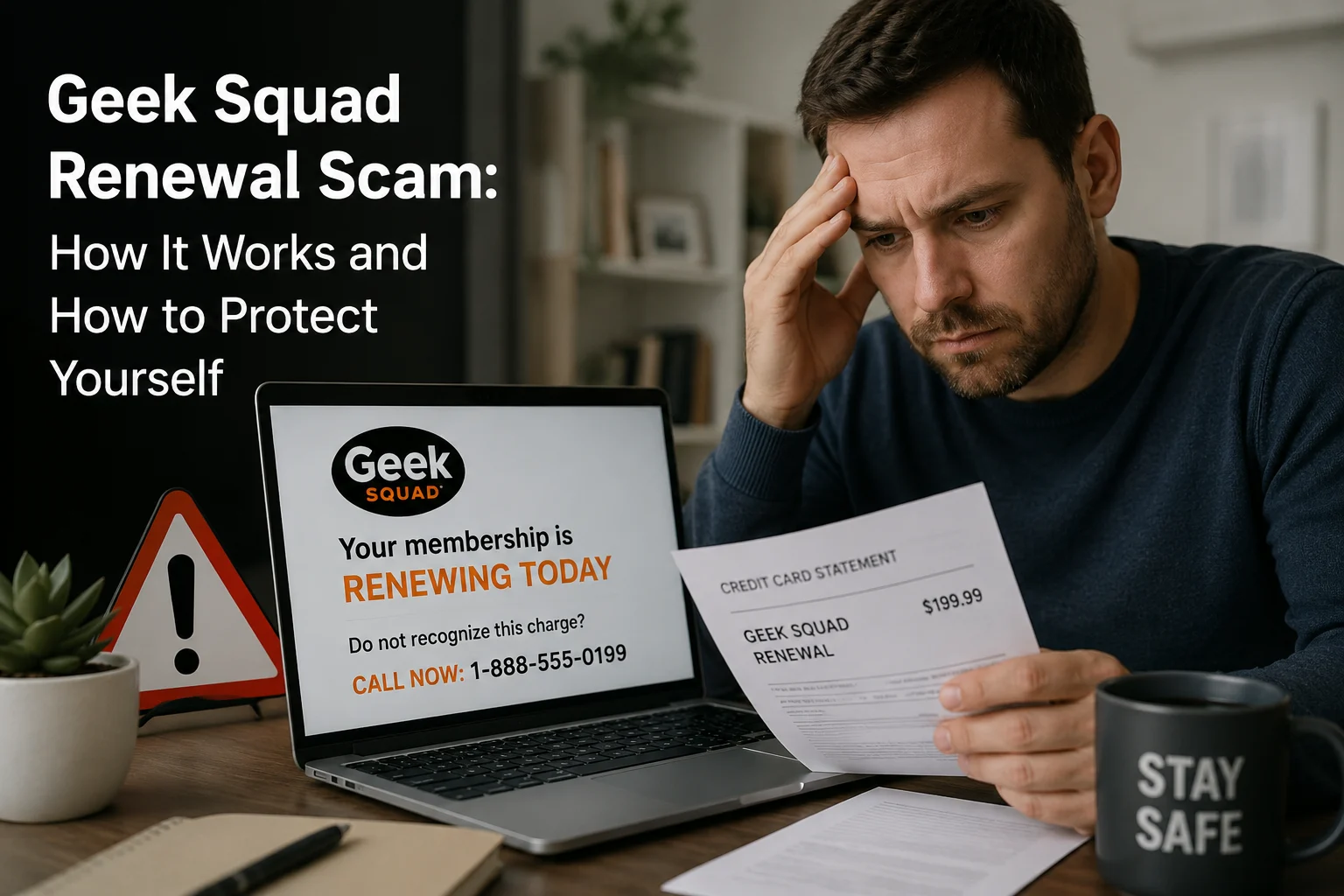
Here is the short version: criminals send you a fake invoice pretending to be Best Buy’s Geek Squad tech support. The email looks like a real billing notification, complete with logos, a fake order number, and a charge somewhere between $299 and $499.99.
The whole point is to get you scared enough to either call a number or click a link. The moment you do either of those things, they have you.
This is not a small-time operation either. The FTC received close to 52,000 reports of people being scammed by fake Geek Squad and Best Buy impersonators in 2023 alone, more reports than Amazon and PayPal scams combined. And heading into 2026, those numbers have not dropped.
How the Geek Squad Auto Renew Scam Actually Works
Here is what happens step by step:
Step 1: You get the email out of nowhere
Subject line says something like “Invoice Attached, $399.99 Charged” or “Your Geek Squad Membership Has Been Renewed.” The email looks clean and professional. There is a Geek Squad logo, a fake invoice table, an order number, the whole thing.
Step 2: Then comes the pressure
Buried somewhere in the email is a line that says you only have 24 hours to cancel and get a refund. That clock ticking is not an accident. It is designed to stop you from thinking clearly and push you into acting fast.
Step 3: You call the number or click the link
The email makes this feel like the only logical next step. If you call, someone picks up sounding completely calm and professional, pretending to be a Geek Squad agent. They will ask for your banking information to “process your refund.” Or they will tell you your computer has a virus and ask to connect remotely to fix it.
Step 4: That is when the real damage happens.
Remote access means they can see everything on your device. Banking credentials, saved passwords, personal files, everything is on the table. Some victims have had their accounts drained. Others have had their identities stolen months later.
Also Read: Evri Scam Text 2026: Spot Fake Texts, Red Flags & What To Do
What Does a Fake Geek Squad Renewal Email Actually Look Like?
A real Geek Squad automatic renewal scam email will usually have most of these:
- A sender address that is not @bestbuy.com or @geeksquad.com. Think something like
[email protected]or a random Gmail address - A generic opener like “Dear Sir/Madam” or “Dear Customer” instead of your actual name
- A fake invoice showing a charge for something like “Geek Squad Best Buy Service, One Year Subscription”
- An amount that feels plausible, usually between $349.99 and $499.99
- A hard deadline, typically 24 hours, to cancel and get a refund
- A phone number to call that goes straight to the scammer
If you have gotten an email that checks more than two or three of these boxes, you are looking at a geek squad renewal email scam. Close it. Do not reply, do not call, do not click anything inside it.
Is the Geek Squad Renewal Email a Scam? Here Is How to Know for Sure
Yes, in almost every case it is. But if you want to be completely certain, here is the one thing to do: open your browser, type BestBuy.com yourself, log in, and check your account under Subscriptions or Protection Plans.
If there is no active Geek Squad subscription sitting there, that email is fake. End of story.
Real Geek Squad renewal emails come from official @bestbuy.com addresses. They never give you a 24-hour panic window. And they never ask you to call a random number to dispute a charge.
The Different Types of Geek Squad Subscription Renewal Scams Running in 2026
The basic scam has a few variations. All of them are designed to hit different pressure points.
The Classic Fake Invoice Email
This is the most common one. You get a geek squad auto renewal scam email claiming you have been billed $300 to $500 for a membership you never signed up for. The only way to cancel, the email says, is to call their number. That number is not Best Buy. It is a scammer sitting somewhere waiting for you to hand over your bank details.
The Overpayment Refund Trick
In this version, the scammer claims they accidentally refunded you too much money and now needs you to send some back. They might even show you a fake bank screen to “prove” it. They want the money sent through gift cards or wire transfer because those are nearly impossible to trace or recover.
The Remote Access Play
You get told your device has been infected with malware. They urgently ask you to download software so their “technician” can clean it up. Once they have remote access to your computer, they have access to everything on it.
The Best Buy Geek Squad Renewal Scam via Phone
Not every geek squad membership renewal scam starts with an email. Some people get a cold call from someone claiming to be a Geek Squad agent. Same script, same urgency, same goal. If you did not initiate the call, hang up.
How to Cancel Geek Squad Auto Renewal the Right Way
If you actually do have a Geek Squad subscription and want to cancel it, here is how to do it without getting tricked:
- Open your browser and type BestBuy.com yourself. Never use a link from an email.
- Sign in to your account.
- Head to Account Settings and look for Subscriptions or Protection Plans.
- Find your plan and cancel from there.
- Or call Geek Squad directly at (888) 237-8289, which is their official number.
That is it. No third-party links, no emailed phone numbers, just your account and the official site.
Already Fell for It? Here Is What to Do Right Now
This happens to smart people every day. These scams are built by professionals. If you already made a move, here is how to limit the damage:
Gave them your credit card or bank info?
Call your bank immediately. Ask them to freeze the card and flag any recent transactions as potentially fraudulent. Request a chargeback if any money has already moved.
Let them into your computer?
Disconnect from the internet right now. Run a full scan with a trusted antivirus program. Then change every important password, starting with your email and banking accounts.
Handed over your Social Security number?
Place a fraud alert or credit freeze with Experian, Equifax, and TransUnion. File an identity theft report at IdentityTheft.gov. This creates an official record and helps you dispute anything fraudulent that pops up later.
Sent money through gift cards?
This is the hardest situation to recover from because gift card payments are almost untraceable. Report it to the FTC immediately and contact the gift card company directly. Some issuers can put a hold on unused card balances if you catch it fast enough.
Where to Report a Geek Squad Membership Renewal Scam
Reporting matters because it helps the FTC and FBI track these operations and warn other people. Here is where to go:
- Your email provider: Hit “Report Phishing” inside Gmail or Outlook so they can filter similar messages in the future
- FTC: reportfraud.ftc.gov
- Best Buy fraud team: Forward the scam email to abuse@bestbuy.com
- FBI Internet Crime Complaint Center: ic3.gov
Also Check: How to Report PayPal Scam Emails: A Complete Guide
Red Flags to Spot a Geek Squad Phishing Email
Bookmark these. They will save you one day:
- Sender email is not from @bestbuy.com or @geeksquad.com
- Email addresses you as “Dear Sir/Madam” or “Dear Customer”
- There is a charge for a subscription you never signed up for
- You are given 24 hours or less to respond
- The email asks you to call a number to cancel
- Any mention of gift cards as a way to send or receive money
- Grammar feels slightly off or sentence structure seems automated
Final Thoughts
The Geek Squad renewal scam is not going anywhere in 2026. It works too well for scammers to give up on it. It creates instant fear, uses a name people recognize and trust, and gives victims just enough time to react without thinking.
The single best thing you can do is slow down. If you get an unexpected billing email from Geek Squad, do not call the number. Do not click the link. Open a browser tab, go to BestBuy.com yourself, and check your account. That 30-second step is the difference between staying safe and handing a scammer your financial information.
If you found this helpful, share it with someone who shops at Best Buy regularly. Older adults are particularly targeted by this scam and are less likely to have seen a warning like this before.
FAQs About the Geek Squad Renewal Scam
No. Geek Squad is a legitimate tech support service owned by Best Buy. Scammers are impersonating the brand. If you contact Geek Squad through the official Best Buy website or phone number, you are talking to real people.
Go directly to BestBuy.com, sign in, and manage your plan from your account. Never use a cancellation link from an unsolicited email.
Most geek squad automatic renewal scam emails in 2026 claim charges of $349.99, $359.99, $399.99, or $499.99. These amounts are chosen to feel believable for an annual tech subscription.
It depends on how you paid. Credit card payments have the best shot at recovery through a bank chargeback. Wire transfers and gift card payments are very difficult to recover. The faster you act, the better your chances.
Log into your Best Buy account directly and check your active subscriptions. If nothing is there, the email is fake. Also verify the sender address ends in @bestbuy.com.