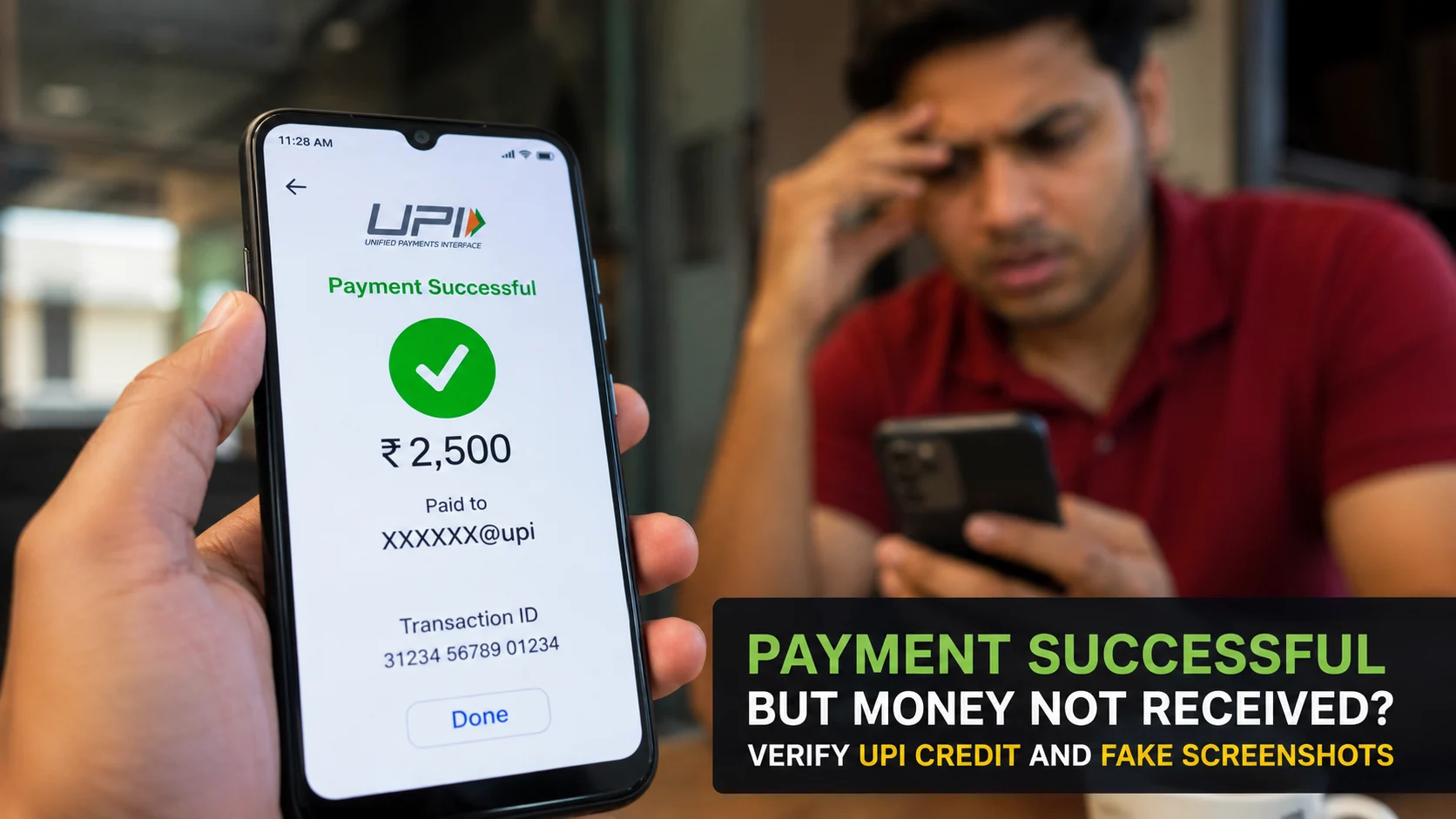
A customer shows “Payment Successful”, but your bank balance has not changed. This can happen because of a genuine delay, a payment sent to the wrong UPI ID, a failed or reversed transaction—or a fake payment screen. The correct response is calm verification, not an argument and not immediate delivery.
If you received an image, upload it to ScamDekho’s fake payment screenshot checker for an additional review. It can flag visual and transaction-format signals, but it cannot see your bank account or guarantee whether money was credited. Your own bank or UPI transaction history is the final source of truth.
Quick answer: what should you do when payment is successful but money is not received?
Check your own bank or merchant app, confirm the correct receiving account and review the transaction history—not only notifications. Ask the payer to open the transaction inside their official app and check the current status and recipient. Do not release goods, issue cash or send a “refund” until the credit appears in your account or your payment provider confirms it.
Why can a successful payment not appear immediately?
Several situations can look similar at first:
- Network or bank delay: the payer’s app may show a status before your balance refreshes.
- Pending transaction: the payment has not reached a final state.
- Wrong recipient: the payer used an old QR or mistyped the UPI ID.
- Reversal: the amount may return to the payer after a failed transaction.
- Fake proof: the screenshot, notification or app screen may be edited or simulated.
Do not accuse the customer based only on a delay. Follow the same verification process for every transaction.
1. Check your own account first
Open your bank, UPI or verified merchant app yourself. Review the transaction list for the correct receiving account. If your business uses several bank accounts or QR codes, confirm which account is linked to the displayed code.
A sound box, SMS or push notification is convenient but should not be the only proof. Notifications can be delayed, hidden or imitated.
2. Refresh through the official app
Use the app’s normal refresh or transaction-history function. Do not click a “verification” link sent by the payer. If your app is unavailable, use another official channel offered by your bank, such as its verified mobile app, website or support number.
3. Confirm the exact amount, time and recipient
Compare the amount and approximate time with your sales record. Ask the payer to open the transaction from inside their official payment app—not from the gallery—and show the recipient name, UPI ID and current status.
Be careful with screenshots cropped so tightly that the recipient, timestamp or status area is missing.
4. Understand what a UTR or transaction reference proves
A reference number can help the bank or payment provider trace a transaction. Its presence in a screenshot does not by itself prove that your account was credited. Text and numbers can be edited, copied from an older transaction or displayed by an imitation app.
Do not rely on a public “UTR checker” that asks for banking credentials. Confirm disputed payments through your own provider’s official support process.
5. Look for fake-payment screenshot signals
Visual clues are useful for deciding whether to investigate further:
- Uneven fonts, spacing or alignment
- Blurry text beside sharp logos
- Recipient or amount fields that look pasted
- Impossible date, time or number format
- Cropped status bar or missing navigation
- Logo colours or interface elements that do not match the official app
- A screenshot that cannot be opened as a live transaction inside the payer’s app
One design difference is not proof because payment apps update their interfaces. Use the AI payment screenshot detector as an additional signal and verify the credit independently.
6. Do not accept a notification sound as final proof
Fraudsters can play recorded confirmation sounds or use apps that imitate a merchant alert. Train staff to check the receiving account for every disputed or high-value payment. A busy shop is exactly where pressure and distraction work best.
7. Never send a refund for money you did not receive
A payer may claim they accidentally paid twice and ask you to return one payment. Verify that both credits exist in your own account and that neither is pending or reversed. Do not send money based only on two screenshots.
8. Keep the goods until the payment is confirmed
For a shop, fuel station, delivery, marketplace sale or service handover, use a clear rule: goods are released after the receiving account confirms the credit. Explain politely that a bank delay is possible and that the transaction can be completed when the status is resolved.
Avoid taking the customer’s phone or asking for their PIN. Verification should not require access to their credentials.
9. Verify the UPI ID or QR used
Check whether the payer scanned your current QR and whether the payee name matched your business or receiving account. If a printed QR is displayed publicly, inspect it for a sticker placed over the original.
You can review an unfamiliar ID or QR with ScamDekho’s UPI ID and QR Scam Checker, then compare the result with the payee information shown in your official app.
10. Handle a genuine pending transaction fairly
If the payer’s official app shows pending and your account shows no credit, neither side should treat the transfer as final. The payer should follow the support or dispute steps in their app. Keep the order on hold or use another agreed payment method only after both sides understand how any later duplicate credit will be handled.
Do not ask the payer to repeat large payments blindly, and do not hand over cash against an unconfirmed digital transaction.
Step-by-step checklist for sellers
- Pause the sale and remain calm.
- Open your own bank or merchant transaction history.
- Confirm the correct account, amount and time.
- Ask the payer to open the live transaction in the official app.
- Compare recipient name, UPI ID and status.
- Use the screenshot checker only as an additional signal.
- Do not release goods or issue a refund without confirmed credit.
- Record the order and payment reference for follow-up.
- Contact your provider through its official support channel when needed.
A simple payment-verification policy for shop staff
- Never trust only a screenshot, SMS or sound.
- Verify high-value and disputed payments in the receiving account.
- Do not let customers rush staff during closing time or busy hours.
- Do not share OTPs, PINs or merchant-app credentials.
- Escalate mismatches to the owner or manager.
- Keep current QR codes visible and inspect them for tampering.
If the customer has already left with the goods
Preserve CCTV, invoice details, the screenshot, phone number, conversation, time and any transaction reference. Contact your bank or payment provider to confirm whether a transaction exists. If fraud is suspected, follow the current official cybercrime reporting process and provide accurate evidence. Do not post unverified personal accusations publicly.
Frequently asked questions
Is a UTR number proof that I received the money?
No. It is a tracing reference, not a substitute for a credit entry in your own account. Your payment provider can use it to investigate.
Can a payment app show success and later reverse the transaction?
Payment states and reversals can occur depending on provider processing. Check the final status in the official transaction history and contact the provider for a disputed case.
Should I ask the customer to pay again?
First confirm whether the original transaction is pending, failed or sent to the wrong recipient. If another payment method is used, agree on how a later duplicate credit will be returned safely.
Can ScamDekho confirm money in my bank account?
No. The tool analyses screenshot signals. Only your bank or payment provider can confirm the account credit and transaction status.
What if the screenshot looks completely genuine?
Still verify your own account. A polished image or realistic interface is not proof of settlement.
Final takeaway
When a payment appears successful but the money is not received, rely on your own account history and provider—not pressure, screenshots or sounds. A consistent verification policy protects both honest customers experiencing delays and sellers targeted by fake-payment scams.