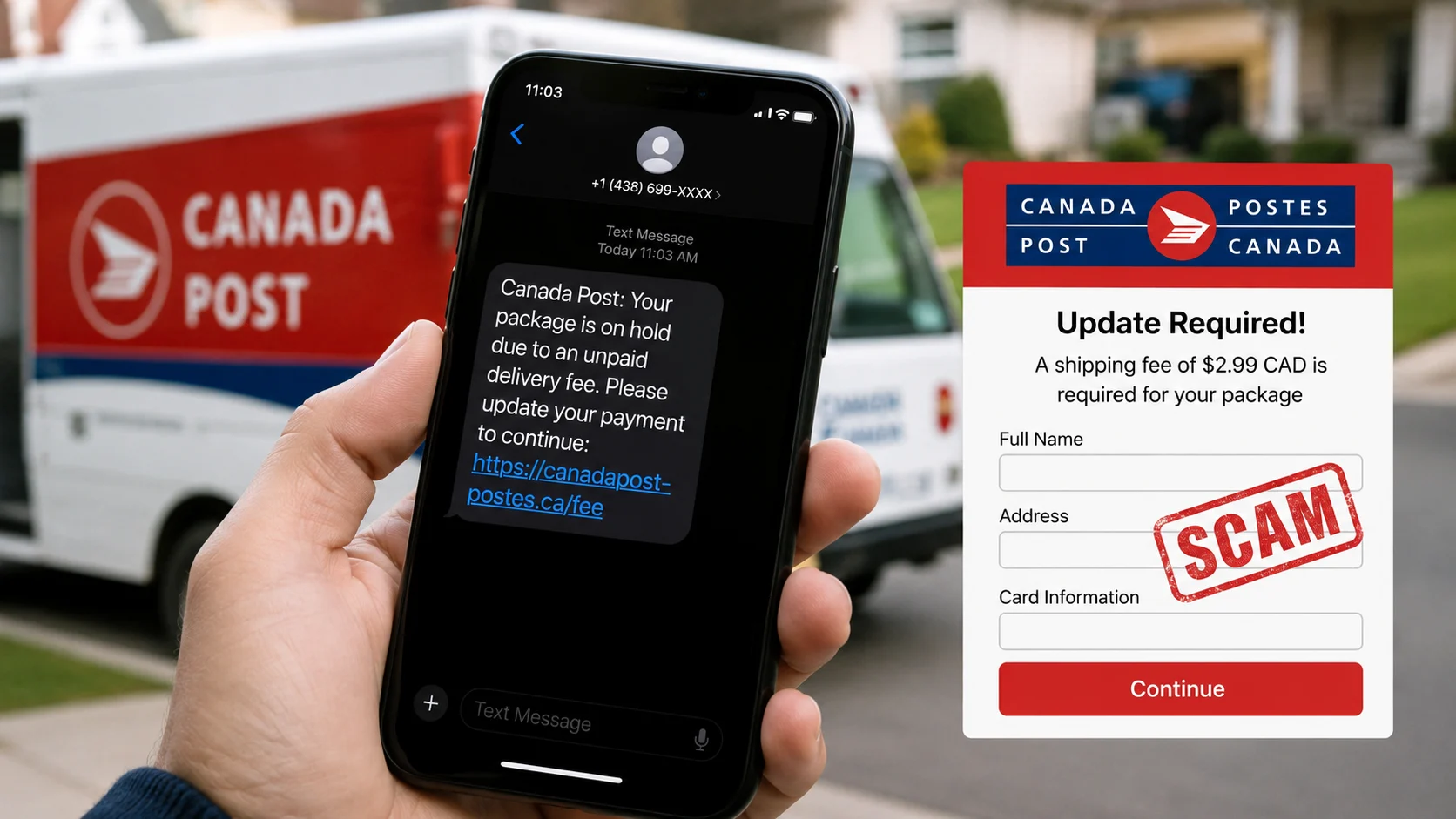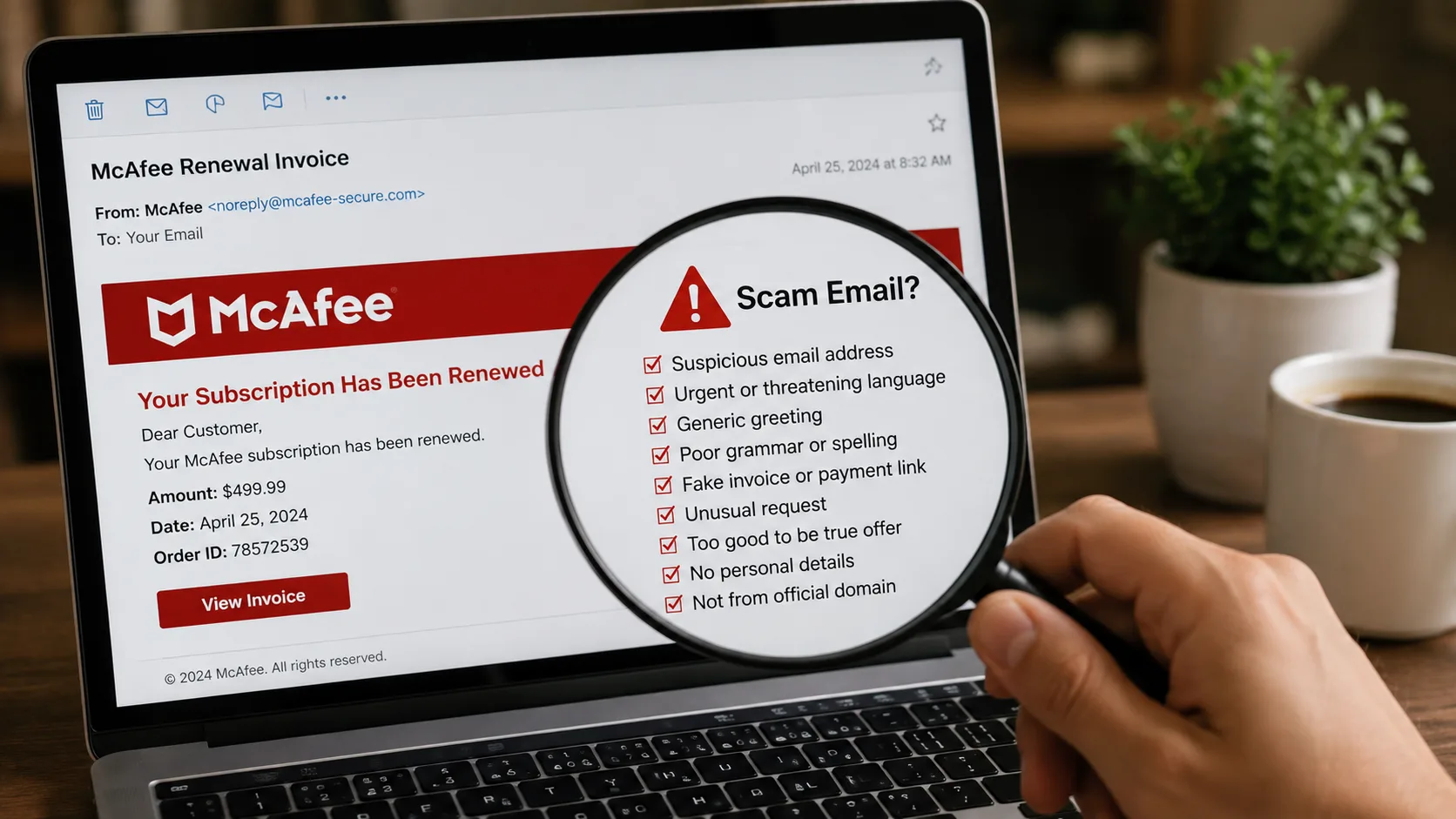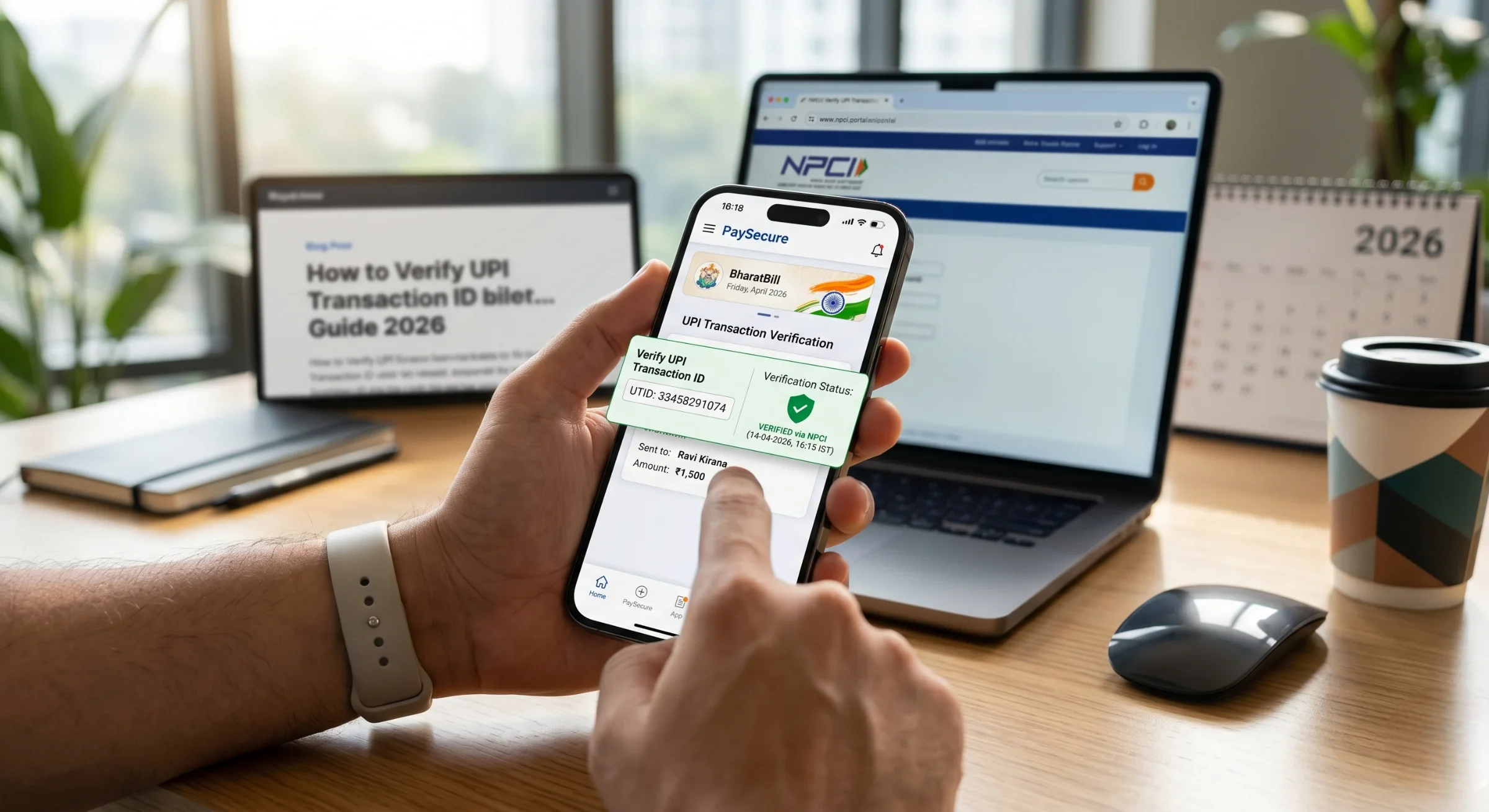
Disclaimer: Everything shared in this article is strictly for learning purposes. We’re not providing financial or legal advice. If someone has cheated you through a fake UPI transaction, act fast call your bank immediately and report it at cybercrime.gov.in or dial 1930. For case-specific guidance, consult a qualified professional.
Key Takeaways
- Every UPI payment creates a unique 12-digit number called a UPI Reference Number or UTR. This number tells you whether your payment actually went through or not.
- To check if a transaction was successful, just open your UPI app and look at your transaction history. You can also log in to your bank’s mobile or internet banking, or use the NPCI dispute system to cross-check.
- Here’s something important, scammers often send fake payment screenshots with made-up transaction IDs. So never trust a screenshot alone. Always match the transaction ID with your actual bank records. That’s the only way to know for sure.
- If money got deducted from your account but never reached the other side, don’t panic. As per RBI rules, the amount should automatically get reversed within 5 working days. If that doesn’t happen, raise a complaint right away.
- And the golden rule, never hand over any product, service, or refund unless the payment actually shows up in your bank account. A screenshot means nothing. Your bank balance does.
Why You Need to Know How to Verify a UPI Transaction ID
Here’s something I’ve seen happen repeatedly while working on scam awareness: a shopkeeper in a busy market gets shown a “successful payment” screenshot on someone’s phone, hands over the goods, and later discovers the money never arrived.
This isn’t a rare edge case. According to RBI’s Annual Report for FY2024–25, digital payment frauds numbered 13,516 cases accounting for 56.5% of all reported banking frauds. A LocalCircles survey of over 32,000 UPI users found that 1 in 5 families experienced UPI fraud at least once in the past three years.
The UPI ecosystem processed over 185.8 billion transactions in FY2024–25 alone (a 41.7% year-on-year increase, per NPCI data). With that volume, verifying whether a specific payment actually happened isn’t optional anymore, it’s a basic financial safety skill.
And the simplest way to do it? Check the UPI Transaction ID.
What Is a UPI Transaction ID (and How Is It Different from UTR)?
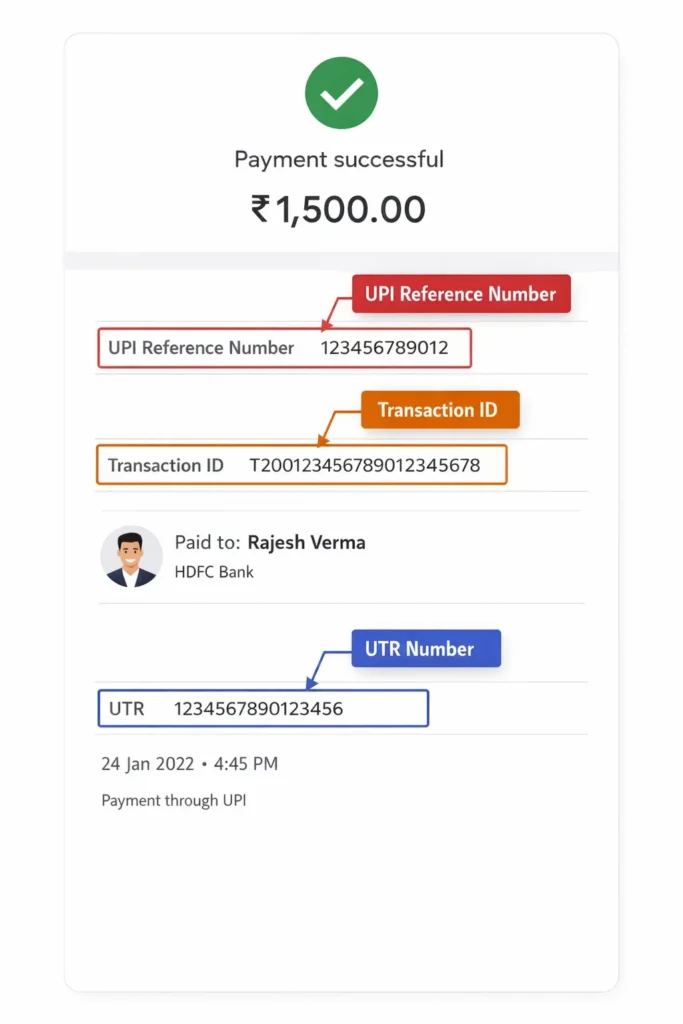
Before diving into verification steps, let’s clear up a common confusion. There are multiple reference numbers involved in a single UPI payment, and people often mix them up.
UPI Transaction ID vs UTR vs UPI Reference Number
| Term | What It Is | Format | Where to Find It |
|---|---|---|---|
| UPI Transaction ID | A unique identifier generated by your UPI app for every transaction you initiate | Alphanumeric (varies by app) | Transaction history in your UPI app |
| UPI Reference Number | A 12-digit number assigned by NPCI’s UPI system to track the transaction across banks | 12 digits (numeric) | Transaction details screen, SMS alerts |
| UTR (Unique Transaction Reference) | A bank-level reference code used for interbank settlement | Alphanumeric (format varies by bank) | Bank statement, internet banking portal |
The UPI Reference Number is the most important one for verification purposes. It’s the number that NPCI, your bank, and the recipient’s bank all recognize. When someone shows you a payment screenshot, this is the number you should be cross-checking.
How to Verify UPI Transaction ID Online: 5 Methods
Method 1: Check Transaction History in Your UPI App
This is honestly the simplest way to check. Just open your UPI app doesn’t matter if it’s Google Pay, PhonePe, Paytm, or BHIM.
Once you’re in, look for your payment history. It’s usually sitting right there on the home screen or somewhere in the main menu. Find the transaction you’re looking for, scroll by date or use the search bar, and tap on it.
You’ll see everything, the amount, when it was made, who received it, and whether it actually went through. Right there in the details, you’ll also find a 12-digit UPI Reference Number. Save that number. It comes in handy if anything goes wrong later.
And if you’re selling something – please don’t trust a screenshot the buyer shows you. Check your own app. Check your own account. What’s on their screen is their business, not your proof.
Always verify your UPI Id here
Method 2: Verify Through Your Bank’s Mobile or Internet Banking
Your bank records UPI transactions on its own, totally separate from your UPI app. So if you want to be really sure, this is where you go.
Step 1: Log in to your bank’s official mobile app or internet banking portal.
Step 2: Go to “Account Statement” or “Transaction History.”
Step 3: Filter by date range to locate the specific UPI transaction.
Step 4: The bank statement will show the transaction amount, the counterparty’s UPI ID or name, the UTR number, and the debit/credit status.
Here’s the thing: If a payment looks “successful” in someone’s UPI app but shows nothing in your bank statement, something is off. Either the app hasn’t updated yet, or that screenshot was never real.
Method 3: Use SMS Alerts from Your Bank
Your bank texts you every single time money moves in or out. The message shows the amount, a partial account number, and a reference code.
It’s a quick check, not a deep one but it works. If someone says they paid you and your phone got no message from the bank, don’t release anything. Just stop and verify first.
Also, check that your SMS alerts are actually switched on. Surprisingly easy to turn them off by mistake and not realise it until something goes wrong.
Method 4: Raise a Query Through NPCI’s UPI Help Portal
If you need official confirmation of a transaction’s status especially for disputes, fraud cases, or when your bank isn’t resolving the issue NPCI has a dedicated system.
Step 1: Visit the NPCI website (npci.org.in) and navigate to the “UPI” section, or directly contact them through their helpline at 1800-120-1740 (toll-free).
Step 2: You’ll need to provide the UPI Transaction ID or Reference Number, the transaction date, the amount, and your registered mobile number.
Step 3: NPCI can verify whether the transaction was processed on its system and confirm the settlement status between banks.
This method is particularly useful when there’s a dispute between the sender’s bank and the receiver’s bank, and neither side is providing clarity.
Method 5: Contact Your Bank’s Customer Support Directly
Sometimes you just need to talk to a person. Call your bank’s customer care, give them your UTR number, the transaction date, and the amount and they’ll trace it for you on the spot.
If money left your account but the transaction failed, RBI says the bank has to reverse it within 5 working days. If that window passes and nothing happens, escalate. You’re well within your rights to do so.
As per RBI guidelines, banks are required to resolve UPI transaction complaints within specific timeframes. Failed transactions where money was debited should be auto-reversed within T+5 working days. If that doesn’t happen, you have the right to escalate.
How to Spot a Fake UPI Payment Screenshot
Knowing how to verify a UPI transaction ID is your strongest defence against fake payment screenshot scams. But it also helps to recognize the visual red flags before you even get to the verification stage.
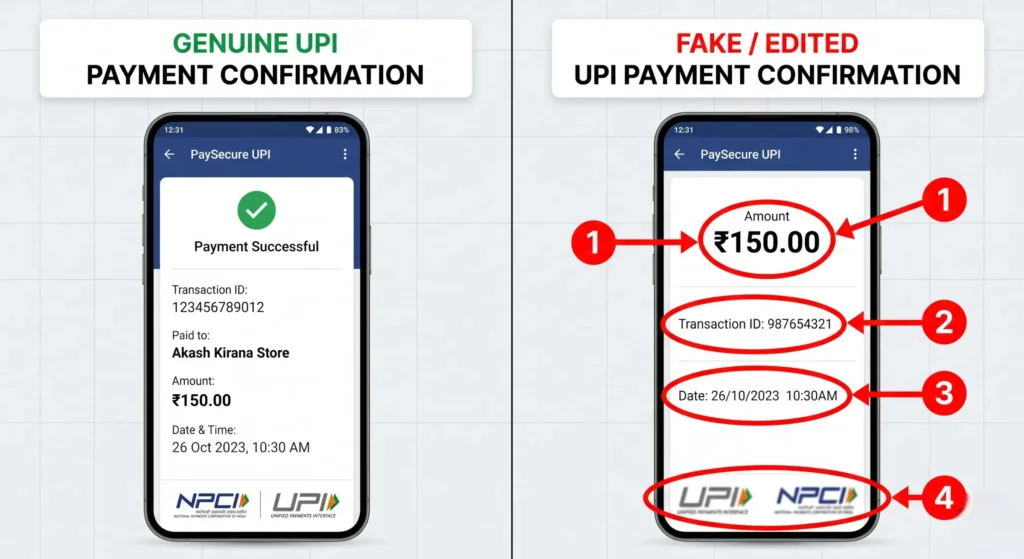
Here are the most common signs of a fabricated screenshot:
- Take a close look at the fonts and spacing. Most fake screenshots are made using photo editing apps. So zoom in a little does the font on the amount look the same as the rest of the text? Does anything look slightly off, stretched, or out of place? Even a small gap or alignment issue can give it away.
- Check the UPI Reference Number carefully. Every real UPI transaction has a 12-digit number only digits, no letters. If the number in the screenshot is too short, too long, or has any alphabets in it, that’s your answer right there. It’s fake.
- Did you get an SMS? A real payment hits your bank account and your phone gets a text immediately. No SMS means no payment. It really is that simple. Don’t let anyone convince you otherwise.
- Check your own account, not their screen. This is the only thing that actually matters. Whatever someone’s phone is showing is irrelevant. Has the money landed in your account? If yes, great. If no, nothing else they show you counts.
- Watch out for “Pending” being passed off as “Done.” Some scammers show a transaction that’s still pending and tell you the money is on its way. It’s not. A pending payment is an incomplete payment. Hold on to whatever they’re asking for until the status actually says successful and the amount is sitting in your account.
Verify your screenshot: Fake Payment Screenshot Checker Tool
What to Do If a UPI Transaction Fails but Money Is Debited
This is genuinely one of the most frustrating things that can happen with UPI and honestly, it’s more common than people realise. A lot of times it’s just a server hiccup or a bad network moment.
Step 1: First, just wait. Give it about 30 minutes before you do anything. A lot of these transactions sort themselves out automatically once the banking servers catch up. No need to spiral right away.
Step 2: Then check your bank statement. If the money did get deducted, write down the UTR or UPI Reference Number. You’ll need it going forward.
Step 3: Raise a complaint in your UPI app. Go to the specific transaction in your history and use the “Report a problem” or “Help” option. This creates a formal dispute ticket that your bank and NPCI can track.
Step 4: If nothing moves in 48 hours, call your bank. Have your transaction details ready and explain what happened. According to RBI rules, any money deducted in a failed transaction must be reversed within 5 working days.
Step 5: Still no resolution? Escalate. If your bank hasn’t sorted it out within 30 days, take it higher. You can approach the RBI Banking Ombudsman at rbi.org.in or file a grievance directly through NPCI’s portal.
Step 6: And if you think fraud was involved, report it immediately. Don’t wait. Go to cybercrime.gov.in or call 1930 right away. The Government’s Cyber Crime Coordination Centre works directly with banks and law enforcement to handle exactly these situations.
Understanding UPI Transaction Statuses
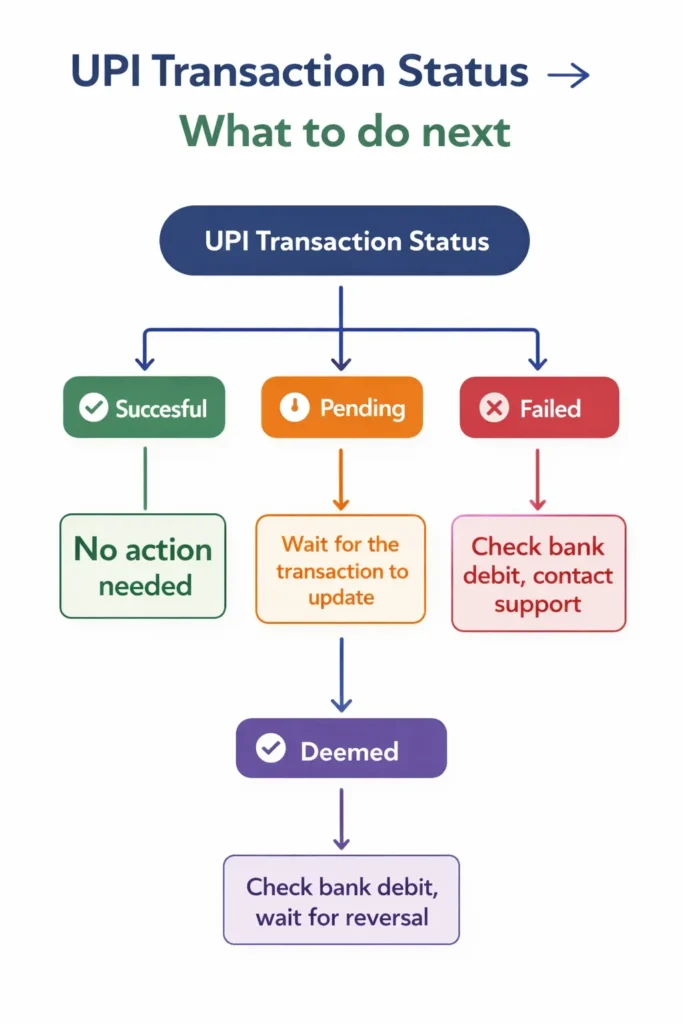
When you check a UPI transaction, you’ll see one of these statuses. Here’s what each one actually means:
| Status | What It Means | What You Should Do |
|---|---|---|
| Successful | Money has been debited from the sender and credited to the receiver | No action needed. Save the reference number for your records |
| Pending | The transaction is still being processed by the banking system | Wait 30-60 minutes. If still pending after 24 hours, raise a complaint with your bank |
| Failed | The transaction did not go through | Check if money was debited from your account. If yes, it should auto-reverse within 5 working days. If not reversed, contact your bank |
| Deemed | The transaction status is uncertain due to a technical issue between banks | Contact your bank with the reference number. NPCI tracks deemed transactions for resolution |
RBI’s New Proposals to Curb UPI Fraud (April 2026 Update)
Something worth paying attention to – the Reserve Bank of India released a discussion paper on April 9, 2026, titled “Exploring Safeguards in Digital Payments to Curb Frauds.” And some of the ideas being proposed could actually change how UPI works for everyday users.
One of the key proposals is a “cooling-off period.” In simple terms, if you’re transferring above a certain amount, there could be a short delay built in. The logic is straightforward scammers usually rely on panic and urgency. They pressure you to act quickly so you don’t get time to think. A small delay could help break that pattern before any real damage is done.
The paper also introduces something called a “Kill Switch.” This would allow you to instantly disable all digital payments from your account with a single tap. If you ever sense something suspicious, you wouldn’t need to call your bank or wait on hold just hit the switch, and everything stops immediately.
These are still just proposals. Public feedback is open until May 8, 2026, so nothing has been finalised yet. But the fact that RBI is actively working on such measures says a lot UPI fraud is clearly being taken seriously at the highest level. And while regulators do their part, it’s equally important that we stay alert on ours.
Also Read: How to Report a Cyber Crime in India: Complete Step-by-Step Guide (2026)
Quick Checklist: Verifying a UPI Payment Before Releasing Goods
If you’re a shopkeeper, freelancer, seller, or anyone who receives UPI payments from strangers, use this checklist every time:
- Check your own bank account or UPI app for the incoming payment never rely on the buyer’s screen.
- Wait for the bank SMS confirming the credit before handing over goods.
- Match the amount scammers sometimes send ₹1 and show a doctored screenshot for ₹1,000.
- Verify the UPI Reference Number if anything feels off cross-check it in your transaction history.
- Don’t accept “pending” as payment a pending transaction is not money in your account.
- Use ScamDekho’s Fake Payment Screenshot Checker to quickly analyse suspicious screenshots.
Final Thoughts
Verifying a UPI transaction ID isn’t complicated — but it’s a habit that can save you from losing real money to a fake screenshot. Whether you’re a street vendor, an online seller, or just someone who splits bills with friends, taking 10 seconds to check your own bank account before trusting someone else’s phone screen is the simplest fraud prevention step you can take.
The tools exist. Your UPI app shows transaction history. Your bank sends SMS alerts. NPCI has a helpline. Use them.
And if you suspect a payment screenshot is fake, run it through our Scamdekho’s free upi payment screenshot checker it’s free and takes seconds.
Frequently Asked Questions
Open your UPI app (Google Pay, PhonePe, Paytm, or BHIM), go to transaction history, and find the specific payment. The transaction details will show the status (successful, pending, or failed) along with the 12-digit UPI Reference Number. You can also verify through your bank’s mobile or internet banking portal at no cost. There is no charge for checking transaction status.
A UPI Transaction ID is generated by your UPI app to identify the transaction within that app. A UTR (Unique Transaction Reference) is a bank-level reference used for interbank settlement. The UPI Reference Number (12 digits) is the universal identifier recognized by NPCI, your bank, and the recipient’s bank. For verification and disputes, the UPI Reference Number is the most useful.
The number itself can be typed or photoshopped onto a fake screenshot, yes. However, a fabricated reference number will not show up in the receiver’s bank account or UPI app transaction history. That’s exactly why you should always verify payments from your own bank records — not from the sender’s phone screen.
According to RBI guidelines, if money was debited from your account but the transaction failed (i.e., it wasn’t credited to the recipient), the amount should be auto-reversed within T+5 working days (where T is the transaction date). If the reversal doesn’t happen within this timeframe, contact your bank and raise a formal complaint.
You have multiple options. Start by raising a dispute within your UPI app. If unresolved within 48 hours, contact your bank’s customer care. For fraud-related cases, file a report on cybercrime.gov.in or call 1930 (the National Cyber Crime Helpline). If your bank doesn’t resolve the issue within 30 days, escalate to the RBI Banking Ombudsman through rbi.org.in. NPCI also has a toll-free helpline at 1800-120-1740.