Blog

  • Canada Post Text Scam: Fake Delivery Fee and Address Update Messages

    Canada Post Text Scam: Fake Delivery Fee and Address Update Messages

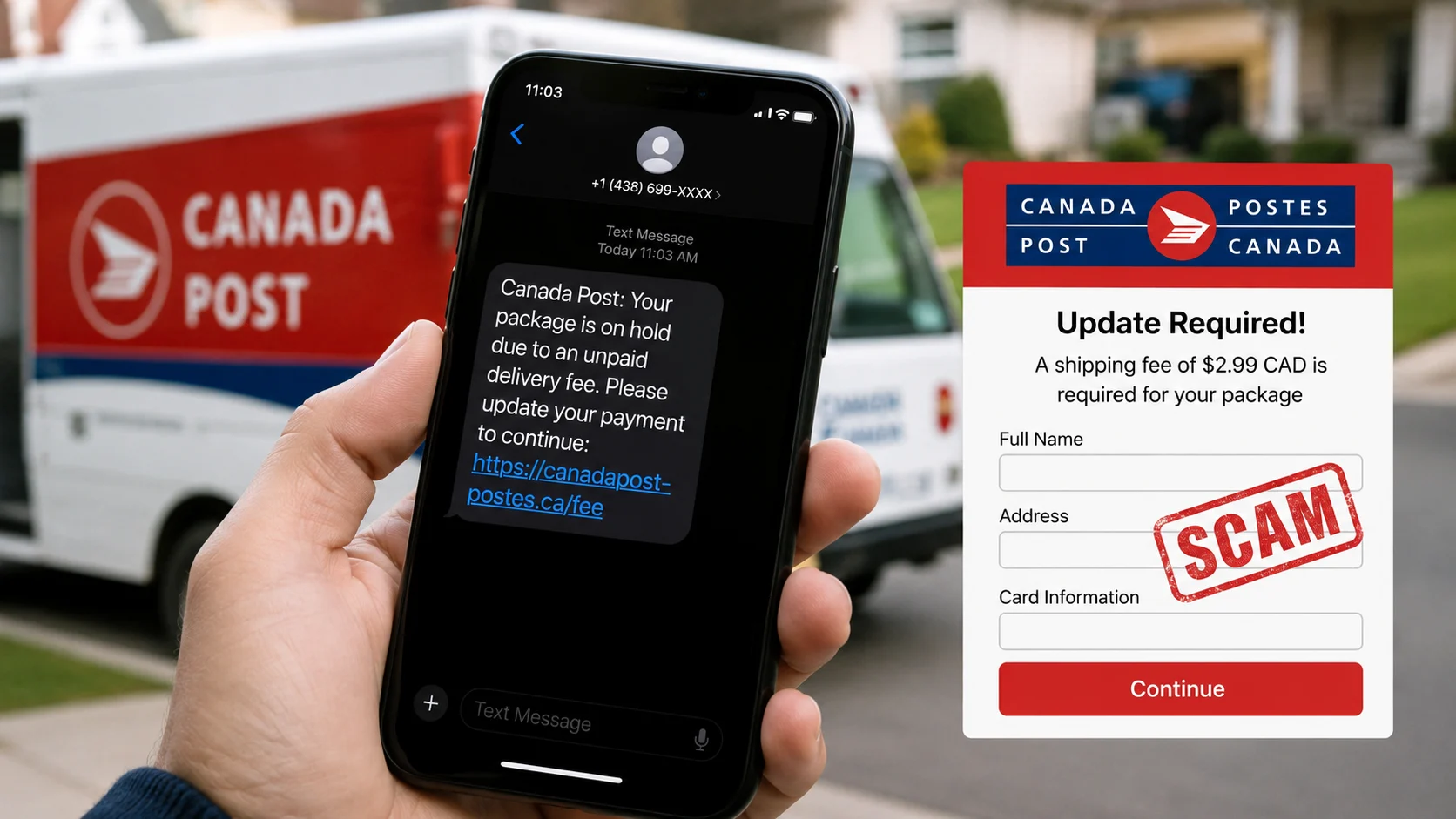
    A Canada Post text scam often claims that a package cannot be delivered until you update your address or pay a small fee. The amount is deliberately low so the request feels routine. The linked page may collect card details, identity information or account credentials.

    Semrush Canada data shows useful demand with relatively low keyword difficulty. Before opening anything, paste the wording into ScamDekho’s scam message checker. Copy the link without visiting it and inspect the destination with the website scam checker. Neither tool replaces confirmation through Canada Post’s official tracking service.

    Quick answer: how do you check a Canada Post text scam?

    Do not use the message link. Open the official Canada Post website or app independently and enter the tracking number from the retailer or shipping receipt. Compare the status there. If the text asks for an address correction, card payment or personal information that does not appear in your official tracking record, do not proceed.

    Common fake Canada Post message types

    Incomplete address text

    The message says a street number, postal code or unit is missing and asks you to update the details through a link. The page is built to look like a delivery form.

    Small redelivery fee

    A charge of a few dollars appears reasonable, but the real objective may be to capture full card details and billing information.

    Missed delivery or final attempt

    The sender creates urgency by saying the parcel will be returned or destroyed if you do not act immediately.

    Customs or import charge

    The message claims an international parcel is waiting for a tax or customs payment. Verify through the actual carrier and order record.

    Fake delivery survey or prize

    The text offers a reward for completing a short survey, then asks for shipping payment or personal details.

    10 warning signs of a fake parcel text

    1. You were not expecting a package

    Scammers send parcel messages in bulk because many recipients are waiting for something. An unexpected message deserves extra checking, but even an expected parcel can be used as bait.

    2. The message has no valid tracking context

    A generic “your package” notice with no order, retailer or usable tracking detail is difficult to verify. Do not treat a random number in the message as proof.

    3. The link uses an unrelated domain

    Read the registered domain carefully. A web address can contain “Canada”, “post”, “parcel” or “delivery” without being official. Shortened links also hide the destination.

    4. The text demands action within hours

    Urgency reduces the chance that you will check the retailer, carrier or official tracking page.

    5. A tiny fee requires full card details

    The page may use a small charge to collect card number, expiry, security code, address and phone number. The value of the information can be much greater than the advertised fee.

    6. The page asks for a banking login or one-time code

    Do not provide online-banking credentials, OTPs or device-approval codes to resolve a parcel delivery.

    7. The sender number is unfamiliar

    Phone numbers can be spoofed or rotated. An apparently local number is not proof that Canada Post sent the message.

    8. The message moves to WhatsApp or a phone call

    A follow-up agent may claim to help with payment or address verification. Use contact details from the official website instead.

    9. The design is convincing but the details do not match

    Logos and layouts are easy to copy. Check the order, tracking status, recipient name and domain rather than relying on visual appearance.

    10. The sender asks you to install an app

    Do not install an APK, browser extension or remote-access tool from a parcel text.

    How to verify a Canada Post delivery safely

    1. Do not tap the text link.
    2. Open the retailer’s order page separately.
    3. Copy the tracking number from your genuine order or receipt.
    4. Type the official Canada Post website address yourself.
    5. Check the tracking status there.
    6. Contact the retailer or carrier through independently found details.
    7. Ignore payment instructions that exist only in the text.

    How to inspect the URL

    Press and hold the link on mobile or hover over it on desktop to see the destination. Focus on the registered domain, not familiar words in the path. Paste it into the ScamDekho URL checker without visiting the page. A new domain, mismatched identity and limited reputation can support a cautious decision.

    HTTPS and a padlock do not prove that the delivery page is genuine.

    What to do if you entered card information

    Contact the card issuer or bank immediately using its official app or the number on the card. Explain that the details were entered on a suspected phishing page and follow the provider’s current security instructions. Review recent transactions and preserve the text, URL and screenshots.

    What to do if you entered a password

    Change the password through the real service, especially if it was reused elsewhere. Enable available multi-factor security and review account sessions. Do not approve unexpected login prompts or codes.

    How to report the message in Canada

    Report the text through the carrier or platform’s current official channel and keep the evidence. The Canadian Anti-Fraud Centre publishes current national guidance at Report fraud and cybercrime. If money or card data is involved, contact the financial provider promptly.

    Canada Post text scam checklist

    • Expected parcel does not make the text automatically genuine.
    • Verify tracking from the retailer or original receipt.
    • Open Canada Post independently.
    • Do not pay a delivery fee through an unsolicited link.
    • Never share an OTP or banking password.
    • Save the sender, message, URL and payment record.
    • Report the message through official channels.

    Frequently asked questions

    Does Canada Post send text messages?

    Delivery communication options can change. Do not decide from this question alone; verify the specific parcel through the official website or app and your genuine tracking information.

    Can a fake message include a real tracking number?

    Yes. A number may be copied or unrelated. Check whether it matches your order and official tracking record.

    Is a $1 or $2 redelivery fee harmless?

    No. A small charge can be used to collect complete card and identity details.

    Can ScamDekho confirm a Canada Post message?

    No. It provides message and link risk signals. The official carrier and retailer confirm the actual delivery.

    Final takeaway

    A Canada Post text scam relies on a familiar delivery problem and a low-friction link. Verify the parcel from your genuine order record, not the text. Use this Canada Post text scam checklist before updating an address or entering card information.
  • How to Verify an HR Email and Company Domain Before Accepting a Job Offer

    How to Verify an HR Email and Company Domain Before Accepting a Job Offer

    A recruiter’s display name, logo and professional signature can be copied in minutes. What matters is whether the sender, domain, vacancy and hiring process can be verified independently. This guide shows you how to verify an HR email and company domain before accepting a job offer, sharing identity documents or paying any fee.

    If you have already received an offer letter, upload it to ScamDekho’s free fake offer letter checker for an initial review. The tool can flag suspicious patterns, but it cannot confirm employment on behalf of a company. Final verification should always come from the employer through contact details found independently.

    Quick answer: how can you verify an HR email?

    Open the full sender address, compare its domain with the company’s official website, inspect the reply-to address, confirm the vacancy on the official careers page and contact the employer using a phone number or email you found yourself. Do not rely on the contact details printed inside the offer letter. Any demand for an interview fee, refundable deposit, training payment, laptop charge or security money is a serious warning sign.

    1. Open the full sender address

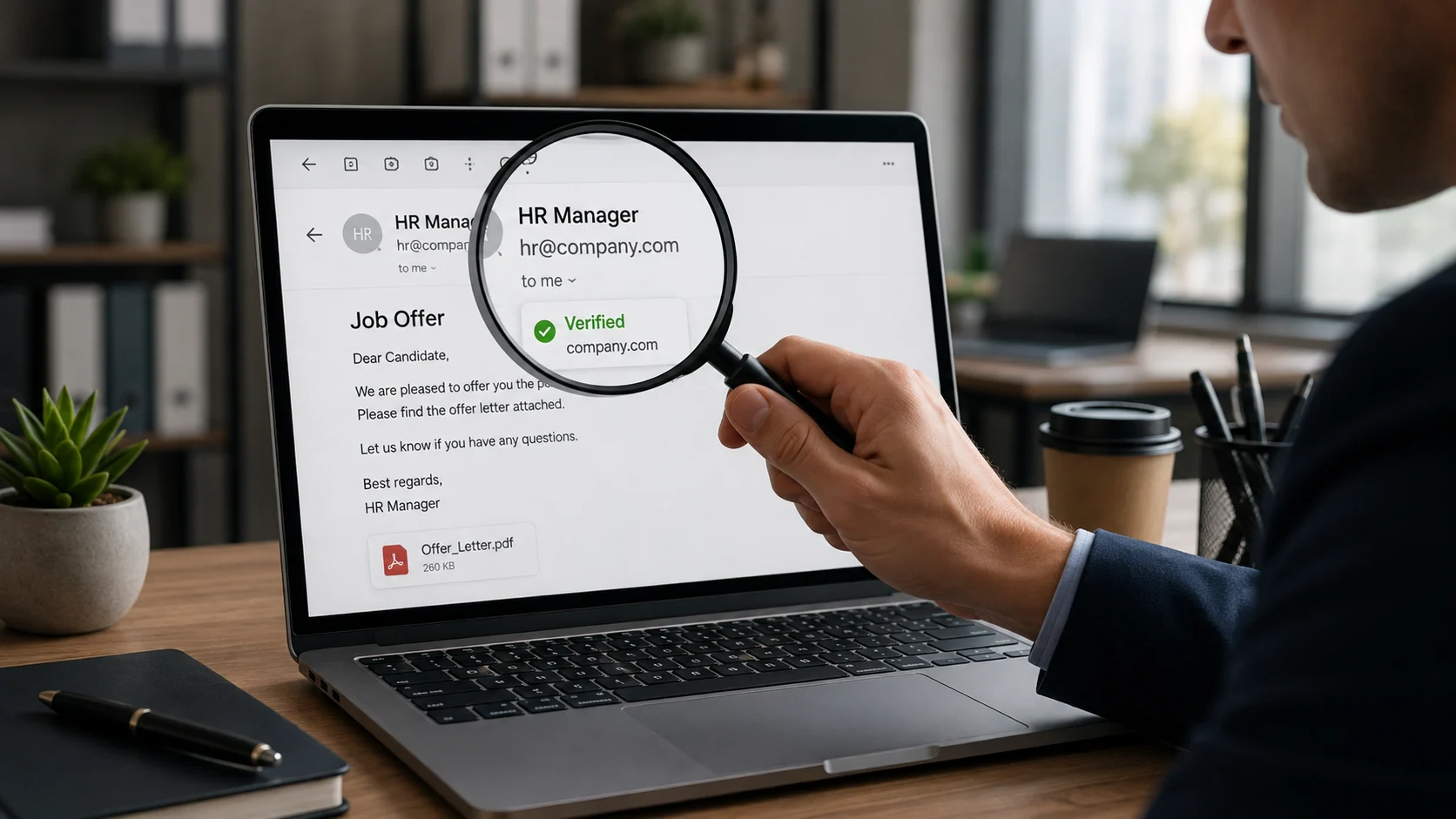
    Email apps often show only a display name such as “HR Team” or “Talent Acquisition”. Tap or click the name to reveal the complete address. A display name proves nothing because the sender chooses it.

    Check the characters before and after the @ symbol. Watch for added hyphens, swapped letters, extra words and unusual domain endings. An address such as careers-company-example.com is not automatically connected to companyexample.com.

    2. Compare the email domain with the official company website

    Find the company’s official website through a separate search or a trusted directory. Do not open the website link included in the suspicious email. Compare the company’s main domain with the domain used by the recruiter.

    Large employers may legitimately use hiring partners or separate recruitment systems, so a different domain is not automatic proof of fraud. In that situation, the official employer should be able to confirm the agency or platform.

    3. Check the reply-to address

    The visible sender and the address that receives your reply can be different. A message may appear to come from a company domain but route replies to a free mailbox or unrelated domain. Use your mail app’s “show details” option and compare the From and Reply-To fields.

    4. Review the domain behind every link

    Do not judge a link by its blue text. Hover over it on desktop or press and hold on mobile to reveal the destination. If the recruiter sends an assessment, onboarding or document-upload link, run it through ScamDekho’s website scam checker before opening it.

    A legitimate-looking HTTPS padlock only means the connection is encrypted. It does not prove the recruiter or website is genuine.

    5. Confirm the vacancy independently

    Search the employer’s official careers page for the role, location and job ID. Some real roles are filled before a listing is removed, and some companies recruit privately, so an absent listing is not conclusive. Ask the company to confirm the vacancy through its official HR or careers contact.

    Do not call the phone number printed in the offer letter as your only verification. A scammer can answer that number and pretend to be the company.

    6. Verify the recruiter’s professional footprint carefully

    Check whether the recruiter appears on the company’s official team pages or established professional profiles. Look for a consistent employment history, genuine activity and connections with other employees. A recently created profile with a few copied posts and hundreds of random connections is weak evidence.

    Even a real employee’s identity can be impersonated. Confirm the contact through the employer’s official channel instead of trusting a profile alone.

    7. Examine the hiring process

    Most genuine employers use a process appropriate to the role: application, screening, interviews, assessment and written terms. Warning signs include an offer after only a chat interview, immediate selection without discussing the role, or pressure to join within hours.

    • Was there a credible interview with identifiable people?
    • Did they discuss responsibilities, reporting structure and location?
    • Can the interviewer be verified through the company?
    • Does the offer refer to a real job ID or application you submitted?

    8. Treat every payment demand as high risk

    Be extremely cautious if a recruiter asks for money for registration, interview scheduling, background verification, training, equipment, visa processing, courier charges or a “refundable” security deposit. Scammers often keep asking for one small payment after another.

    Do not scan a QR or approve a UPI request sent by a recruiter. A UPI PIN authorizes money leaving your account; it is not required to receive salary or a refund.

    9. Check the offer letter for internal inconsistencies

    Review the legal company name, address, role, salary breakup, joining date, work location, reporting manager and signatory. Look for different company names in the footer, inconsistent fonts, copied signatures, vague job duties and unrealistic compensation.

    Formatting errors do not prove fraud, and a polished PDF does not prove authenticity. Use the offer letter verification tool to identify warning signals, then confirm directly with the employer.

    10. Protect your identity documents

    Do not send Aadhaar, PAN, passport, bank statements or a cancelled cheque before you understand why the document is required and who will store it. Where appropriate, use a masked or watermarked copy stating the purpose and date. Never share an OTP, banking PIN or password.

    If the recruiter asks you to install remote-access software or share your screen for onboarding, stop. Genuine support should not need control of your banking or personal device.

    11. Watch the language and urgency

    Common pressure tactics include “limited seats”, “payment today”, “offer expires in 30 minutes” and threats that your selection will be cancelled. Legitimate hiring can have deadlines, but you should still be able to verify the employer and review the terms.

    If the suspicious approach came through WhatsApp or SMS, paste the text into the WhatsApp and SMS scam message checker to review the language and risk signals.

    12. Contact the employer through an independent route

    This is the most important step. Use the official website’s careers page, published switchboard or verified support channel. Ask whether the recruiter, email domain, job ID and offer letter are genuine. Provide only the minimum information needed for verification.

    HR email and job-offer checklist

    1. Reveal the complete From and Reply-To addresses.
    2. Compare the domain with the official company website.
    3. Check every assessment and onboarding link separately.
    4. Confirm the vacancy and job ID through the official careers page.
    5. Verify the recruiter through an independent company contact.
    6. Review the interview process and written terms.
    7. Refuse registration, training or security-deposit payments.
    8. Do not share sensitive documents before verification.
    9. Scan the offer letter for mismatched names and suspicious demands.
    10. Save all emails, chats and payment instructions.

    If you already shared documents or paid

    Contact your bank or payment provider immediately if money was transferred. Preserve the email headers, offer letter, job advertisement, chat history, phone numbers, URLs and payment references. Report the incident through the current official cybercrime reporting route in India. If identity documents were exposed, monitor accounts for misuse and follow the relevant issuer’s guidance.

    Frequently asked questions

    Is a Gmail address always a fake recruiter?

    No, especially for small businesses or independent recruiters. However, a free email address claiming to represent a large company needs strong independent verification.

    Can scammers use a real employee’s name?

    Yes. Names, photos and job titles can be copied. Confirm the communication through the company’s official contact channel.

    Does a company-domain email guarantee the offer is genuine?

    No. Accounts can be compromised and lookalike domains can be difficult to notice. Verify the vacancy, recruiter and process independently.

    Should I pay a refundable job registration fee?

    Treat it as high risk. Do not send money until you have independently verified both the employer and the exact reason through official contact details.

    Final takeaway

    An offer letter is evidence to examine, not proof of employment. Verify the complete email address, domain, vacancy, recruiter and hiring process through sources the sender does not control. If there is pressure to pay or share sensitive information before verification, stop the process.

  • McAfee Scam Email: 9 Signs a Renewal, Invoice or Refund Message Is Fake

    McAfee Scam Email: 9 Signs a Renewal, Invoice or Refund Message Is Fake

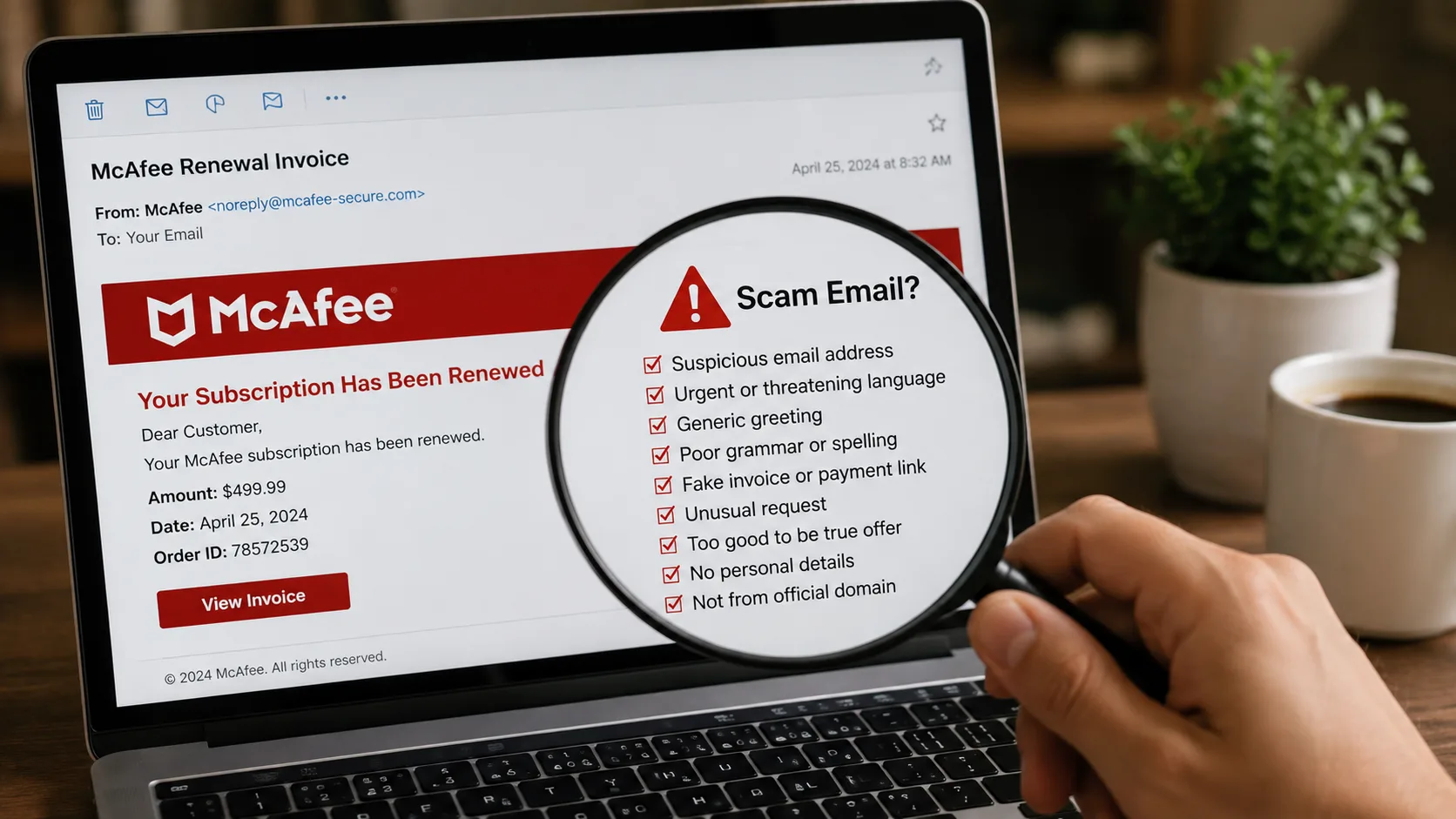
    A McAfee scam email can look like a renewal receipt, antivirus warning, refund notice or invoice for a subscription you never bought. The goal is usually to make you panic, click a link, call a fake support number or share payment information. Do not use the contact details inside the message until you verify them independently.

    In the United States, Semrush data shows strong search demand for this topic, but the safety process is simple: inspect the sender and links, sign in through the official website or app, and check your real account and card statement. You can also paste suspicious wording into ScamDekho’s scam message checker or inspect a link with the website safety checker.

    Quick answer: is the McAfee email real or fake?

    Do not decide from the logo or design. A genuine-looking message can still be fraudulent. Open McAfee’s official website by typing the address yourself, check whether the subscription exists in your account, and compare any charge with your card or bank statement. If the email demands an urgent phone call, remote access, gift cards, crypto or a payment to receive a refund, treat it as high risk.

    How a McAfee scam email usually works

    The message creates a problem that appears expensive or urgent. It may say that an annual subscription renewed, a device is infected, a refund is waiting or an invoice must be cancelled today. The prominent button or phone number leads to the scammer instead of legitimate support.

    Once contacted, the scammer may ask you to install remote-access software, log in to online banking, enter card details or pay a “processing” fee. Some refund scams deliberately show a fake overpayment and pressure the victim to return money.

    9 signs of a fake McAfee message

    1. The sender domain does not match the claimed company

    Open the complete From and Reply-To addresses. A display name can be copied. Watch for misspellings, extra words and unrelated domains. A free mailbox claiming to handle a large-company renewal needs independent verification.

    2. The message uses fear or an immediate deadline

    Warnings such as “your protection ends today”, “$499 will be charged in one hour” or “call immediately to cancel” are designed to stop careful checking. Real account issues should still be verifiable through the official account portal.

    3. The invoice is for a product you do not recognize

    An unfamiliar charge is a reason to review your actual card or bank activity—not a reason to call the number in the email. The invoice itself may be invented.

    4. The phone number is the main call to action

    Fake renewal emails often push recipients toward a call center controlled by the scammer. Find support through the official website instead. Do not let the email choose the verification channel.

    5. A link leads to an unrelated or misspelled website

    Hover over the button on desktop or press and hold on mobile to preview the destination. Do not open it if the domain is unfamiliar. Copy the link without visiting it and review it through the ScamDekho URL checker.

    6. The attachment is unexpected

    Do not open an unsolicited invoice, executable file, archive or document that asks you to enable macros. A PDF can also contain a fake support number or malicious link.

    7. The sender asks for remote access

    Do not install screen-sharing or remote-control software because an unsolicited email tells you to. Remote access can expose passwords, messages and financial accounts.

    8. Payment is requested through an unusual method

    Gift cards, cryptocurrency, wire transfers and person-to-person payments are not normal ways to cancel an antivirus subscription or receive a refund. Stop the conversation when the payment method does not fit the service.

    9. The message asks for passwords, codes or full card details

    Never share an OTP, password, PIN, recovery code or full payment credentials with a caller reached through a suspicious email.

    How to check a McAfee scam email safely

    1. Do not click, call or reply from the message.
    2. Reveal the complete sender and Reply-To addresses.
    3. Inspect links without opening them.
    4. Type the official website address yourself.
    5. Check whether the claimed subscription exists in your account.
    6. Review your real card or bank statement for the charge.
    7. Run the wording through the ScamDekho message checker.
    8. Delete or report the email when the claim cannot be verified.

    Fake renewal invoice versus a real account notice

    A legitimate account notice should correspond to an account or purchase you can verify independently. A fake invoice relies on the document itself and pressures you to use its phone number. Even a correct name, address or partial account detail does not prove authenticity because personal information can come from old data breaches or public sources.

    What if the email says you are owed a refund?

    Do not install software or log in to banking while someone watches your screen. A real refund should follow the merchant’s official process. A scammer may claim to send too much money and demand that you return the difference; the displayed balance or transfer can be fake.

    What to do if you clicked or called

    End the call and disconnect remote-access software. If you entered a password, change it through the official service and review account security. If you shared payment information or sent money, contact the card issuer, bank or payment provider immediately using the number on the card or official app.

    US users can review the current federal reporting process at ReportFraud.ftc.gov. Preserve the original email, sender address, links, phone number, receipts and any remote-access app name.

    Frequently asked questions

    Why am I receiving McAfee emails if I do not use McAfee?

    Scammers send messages widely because a recognizable security brand can create urgency. An unsolicited email does not mean you have an account or active subscription.

    Can a McAfee scam email contain my real name?

    Yes. Correct personal details do not prove the sender is genuine. Verify the claim through your independently opened account and actual financial statement.

    Is an invoice attachment proof that I was charged?

    No. Only your card issuer, bank statement or verified account history can confirm a charge.

    Can ScamDekho guarantee the sender is fake?

    No. Automated analysis identifies risk signals. Final confirmation should come from the official company account and your financial provider.

    Final takeaway

    A McAfee scam email succeeds when the recipient uses the phone number, link or attachment selected by the sender. Break that chain: open the official account separately, review the real statement and refuse remote access or unusual payments. Use the McAfee scam email checklist before responding to any renewal or refund message.

  • How to Check If a Website Is Legit in India: 12 Checks Before You Pay

    How to Check If a Website Is Legit in India: 12 Checks Before You Pay

    A professional-looking website is not proof that the business behind it is genuine. Scam stores and phishing pages can copy logos, product photos, reviews and even the design of a well-known brand within hours. The safer question is not “Does this site look good?” but “Can I independently verify who runs it, how long it has existed and where my money or data will go?”

    This guide explains how to check if a website is legit in India before you buy, sign in, upload an ID or make a UPI payment. If you already have the link, start with ScamDekho’s free website scam checker, then use the manual checks below. Automated tools can highlight risk signals, but they cannot guarantee that a website is safe.

    Quick answer: how do I check whether a website is genuine?

    Check the exact domain spelling, domain age, HTTPS certificate, contact details, return policy, payment method, independent reviews and whether the offer is realistic. Search the company name separately, verify any registration or address through the relevant official source, and avoid paying when the seller creates urgency. A single positive signal is never enough; look for a consistent pattern.

    1. Read the domain name character by character

    Scammers often register lookalike domains that replace one letter, add a hyphen or use an unusual ending. A fake page may display the real company name while the address bar shows something different. On mobile, tap the address bar so you can see the complete domain.

    • Watch for swapped letters such as “rn” in place of “m”.
    • Be careful with extra words such as “secure”, “claim”, “support” or “india-offer”.
    • Do not assume a link is official because it includes a brand name somewhere in the URL.
    • Check the registered domain itself, not only the page title shown in WhatsApp or Google.

    2. Check domain age and registration consistency

    A domain created very recently deserves extra caution when the site claims to be an old, established company. Domain age alone does not prove fraud—legitimate businesses launch new sites—but a new domain combined with huge discounts, copied text and prepaid-only checkout is a strong warning pattern.

    Use the ScamDekho URL Checker to review available domain-age and reputation signals. If registration information is private, do not treat that as automatic proof of a scam; many legitimate owners use privacy protection.

    3. Understand what HTTPS does—and does not—prove

    The padlock means the connection between your browser and the website is encrypted. It does not verify that the seller is honest. Scam websites can also obtain valid SSL certificates. Treat HTTPS as a minimum technical requirement, not a trust certificate.

    4. Verify the business outside its own website

    Do not rely only on the “About Us” page. Search the business name, phone number, email address and physical address independently. Check whether the same contact details appear consistently across established profiles and official records relevant to that business.

    If the site claims to represent a famous brand, open the brand’s official website by typing its address yourself. Use the contact information on that official site to confirm the relationship. Never use the phone number supplied by the suspicious page to verify itself.

    5. Test the contact information

    A legitimate business should normally provide a usable support channel and clear identity. Warning signs include only a WhatsApp number, a free email address for a supposedly large company, an address that belongs to an unrelated place, or policies copied from another site.

    • Search the phone number in quotes.
    • Check whether the email domain matches the website domain.
    • Look up the address on a map and compare the business name.
    • Read the privacy, refund, shipping and terms pages for mismatched names.

    6. Compare prices with normal market prices

    Fraudulent stores use extreme discounts to make people act before checking. A limited-time offer is not automatically fake, but a popular product sold far below every established retailer needs independent verification. Search the exact product model on multiple trusted stores before paying.

    7. Inspect the payment flow

    Be cautious when a store insists on a direct UPI transfer to a personal-looking ID, asks you to scan a QR received over chat, or moves the conversation outside the website. Before approving a UPI payment, confirm the payee name displayed by your payment app. If you need to inspect an unfamiliar handle or QR, use the UPI ID and QR Scam Checker as an additional signal.

    Never enter a UPI PIN to receive money. A PIN authorizes a debit from your account. Also avoid sharing OTPs, card PINs, CVVs or screen-sharing access with a seller or support agent.

    8. Look for copied product images and text

    Scam sites frequently copy images, testimonials and policy text. Reverse-searching a distinctive product image can reveal whether it appears on many unrelated stores. Search a sentence from the About or Returns page inside quotation marks. If another company’s name appears in the policy, the site may be using a copied template.

    9. Read independent reviews carefully

    Reviews shown on the seller’s own website are easy to fabricate. Look for discussion across multiple independent sources and focus on specific, detailed experiences. A sudden group of five-star reviews using similar language, followed by complaints about non-delivery, is more informative than the average rating alone.

    No reviews can simply mean the business is new. Combine this with domain age, contact verification and payment behavior before deciding.

    10. Check for pressure, fear and forced urgency

    Countdown timers, “only one left”, threats that an account will close, or instructions to pay within minutes are designed to reduce careful thinking. Stop and verify through a separate channel. A genuine business should allow you enough time to understand what you are buying and how refunds work.

    11. Be careful with downloads and login pages

    Do not install an APK, browser extension, remote-access app or “security update” from an unfamiliar site. If a link asks you to log in to a bank, marketplace or government service, close it and open the official app or type the official address yourself. Password managers can also help: they normally will not autofill credentials on a lookalike domain.

    12. Use a combined risk decision

    Do not decide from one signal. Use this simple rule:

    • Low concern: established domain, independently verified business, consistent contact details and normal payment options.
    • Needs caution: new domain or limited reputation, but no direct evidence of fraud. Verify before sharing data or paying.
    • High concern: lookalike URL, impossible discount, prepaid-only pressure, personal UPI demand, copied policies or requests for OTP/PIN/remote access.

    Website legitimacy checklist before payment

    1. Open the full URL and confirm the spelling.
    2. Run the link through the website safety checker.
    3. Check domain age and available reputation signals.
    4. Verify the company using a separate official source.
    5. Search the phone, email and address independently.
    6. Compare the price with established sellers.
    7. Read refund, shipping and privacy policies.
    8. Confirm the payee name before approving UPI.
    9. Do not download unknown files or share an OTP/PIN.
    10. If several signals do not match, do not proceed.

    What to do if you already paid a suspicious website

    Contact your bank or payment provider immediately and ask about the available dispute or fraud-reporting process. Save the URL, order page, payment reference, chat, email, phone number and screenshots. Report the incident through India’s official cybercrime reporting channel and follow the current instructions shown there. Do not pay a second “refund fee” to anyone claiming they can recover the money.

    Frequently asked questions

    Does a padlock mean the website is genuine?

    No. It only shows that the connection is encrypted. You still need to verify the domain, business identity, reputation and payment flow.

    Can a new website be legitimate?

    Yes. Domain age is one signal, not a verdict. A new site needs stronger independent verification, especially before prepaid purchases or identity-document uploads.

    Can ScamDekho guarantee that a website is safe?

    No scanner can guarantee safety. ScamDekho provides automated risk signals to support your decision. Always verify important transactions independently.

    What is the safest way to open a bank or government website?

    Use the official mobile app or type the known official address yourself. Avoid signing in through a link received by SMS, email, an advertisement or an unknown WhatsApp contact.

    Final takeaway

    A convincing design can be copied; a consistent identity is harder to fake. Check the domain, history, business details, payment recipient and independent reputation before trusting a website. If the evidence is incomplete or the seller is pressuring you, pause the transaction.

  • Payment Successful but Money Not Received? Verify UPI Credit and Fake Screenshots

    Payment Successful but Money Not Received? Verify UPI Credit and Fake Screenshots

    A customer shows “Payment Successful”, but your bank balance has not changed. This can happen because of a genuine delay, a payment sent to the wrong UPI ID, a failed or reversed transaction—or a fake payment screen. The correct response is calm verification, not an argument and not immediate delivery.

    If you received an image, upload it to ScamDekho’s fake payment screenshot checker for an additional review. It can flag visual and transaction-format signals, but it cannot see your bank account or guarantee whether money was credited. Your own bank or UPI transaction history is the final source of truth.

    Quick answer: what should you do when payment is successful but money is not received?

    Check your own bank or merchant app, confirm the correct receiving account and review the transaction history—not only notifications. Ask the payer to open the transaction inside their official app and check the current status and recipient. Do not release goods, issue cash or send a “refund” until the credit appears in your account or your payment provider confirms it.

    Why can a successful payment not appear immediately?

    Several situations can look similar at first:

    • Network or bank delay: the payer’s app may show a status before your balance refreshes.
    • Pending transaction: the payment has not reached a final state.
    • Wrong recipient: the payer used an old QR or mistyped the UPI ID.
    • Reversal: the amount may return to the payer after a failed transaction.
    • Fake proof: the screenshot, notification or app screen may be edited or simulated.

    Do not accuse the customer based only on a delay. Follow the same verification process for every transaction.

    1. Check your own account first

    Open your bank, UPI or verified merchant app yourself. Review the transaction list for the correct receiving account. If your business uses several bank accounts or QR codes, confirm which account is linked to the displayed code.

    A sound box, SMS or push notification is convenient but should not be the only proof. Notifications can be delayed, hidden or imitated.

    2. Refresh through the official app

    Use the app’s normal refresh or transaction-history function. Do not click a “verification” link sent by the payer. If your app is unavailable, use another official channel offered by your bank, such as its verified mobile app, website or support number.

    3. Confirm the exact amount, time and recipient

    Compare the amount and approximate time with your sales record. Ask the payer to open the transaction from inside their official payment app—not from the gallery—and show the recipient name, UPI ID and current status.

    Be careful with screenshots cropped so tightly that the recipient, timestamp or status area is missing.

    4. Understand what a UTR or transaction reference proves

    A reference number can help the bank or payment provider trace a transaction. Its presence in a screenshot does not by itself prove that your account was credited. Text and numbers can be edited, copied from an older transaction or displayed by an imitation app.

    Do not rely on a public “UTR checker” that asks for banking credentials. Confirm disputed payments through your own provider’s official support process.

    5. Look for fake-payment screenshot signals

    Visual clues are useful for deciding whether to investigate further:

    • Uneven fonts, spacing or alignment
    • Blurry text beside sharp logos
    • Recipient or amount fields that look pasted
    • Impossible date, time or number format
    • Cropped status bar or missing navigation
    • Logo colours or interface elements that do not match the official app
    • A screenshot that cannot be opened as a live transaction inside the payer’s app

    One design difference is not proof because payment apps update their interfaces. Use the AI payment screenshot detector as an additional signal and verify the credit independently.

    6. Do not accept a notification sound as final proof

    Fraudsters can play recorded confirmation sounds or use apps that imitate a merchant alert. Train staff to check the receiving account for every disputed or high-value payment. A busy shop is exactly where pressure and distraction work best.

    7. Never send a refund for money you did not receive

    A payer may claim they accidentally paid twice and ask you to return one payment. Verify that both credits exist in your own account and that neither is pending or reversed. Do not send money based only on two screenshots.

    8. Keep the goods until the payment is confirmed

    For a shop, fuel station, delivery, marketplace sale or service handover, use a clear rule: goods are released after the receiving account confirms the credit. Explain politely that a bank delay is possible and that the transaction can be completed when the status is resolved.

    Avoid taking the customer’s phone or asking for their PIN. Verification should not require access to their credentials.

    9. Verify the UPI ID or QR used

    Check whether the payer scanned your current QR and whether the payee name matched your business or receiving account. If a printed QR is displayed publicly, inspect it for a sticker placed over the original.

    You can review an unfamiliar ID or QR with ScamDekho’s UPI ID and QR Scam Checker, then compare the result with the payee information shown in your official app.

    10. Handle a genuine pending transaction fairly

    If the payer’s official app shows pending and your account shows no credit, neither side should treat the transfer as final. The payer should follow the support or dispute steps in their app. Keep the order on hold or use another agreed payment method only after both sides understand how any later duplicate credit will be handled.

    Do not ask the payer to repeat large payments blindly, and do not hand over cash against an unconfirmed digital transaction.

    Step-by-step checklist for sellers

    1. Pause the sale and remain calm.
    2. Open your own bank or merchant transaction history.
    3. Confirm the correct account, amount and time.
    4. Ask the payer to open the live transaction in the official app.
    5. Compare recipient name, UPI ID and status.
    6. Use the screenshot checker only as an additional signal.
    7. Do not release goods or issue a refund without confirmed credit.
    8. Record the order and payment reference for follow-up.
    9. Contact your provider through its official support channel when needed.

    A simple payment-verification policy for shop staff

    • Never trust only a screenshot, SMS or sound.
    • Verify high-value and disputed payments in the receiving account.
    • Do not let customers rush staff during closing time or busy hours.
    • Do not share OTPs, PINs or merchant-app credentials.
    • Escalate mismatches to the owner or manager.
    • Keep current QR codes visible and inspect them for tampering.

    If the customer has already left with the goods

    Preserve CCTV, invoice details, the screenshot, phone number, conversation, time and any transaction reference. Contact your bank or payment provider to confirm whether a transaction exists. If fraud is suspected, follow the current official cybercrime reporting process and provide accurate evidence. Do not post unverified personal accusations publicly.

    Frequently asked questions

    Is a UTR number proof that I received the money?

    No. It is a tracing reference, not a substitute for a credit entry in your own account. Your payment provider can use it to investigate.

    Can a payment app show success and later reverse the transaction?

    Payment states and reversals can occur depending on provider processing. Check the final status in the official transaction history and contact the provider for a disputed case.

    Should I ask the customer to pay again?

    First confirm whether the original transaction is pending, failed or sent to the wrong recipient. If another payment method is used, agree on how a later duplicate credit will be returned safely.

    Can ScamDekho confirm money in my bank account?

    No. The tool analyses screenshot signals. Only your bank or payment provider can confirm the account credit and transaction status.

    What if the screenshot looks completely genuine?

    Still verify your own account. A polished image or realistic interface is not proof of settlement.

    Final takeaway

    When a payment appears successful but the money is not received, rely on your own account history and provider—not pressure, screenshots or sounds. A consistent verification policy protects both honest customers experiencing delays and sellers targeted by fake-payment scams.

  • Elderly Mangaluru Woman Loses ₹16.20 Lakh: Safety Checks

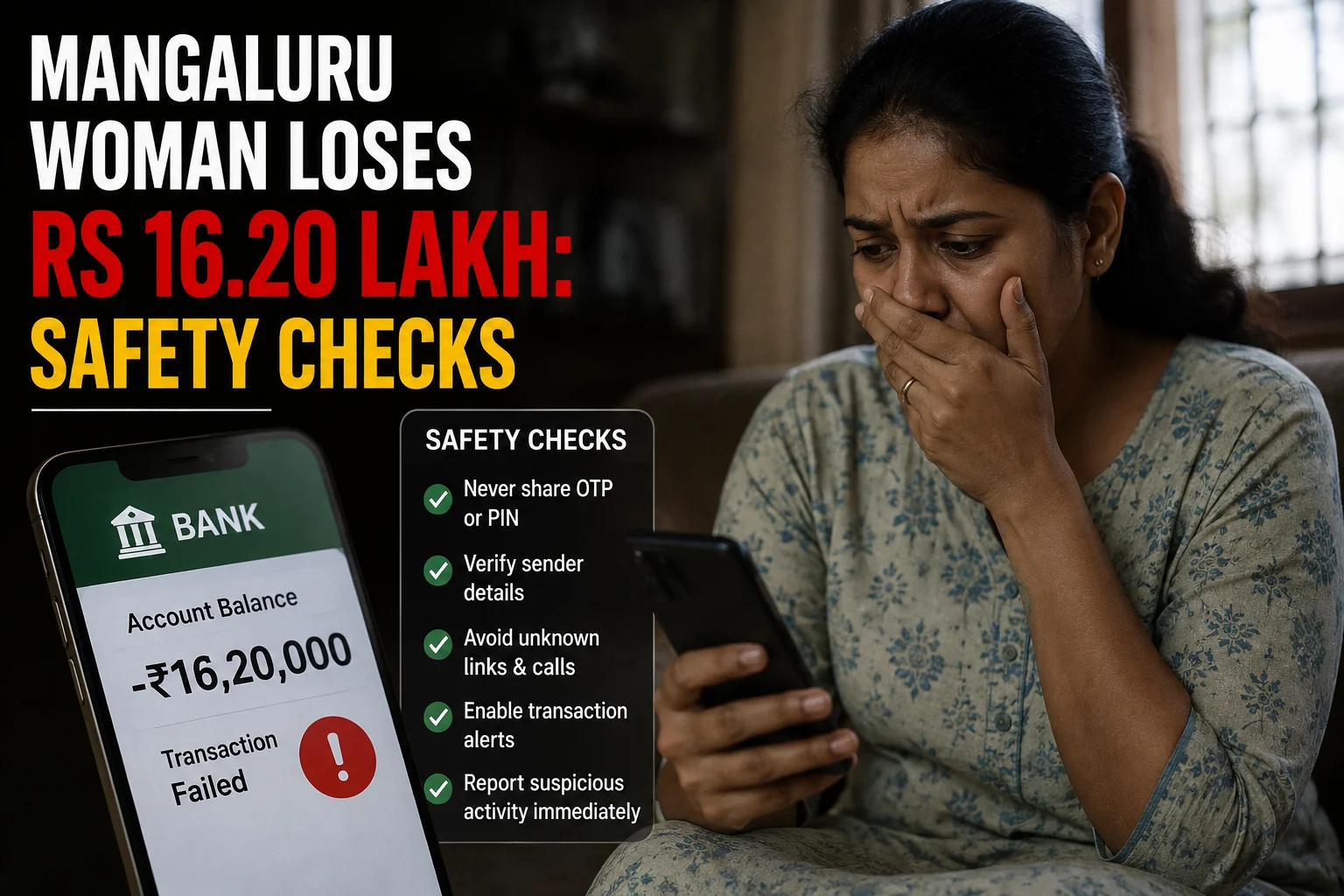
    Elderly Mangaluru Woman Loses ₹16.20 Lakh: Safety Checks

    An elderly woman in Mangaluru has reportedly lost ₹16.20 lakh in an investment scam that began with a Facebook advertisement. According to her complaint at the Mangaluru Cyber Economic and Narcotics (CEN) police station, she clicked an investment-related link in April and was added to a Telegram group, where assurances from the group convinced her to start transferring money.

    Her first payment was a modest ₹20,372 on April 18. Over the following months the amounts grew sharply: ₹3 lakh on June 12, another ₹3 lakh on June 22, ₹4 lakh on June 24, and ₹6 lakh on June 30 — bringing her total loss to ₹16.2 lakh. When she asked the group to return her money and got no response, she realised she had been deceived and filed a complaint. Police have registered the case, and an investigation is underway.

    Investment scams can be persuasive because they are presented as financial opportunities rather than obvious threats. A professional-looking message, website or account should not be treated as proof that an offer is genuine.

    What is known about the reported Mangaluru case?

    The core details above — the Facebook-to-Telegram route, the escalating payment pattern, and the ₹16.2 lakh total — come from her police complaint and are consistent across news reports. What isn’t yet public is who ran the scheme, whether the accounts used to receive the money have been traced, or whether any of it has been recovered — that depends on how the CEN police investigation proceeds.

    That distinction matters less than the pattern itself, which is the real lesson here: a small first payment (₹20,372) followed by steadily larger ones over two months is a classic trust-building sequence. Every unsolicited or unusual investment proposal needs independent checking before money or personal information is shared — regardless of how small the first ask seems.

    Why investment approaches deserve careful checking

    Cloudflare identifies phishing among common cyberattack methods and provides guidance on detecting and preventing such attacks. Phishing generally depends on deception: a message or online page is made to appear trustworthy so that the recipient takes an action.

    In an investment setting, the requested action may involve opening a link, sharing information, creating an account or making a payment. The important safety principle is the same: do not rely only on what appears inside the message or page.

    A polished design is not evidence of legitimacy. Nor are confident claims, charts, account dashboards or screenshots supplied by the person promoting an opportunity. Treat these as material to be checked, not as independent confirmation.

    Warning signs that justify a pause

    • Unexpected contact: A person you do not know approaches you with an investment proposal.
    • Pressure to act: You are told that the opportunity, price or withdrawal window will disappear quickly.
    • Unclear identity: It is difficult to confirm who operates the service or who will receive the money.
    • Link-based instructions: You are directed to a website through a message instead of reaching the organisation through a channel you found independently.
    • Requests for more money: Additional payments are demanded before an investment, profit or balance can supposedly be released.
    • Secrecy: You are discouraged from discussing the offer with family members or another trusted person.

    One sign alone does not prove fraud. Several signs together, however, are a strong reason to stop and investigate before proceeding.

    Checks to make before sending investment money

    1. Step away from the conversation. Do not let the sender control the pace. End the call or pause the chat so you can assess the proposal without pressure.
    2. Write down the exact claim. Record the organisation’s stated name, the product being offered, the amount requested and what you have been promised. Vague explanations are difficult to verify.
    3. Find contact details independently. Do not use only a phone number, email address or link supplied by the person making the offer. Look for a separate, trusted route to the organisation they claim to represent.
    4. Inspect the web address. Look for misspellings, added words and unfamiliar domains. You can place a suspicious address into ScamDekho’s URL Checker as an additional screening step. A favourable automated result is not a guarantee that an investment is genuine.
    5. Review the message itself. Check for urgency, inconsistent names, unusual payment instructions and demands for secrecy. ScamDekho’s Scam Message Checker can help you examine suspicious wording, but it should not replace independent verification.
    6. Ask a trusted person to review it. A family member or financially experienced person may notice inconsistencies that are easy to miss during a persuasive conversation.
    7. Do not send money just to test a platform. A small initial payment can still expose personal or payment information and may lead to pressure for larger transfers.

    These checks are useful even when the amount requested seems small. The purpose is to verify the recipient and the offer before any financial commitment is made.

    How families can help elderly relatives

    Consumer safety works better when it is supportive rather than judgmental. Scams are designed to create trust, urgency or fear. Blaming a person after a loss may make them less willing to disclose further contact or payment requests.

    Families can agree on a simple routine for unexpected financial proposals:

    • Pause all payments until another trusted person has reviewed the offer.
    • Keep bank, payment and login information private.
    • Use contact details found independently instead of numbers supplied in messages.
    • Discuss unusual investment calls or chats without embarrassment.
    • Save suspicious messages and transaction records rather than deleting them immediately.

    It can also help to identify one or two trusted contacts in advance. An elderly relative then knows whom to call when an online offer feels urgent or confusing.

    What to do after a suspected loss

    If money may have been sent to a scammer, stop further payments. Do not send another amount merely because someone claims it is needed to unlock a withdrawal, refund or account balance.

    Preserve the information already available. This may include messages, email addresses, phone numbers, web addresses, payment confirmations and transaction details. Keeping the original records can help explain what happened when the incident is reported.

    Contact the relevant bank or payment provider promptly through an official channel and describe the transaction accurately. Do not rely on contact information supplied by the suspected scammer.

    The Government of India’s National Cyber Crime Reporting Portal is the official online channel for reporting cybercrime. A report should clearly distinguish what you personally observed from what the other party claimed. Avoid guessing about the offender’s identity or location.

    Be cautious if another person later offers to recover the money in exchange for an advance payment or sensitive information. Verify any such approach independently before responding.

    Key lesson from the reported case

    This case is a reminder of how gradual these scams can be — it took over two months and five separate payments before the loss reached ₹16.2 lakh. Financial decisions should not be made inside a Telegram or WhatsApp group built specifically to create urgency. Stop, verify the identity of the person or business independently, inspect links carefully, and discuss the proposal with someone you trust before sending anything — including the first payment.

    If a suspicious interaction has already led to a payment, preserving evidence and reporting the incident through official channels are practical next steps. Acting calmly is more useful than continuing to negotiate with the person requesting money.

    Frequently asked questions

    Was the Mangaluru loss independently verified by ScamDekho?

    No. This draft is based on the supplied topic referring to a Deccan Herald report. The detailed facts and investigation status were not available in the provided sources.

    Does a professional investment website prove that an offer is genuine?

    No. Design, charts, screenshots and account balances displayed online should not be treated as independent proof. Verify the operator and offer through channels you find separately.

    What should I do if an investment promoter is rushing me?

    Pause the conversation and do not pay. Write down the claims, verify the identity independently and ask a trusted person to review the proposal.

    Where can cybercrime be reported in India?

    The Government of India’s National Cyber Crime Reporting Portal is the official online reporting channel. Keep relevant messages, web addresses and transaction records available when making a report.

    Should I pay a fee to release a supposed investment balance?

    Do not send more money solely because an unverified person says a fee is required. Stop and independently verify both the recipient and the underlying investment claim.

  • App Store India Head, Telegram Officials Booked in ₹21 Lakh Hyderabad Cyber Fraud — What’s Confirmed and What Isn’t

    App Store India Head, Telegram Officials Booked in ₹21 Lakh Hyderabad Cyber Fraud — What’s Confirmed and What Isn’t

    Hyderabad Cyber Crime Police registered two separate FIRs on July 31 against the head of Apple’s App Store in India and officials responsible for Telegram’s compliance and grievance-redressal functions, after two city residents alleged combined losses of over ₹21 lakh in unrelated online fraud cases.

    In the first case, a 62-year-old retired resident of Somajiguda told police he lost ₹12.7 lakh after clicking an Instagram advertisement for a stock-trading platform and downloading an app from the App Store, then transferring money in installments over several weeks. In the second, a homemaker from Almasguda said she lost around ₹8.57 lakh after an Instagram job listing led her into a Telegram channel offering paid work rating Google reviews — she was first paid small amounts to build trust, then asked for larger “deposits.”

    Cases were registered against the individuals accused of directly running the scams, along with the platforms’ India-level officials, under relevant provisions of the IT Act and the Bharatiya Nyaya Sanhita. This is where readers need to slow down: naming a company official in an FIR is a procedural step, not a finding of guilt. It means police believe there’s enough to investigate that person’s role — often tied to intermediary-liability rules about how a platform responds to takedown requests — not that wrongdoing has been established. It’s also not an isolated move: Hyderabad police have named country-level heads at Google and Meta as co-accused in similar fraud cases in recent weeks, so this fits a wider pattern rather than singling out Apple or Telegram.

    What can be addressed reliably is the consumer-safety issue behind such reports. Fraudsters frequently use phishing and other online attack methods to deceive users. Cloudflare’s security guidance identifies phishing among common cyber threats, while the Government of India’s National Cyber Crime Reporting Portal provides an official channel for citizens to report cybercrime.

    What is known and what remains unverified

    The basic facts above — the ₹21 lakh combined loss, the Hyderabad location, and who was named in the FIRs — are consistent across multiple news reports. What remains unverified is everything downstream of the complaint: how the investigation actually unfolds, and whether it results in any finding against the named officials.

    Until primary records or reliable reporting are reviewed, readers should not assume:

    • that the named or described officials personally communicated with the victim;
    • that the platforms knowingly enabled the alleged fraud;
    • that every account, app or message mentioned in the complaint was controlled by the same person;
    • that the reported loss and other details have been established by a court; or
    • that the filing of a complaint proves criminal liability.

    It is also important not to dismiss the broader risk. Messaging services, websites and mobile applications can be misused by impersonators. A logo, profile name, app listing or familiar platform interface is not sufficient proof that the person behind a message is genuine.

    How platform-based fraud can reach consumers

    Online fraud does not always begin with an obviously suspicious message. A scammer may first create urgency, claim to represent a company or authority, and then direct the recipient to a link, account or application. Phishing is designed to make a person disclose information or take an unsafe action.

    Common warning signs include:

    • unexpected requests to pay immediately;
    • threats of account suspension, arrest, penalties or loss of access;
    • requests for passwords, one-time codes or other login information;
    • links that imitate the name or appearance of a familiar service;
    • instructions to move a conversation away from an official support channel;
    • requests to install an unfamiliar app or grant unnecessary permissions; and
    • pressure to keep the conversation secret from family, a bank or the police.

    Any one sign may not prove fraud. Several signs together, particularly urgency plus a request for money or credentials, should prompt the recipient to stop and verify.

    Similar pressure tactics can appear under different stories. For example, parcel impersonation scams may claim that a shipment is detained and demand urgent action. ScamDekho’s guide to the FedEx and DHL parcel scam in India explains how that type of lure can be framed.

    Safety checks before trusting a message or app

    Whether a message arrives through Telegram, SMS, email or another service, the safest response is to verify it outside the conversation. Do not use the contact number or link supplied by the sender for that verification.

    1. Pause before acting. Urgency is often used to prevent careful checking. A genuine issue can be verified through an independently located official channel.
    2. Inspect the destination. Look at the full website address rather than the visible button text. Misspellings, extra words and unusual domains deserve caution. You can also submit a suspicious address to ScamDekho’s URL Checker for an additional check. A tool result should be treated as one signal, not a guarantee.
    3. Review the message language. Look for demands for secrecy, immediate payment, credentials or one-time codes. ScamDekho’s Scam Message Checker can help identify suspicious wording, but it does not replace independent verification.
    4. Find the official contact yourself. Open the service’s official app directly or type its known website address. Do not rely on a search advertisement, forwarded number or link supplied by the unknown sender.
    5. Check permissions. Before installing an app, consider whether its requested access matches its stated purpose. A simple service should not need broad control over unrelated information or device functions without a clear reason.
    6. Do not share authentication details. Passwords and one-time codes can allow another person to access an account. Treat requests for them as a serious warning.

    These checks cannot determine who is legally responsible in the reported Hyderabad matter. They are preventive steps for reducing exposure to phishing and impersonation attempts.

    What to do if money or account access is at risk

    If you suspect fraud, stop communicating through the suspicious channel. Do not send additional money in the hope of recovering an earlier payment. Do not install more software or follow instructions from someone claiming they can reverse the transaction for a fee.

    A practical response is to:

    1. contact the relevant bank or payment provider using a verified channel;
    2. change affected passwords from a device you trust;
    3. review the account for unfamiliar activity;
    4. retain messages, usernames, payment details, website addresses and transaction records; and
    5. submit a report through the Government of India’s National Cyber Crime Reporting Portal.

    The National Cyber Crime Reporting Portal is the official government channel included in the source material for reporting cybercrime. Provide accurate information and distinguish what you directly observed from what another person told you. Do not alter screenshots or invent details to make a complaint appear stronger.

    How to read claims about companies and officials

    Cyber fraud may involve several layers: an impersonator, a messaging account, a payment route, a website, an application and the infrastructure used to reach a victim. The appearance of a platform’s name in a complaint does not explain the role of every person associated with that platform.

    Readers should look for case-specific documentation before reaching conclusions. Useful questions include:

    • Which police unit reportedly registered the case?
    • Does the report cite a complaint or another primary record?
    • Are the statements allegations, police findings or court findings?
    • Have the organisations or individuals concerned responded?
    • Is the reported amount a claimed loss or an amount established through investigation?

    On this story, most of those questions now have straightforward answers: Hyderabad Cyber Crime Police registered the FIRs on July 31 under IT Act and BNS provisions, based on two victims’ complaints. What’s still open is the one that matters most — whether the investigation finds any actual wrongdoing by the named officials. That’s the part no one can answer yet, including this article.

    Frequently asked questions

    Were App Store India and Telegram officials confirmed guilty?

    No such conclusion is supported by the supplied sources. The source pack does not include case records or a court finding. A report that someone was booked should not be presented as proof of guilt.

    Is the reported ₹21 lakh Hyderabad loss confirmed?

    Multiple Hyderabad news outlets report the same figure — a combined ₹12.7 lakh and ₹8.57 lakh lost by two separate complainants. That’s consistent sourcing, but it’s still the amount victims told police they lost, not a figure a court has verified.

    Does a Telegram message or app-store listing prove legitimacy?

    No. The presence of a message on a known platform or an app in a familiar environment does not by itself verify the identity or intentions of the person contacting you. Verify claims through an independently found official channel.

    Where can an Indian consumer report suspected cybercrime?

    The Government of India’s National Cyber Crime Reporting Portal is an official reporting channel. If an account or payment is at risk, the consumer should also contact the relevant bank or service provider through verified contact details.

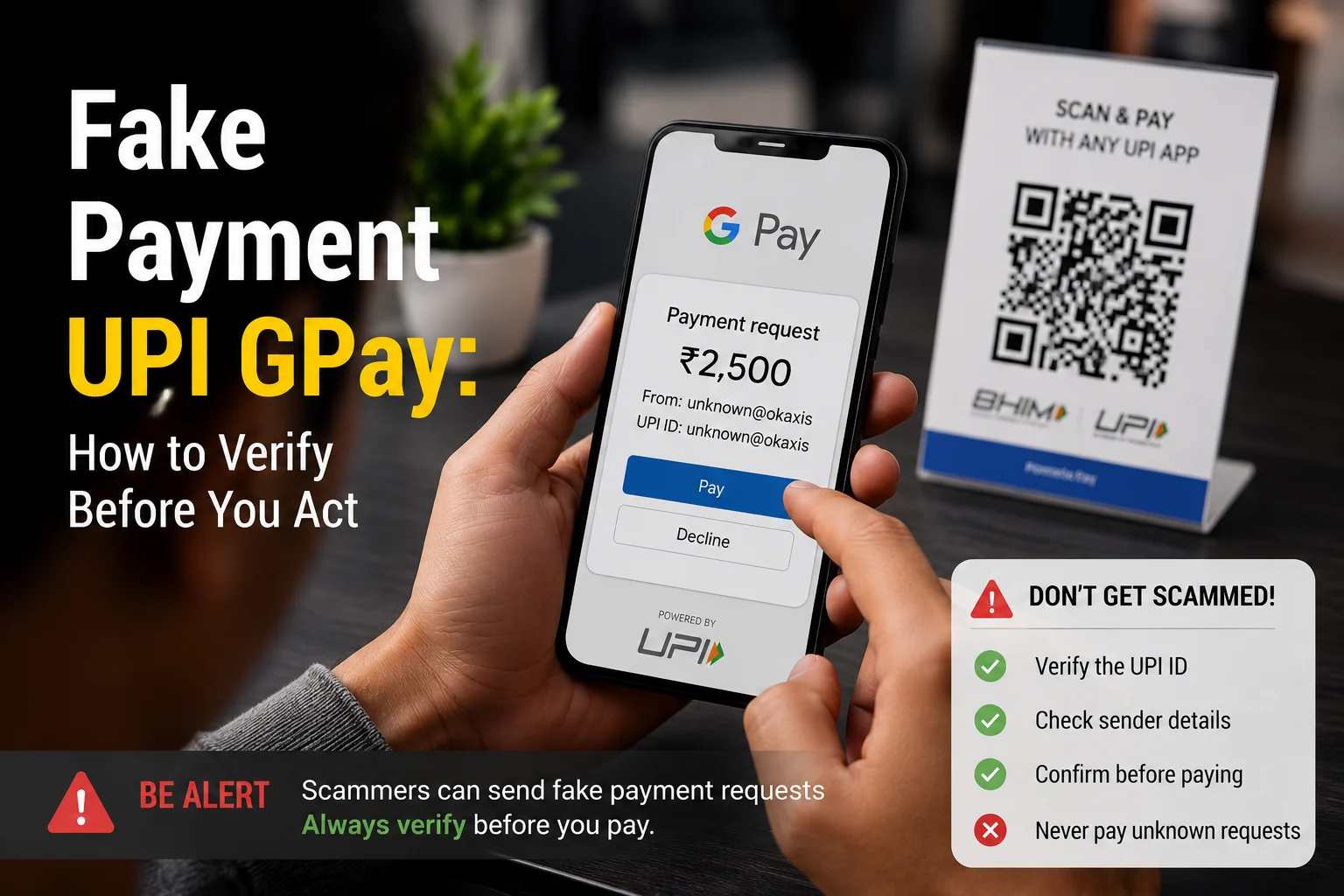
  • Fake Payment UPI GPay: How to Verify Before You Act

    Fake Payment UPI GPay: How to Verify Before You Act

    A customer shows you a Google Pay success screen and says the money has been sent. A buyer shares a UPI screenshot on WhatsApp and asks you to hand over an item. Your phone may even play a payment-style sound. But none of these, by themselves, proves that money has reached your account.

    The safest response to a suspected fake payment UPI GPay claim is simple: pause and check the credit through your own UPI app or bank account. Do not rely on the other person’s phone, screenshot, message or sense of urgency.

    NPCI’s UPI safety guidance says a UPI PIN is used to deduct money from your account, not to receive money. This distinction is particularly important when someone asks you to scan a QR code or enter a PIN to accept a payment.

    What does a fake GPay payment look like?

    A fake payment claim can involve an edited screenshot, a screen designed to resemble a payment app, or a transaction that has not actually been completed. The person may use the apparent payment as a reason to collect goods, obtain a refund or persuade you to approve another UPI transaction.

    Common warning signs include:

    • The person shows only their own phone instead of waiting for you to verify the credit.
    • A screenshot is cropped so that transaction details are missing.
    • The sender pressures you to release an item immediately.
    • The amount, recipient name or transaction details do not match the expected payment.
    • You are asked to scan a QR code or enter your UPI PIN to receive the money.
    • The person claims to have paid extra and asks you to return the difference.

    A polished screen is not reliable evidence. Images can be edited, while imitation apps or interfaces can display convincing payment messages. Our guide to spotting a fake GPay UPI screenshot explains the visual checks in more detail.

    How to verify whether a UPI payment is genuine

    Verification should happen on a device and account you control. Do not let the supposed payer guide the check from their phone.

    1. Open your own UPI or banking app. Use the app directly rather than opening an unexpected link in a message.
    2. Check the relevant account. Confirm that you are looking at the bank account linked to the UPI ID or QR code used for the payment.
    3. Look for the incoming transaction. Match the amount and payer details available in your account’s transaction history.
    4. Check your bank record. If the app screen is unclear, inspect the account statement or transaction history supplied by your bank.
    5. Do not act while the result is uncertain. If you cannot confirm the credit, do not hand over goods, provide cash or issue a refund.

    A transaction reference shown by the other person is not a substitute for checking your account. Likewise, an SMS or notification should not be your only check. What matters is whether the expected credit appears in the account you control.

    You can also use ScamDekho’s Fake Payment Screenshot Checker to examine suspicious visual details. However, no screenshot check should replace verification through your own bank or UPI transaction history.

    Why scanning a QR code can be dangerous

    A QR code can contain payment information, but scanning one does not prove that another person is paying you. NPCI’s safety guidance says users should scan a QR code only for making a payment and should not share their UPI PIN.

    If someone says you must scan their code and enter your PIN to receive money, stop. Entering the PIN can authorise money to leave your account. You do not need to disclose or enter a UPI PIN merely to receive a normal incoming payment.

    The phrase fake payment UPI scanner is sometimes used for suspicious QR-based flows or screens that imitate a genuine payment process. Whatever the label, apply the same rule: read what the app says before approving anything. Check whether the screen is asking you to pay, approve a request or authorise a debit.

    Never proceed simply because the other person says the step is required for a refund, reward, account test or payment activation. For more examples, see our guide to UPI QR code scams in India.

    What shopkeepers and online sellers should do

    Fake payment claims are especially relevant when a transaction is happening quickly at a shop, during a delivery or through an online marketplace. A short verification routine can reduce the chance of acting on a false screen.

    • Check every incoming payment on the merchant’s own device or bank record.
    • Match the received amount before releasing goods.
    • Do not accept a customer’s success screen as final proof.
    • Keep payment verification separate from the customer’s phone.
    • If someone claims to have overpaid, first confirm the original credit in your own account.
    • Do not send a refund to a different UPI ID merely because the customer requests it.

    For marketplace sales, avoid allowing urgency to replace verification. A buyer may say that a courier is waiting or that the payment will expire. You can review related warning signs in our article on fake advance payment tricks on OLX and Facebook Marketplace.

    What to do if money has left your account

    If you entered a UPI PIN, approved an unfamiliar request or notice an unauthorised debit, contact your bank immediately through its official channel. Ask the bank to record the complaint and retain the complaint or reference number.

    The Reserve Bank of India’s customer-protection framework links a customer’s liability in unauthorised electronic banking transactions to factors including how the transaction occurred and how quickly it was reported. It also states that where loss is caused by a customer’s negligence, such as sharing payment credentials, the customer bears the loss until the unauthorised transaction is reported to the bank. Loss occurring after the report is borne by the bank under the framework.

    Because the circumstances matter, do not assume that reimbursement is automatic. Report the transaction promptly and follow the bank’s formal dispute process. Preserve screenshots, transaction identifiers, messages, phone numbers and complaint acknowledgements. Do not share your UPI PIN, one-time password or other credentials with anyone offering to recover the money.

    A quick fake-payment safety checklist

    • Verify the credit in your own UPI app or bank account.
    • Match the amount and available transaction details.
    • Do not trust screenshots, sounds or the payer’s phone alone.
    • Never enter a UPI PIN to receive money.
    • Do not scan a stranger’s QR code to accept a payment.
    • Do not refund an alleged overpayment until the original credit is confirmed.
    • Report an unauthorised debit to your bank immediately.

    Frequently asked questions

    Can a Google Pay payment screenshot be fake?

    Yes. A screenshot can be edited or created to resemble a successful payment screen. Confirm the incoming credit through your own UPI app or bank account before providing goods, cash or a refund.

    Do I need to enter my UPI PIN to receive money?

    No. NPCI’s safety guidance says the UPI PIN is used to deduct money from your account, not to receive money. Stop if someone asks you to enter it to accept a payment.

    Should I scan a QR code sent by a buyer?

    Not to receive a payment. NPCI advises scanning a QR code only when making a payment. Read the app screen carefully and do not approve a debit or payment request by mistake.

    Is a transaction ID enough to prove payment?

    A transaction ID shown by the payer should not be your only evidence. Verify that the expected credit appears in your own account and that the amount and available details match.

    What should I do after an unauthorised UPI debit?

    Contact your bank immediately using an official channel, register a complaint and keep the acknowledgement. RBI’s customer-protection framework makes prompt reporting important when liability is assessed.

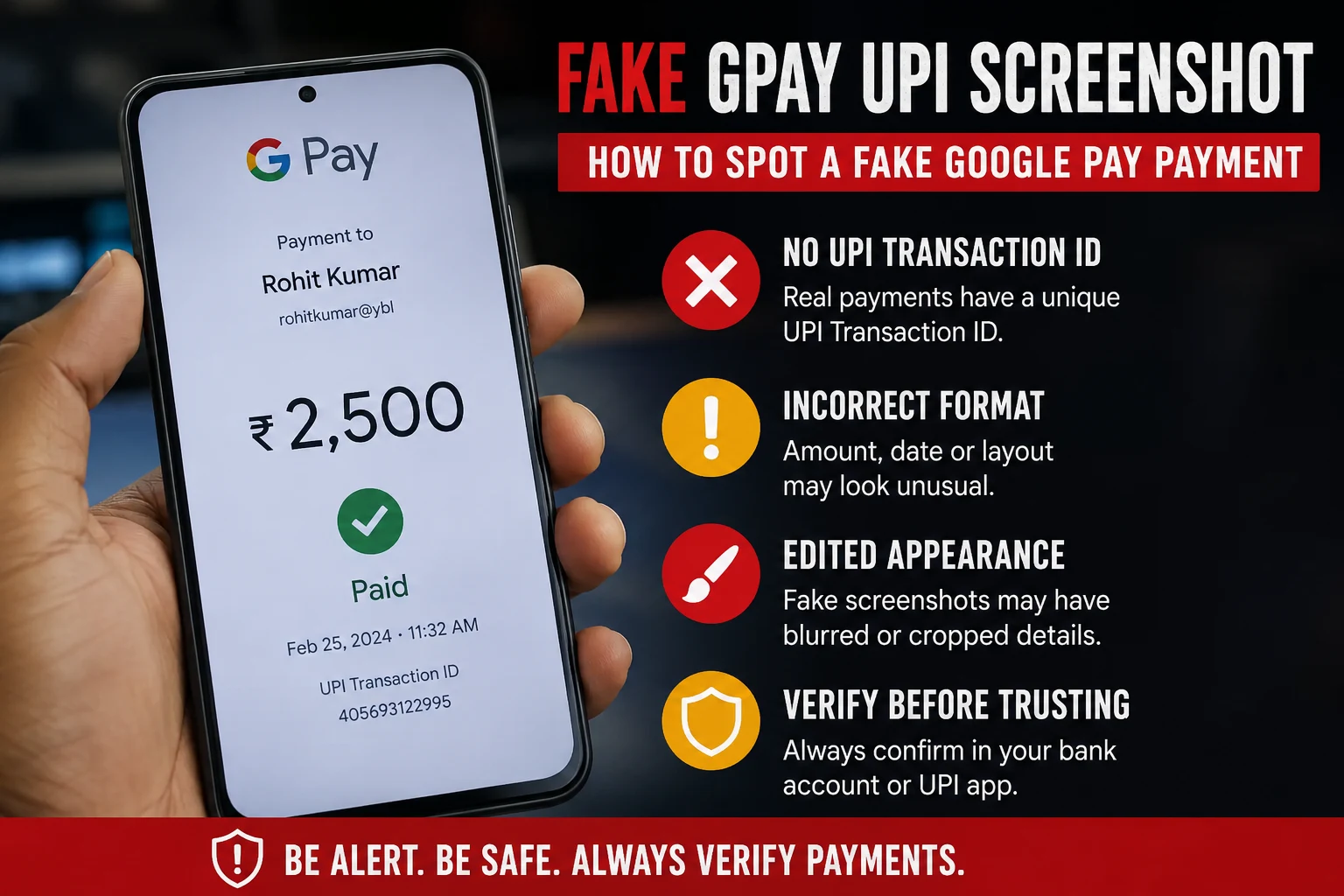
  • Fake GPay UPI Screenshot: How to Spot a Fake Google Pay Payment

    Fake GPay UPI Screenshot: How to Spot a Fake Google Pay Payment

    A fake GPay screenshot is a manipulated or fabricated image made to look like a successful Google Pay UPI payment, even though no money was actually transferred. Scammers create these using screenshot editing apps, fake payment generator websites, or by simply copying a real screenshot and changing the amount, name, or transaction ID. You can usually catch a fake by checking three things: the UPI transaction ID (real ones are 12 digits and traceable), the actual bank balance or SMS confirmation (never trust the screenshot alone), and inconsistencies in font, alignment, or timestamp. If in doubt, always verify directly in your bank app or with your bank statement, never through the image someone sends you.

    This scam is extremely common with local sellers, freelancers, delivery agents, and small shop owners who accept UPI payments in person and don’t always check their bank balance immediately.

    Why Fake GPay Screenshots Work

    Fake payment screenshots work because of one simple human habit: we trust what we see instantly and check our bank balance later, if at all.

    Scammers rely on:

    • Urgency – “I’m in a hurry, please confirm and hand over the item.” (“Bhaiya mai jaldi me hu, please jaldi screenshot dekho, mujhe jana hai.”)
    • Trust – Regular customers or people who “seem genuine” get less scrutiny. (“Bhaiya mai toh roz ka customer hu.”)
    • Distraction – Busy shop counters, food delivery handoffs, and marketplace deals happen fast. (“Hogaya bhaiya, done.”)
    • Familiarity with the UI – GPay’s clean design is easy to copy roughly, and most people don’t examine it closely. (“Lo bhaiya, dekh lo screenshot.”)

    By the time the seller checks their actual bank account, the buyer and the goods are long gone.

    How Scammers Create Fake Screenshots

    Understanding the methods helps you know what red flags to look for.

    1. Screenshot editing apps – Apps designed to mimic UPI payment success screens, letting scammers type in any name, amount, or UPI ID.
    2. Photo editing tools – Basic apps like Photoshop or even Canva are used to edit real screenshots and change numbers.
    3. Screen recording and pausing – Some scammers start a real transaction, then cancel or fail it, and screenshot the “processing” screen before it fails, making it look like a success screen.
    4. Fake UPI apps – Cloned apps that look identical to GPay but never actually connect to a bank or NPCI network.
    5. Reused old screenshots – A genuine screenshot from a past transaction with a different person is reused and the name is edited.

    Real vs Fake GPay Screenshot: Key Differences

    FeatureReal GPay ScreenshotFake GPay Screenshot
    UPI Transaction ID (UTR)12-digit number, traceable via bank statementMissing, too short, too long, or random digits
    Bank balance updateReflects instantly or within minutes in bank app/SMSNo corresponding SMS or balance change
    Font and alignmentConsistent with Google Pay’s actual UI, sharp textSlightly blurry, misaligned, or mismatched font
    TimestampMatches device clock and real-time deliverySometimes missing or inconsistent with claimed time
    Bank SMS/notificationBank sends a separate SMS confirming creditNo SMS received at all
    Transaction history in appAppears in your own GPay/bank transaction historyCannot be found when you search your own account
    Sender name spellingMatches registered bank account name exactlySometimes has small spelling errors or odd spacing

    The single most reliable marker is the UTR number combined with your own bank statement. A screenshot is just an image; it proves nothing on its own.

    Step-by-Step: How to Verify a GPay Payment

    Follow these steps every time before releasing goods, services, or confirming an order.

    1. Do not rely on the screenshot. Treat it as a claim, not proof.
    2. Check your bank app or SMS directly. Open your own banking app and refresh the balance, or check your registered mobile number for a credit SMS.
    3. Match the UTR number. Every real UPI transaction generates a unique 12-digit UTR (also called a reference number). Search this number in your bank statement or passbook.
    4. Wait for confirmation, not promises. UPI payments are usually instant. If the money hasn’t landed within a couple of minutes, something is wrong.
    5. Use your bank’s UPI transaction status check. Most banks let you check UPI status by UTR number through their app, net banking, or customer care.
    6. Call your bank if unsure. For high-value transactions, a quick call to customer care confirms the credit instantly.
    7. Never accept “it will reflect later.” Genuine UPI payments settle in real time except in rare cases involving pending server issues, which the buyer’s own app will also show as “pending,” not “success.”

    Also Read: How to Check If a UPI Payment Screenshot Is Real or Fake (Free Method)

    Common Mistakes People Make

    • Trusting the sender’s word over their own bank balance. If someone says “check now, I’ve paid,” always check your own app, not their screenshot.
    • Handing over goods before the SMS arrives. SMS delays are rare with UPI; if there’s no SMS, don’t proceed.
    • Not checking the UTR number at all. Most victims never even look at this number, which is the easiest way to confirm authenticity.
    • Assuming familiarity means honesty. Even regular customers or acquaintances have used this trick.
    • Confusing “payment initiated” with “payment successful.” Some scammers show the loading screen and claim it’s confirmation.

    What to Do If You Receive a Fake Screenshot

    • Do not release the product or service until the amount reflects in your account.
    • Save the screenshot and any chat conversation as evidence.
    • Report the UPI ID to your bank and to the NPCI dispute redressal system if you were misled into an actual loss.
    • File a complaint on the National Cyber Crime Reporting Portal (cybercrime.gov.in) or call 1930, India’s cybercrime helpline, if money or goods were lost.
    • Block the sender and warn others in your local business or community group if this is a repeat offender.

    Prevention Tips for Sellers and Freelancers

    • Enable instant SMS/app notifications for every credit to your bank account so you never rely on memory.
    • Use a dedicated business UPI ID with alerts turned on, separate from personal use if possible.
    • Set a house rule: goods are handed over only after balance confirmation, no exceptions, regardless of how well you know the buyer.
    • For high-value or repeat transactions, ask for the UTR number upfront and verify it before proceeding.
    • Use a screenshot verification tool that checks formatting, metadata, and common fake patterns before you rely on a payment image alone.

    Final Takeaway

    A screenshot is not proof of payment. Only your own bank balance, SMS confirmation, and a matching UTR number confirm that money has actually reached your account. Make it a habit to verify before you deliver, no matter how convincing the image looks or how much you trust the person sending it.

    FAQs

    1. Can a fake GPay screenshot show a real UTR number?

    No. A genuinely valid UTR number can only be generated by an actual completed transaction through the UPI network. Scammers either leave it blank, use random digits, or copy a UTR from an unrelated old transaction. Either way, it will not match anything in your bank statement.

    2. Does GPay send any confirmation besides the screenshot?

    Yes. Every successful GPay transaction triggers an SMS from the recipient’s bank and a permanent entry in their transaction history, independent of any screenshot the sender shows.

    3. Can scammers fake the bank SMS too?

    It’s technically possible using spoofing tools, but far less common because it requires more technical effort. The safest check is still logging into your own bank app and confirming the actual balance, not just reading an SMS.

    4. Is it safe to accept payment and check later?

    No. Always confirm before handing over goods or services. “Checking later” is exactly what scammers depend on.

    5. What is a UTR number and where do I find it?

    UTR stands for Unique Transaction Reference. It is a 12-digit number generated for every UPI transaction, visible in your bank’s passbook, statement, or transaction history, and used to trace or dispute a payment.

    6. Are there tools to check if a GPay screenshot is fake?

    Yes, several online tools analyze formatting, metadata, and known fake patterns in payment screenshots. However, these should support, not replace, checking your actual bank account.

    7. What should I do if I already handed over goods based on a fake screenshot?

    Report it immediately to your bank, file a complaint at cybercrime.gov.in or call 1930, and keep all chat and screenshot evidence for the investigation.

    8. Do fake screenshots only target sellers, or can buyers be scammed too?

    This particular scam mainly targets sellers and service providers who accept payment before delivering. Buyers face different UPI scams, like fake QR codes or “collect request” frauds, which work differently.

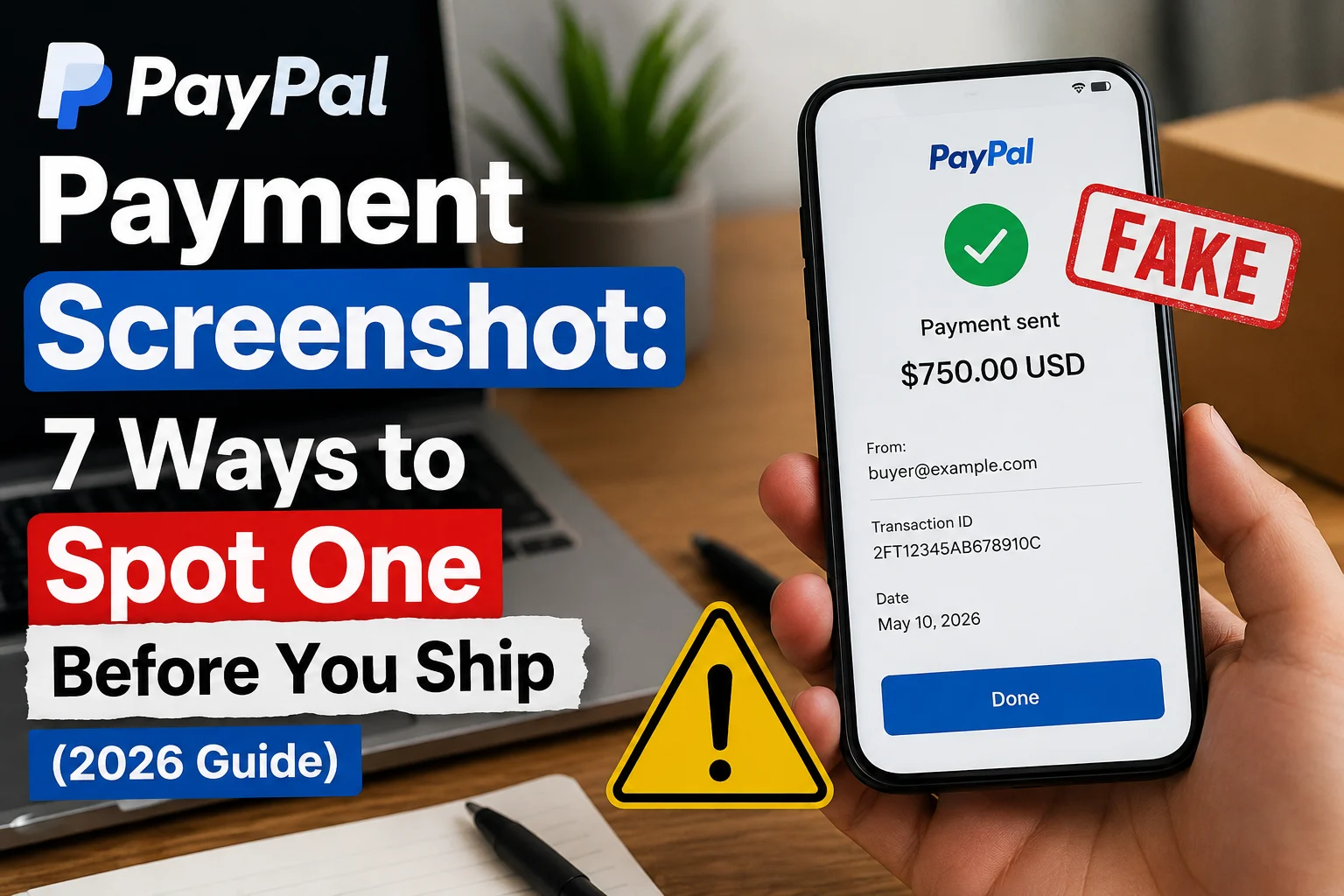
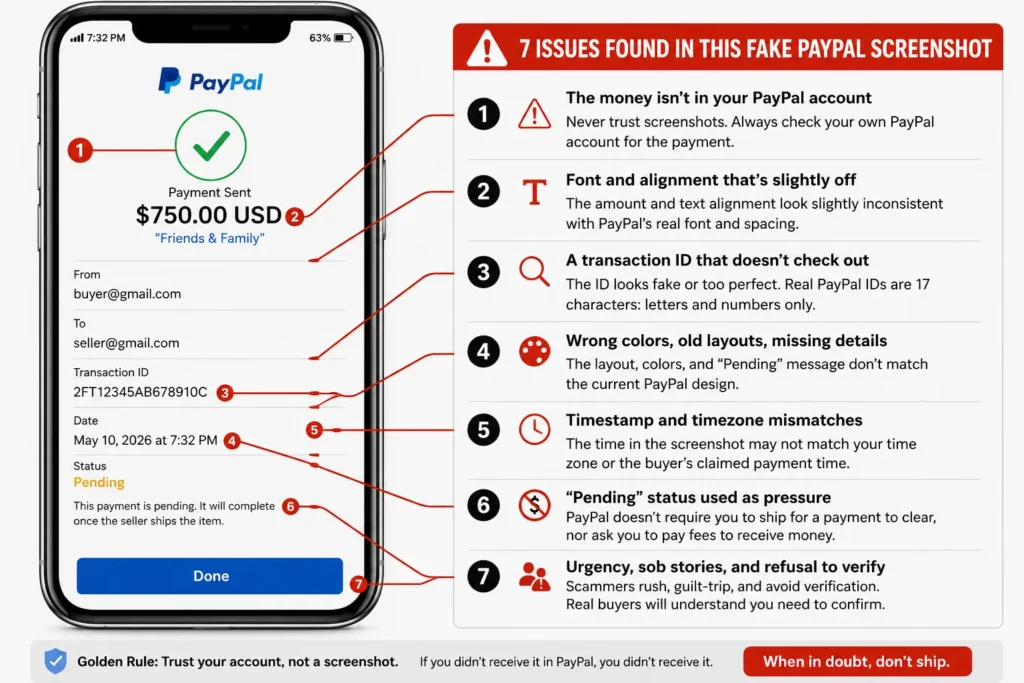
  • Fake PayPal Payment Screenshot: 7 Ways to Spot One Before You Ship (2026 Guide)

    Fake PayPal Payment Screenshot: 7 Ways to Spot One Before You Ship (2026 Guide)

    You list a PlayStation on Facebook Marketplace. Within an hour, a buyer messages you. No haggling, no questions. “Just paid, here’s the screenshot.” The image shows a PayPal payment confirmation with your email, the right amount, even a transaction ID.

    There’s just one problem. The money never arrives, because the payment never happened.

    A fake PayPal payment screenshot is one of the oldest tricks in online selling, and in 2026 it’s easier to pull off than ever. Free editing apps and fake receipt generators can produce a convincing “payment sent” image in under two minutes. Sellers on Facebook Marketplace, Craigslist, OfferUp, and eBay hand over electronics, sneakers, and even cars based on nothing more than a picture of a payment.

    This guide shows you exactly how the scam works, the seven red flags that expose a fake PayPal screenshot almost instantly, and what to do if you’ve already been targeted.

    How the Fake PayPal Screenshot Scam Works

    The scam is simple, which is why it works so well.

    1. The “buyer” finds your listing and agrees to your price fast. Scammers don’t negotiate much. Their goal is to close before you think.
    2. They ask for your PayPal email so they can “send the payment.” This detail matters: with your email, the fake screenshot they build looks personalized and real.
    3. They send you a screenshot showing the payment as sent or completed. Sometimes it’s a doctored image of a real PayPal screen. Sometimes it’s generated by a fake payment app that exists purely to create this kind of paypal payment fake proof.
    4. They pressure you to ship or hand over the item. “PayPal is just slow today.” “It says completed on my end.” “I’m at your door, check later.”
    5. You ship. The money never lands. By the time you realize there’s no transaction in your PayPal account, the buyer’s profile is deleted and your item is gone.

    A common variation pairs the screenshot with a fake PayPal email — a message that looks like an official payment notification but came from a scammer’s inbox. If you received an email like that, run it through our PayPal Email Checker before you trust it. Real PayPal payment emails only come from @paypal.com, and even those can be spoofed.

    7 Ways to Spot a Fake PayPal Payment Screenshot

    Annotated fake PayPal payment screenshot showing seven red flags including a misspelled logo, too-short transaction ID, and pending status used as pressure

    1. The money isn’t in your PayPal account

    Start with the only check that actually settles it. Open the PayPal app or log in at paypal.com yourself — not through any link the buyer sends — and look at your activity. If the payment doesn’t appear there, it doesn’t exist. No screenshot overrules your own account.

    PayPal transfers between accounts show up within seconds. There is no “processing delay” that makes a completed payment invisible to the recipient for hours. Anyone telling you otherwise is telling you a story.

    2. Font and alignment that’s slightly off

    Most fake PayPal screenshots are edited versions of real ones, and edits leave traces. Look closely at the amount and the recipient name. Edited numbers often sit a pixel too high or low, use a slightly bolder or thinner font than the surrounding text, or have different spacing. On a phone screen these flaws are easy to miss, which is exactly what the scammer is counting on.

    3. A transaction ID that doesn’t check out

    Real PayPal transaction IDs are 17 characters of capital letters and numbers. Fakes often show IDs that are too short, too long, lowercase, or suspiciously tidy (like “1234567890ABCDEFG”). And here’s the kicker: a real transaction ID can be looked up in your own PayPal activity. Ask the buyer for the ID, search it in your account, and watch the excuses begin.

    4. Wrong colors, old layouts, missing details

    PayPal updates its app design regularly. Scammers using fake screenshot generators are often working from templates that are one or two redesigns out of date. Compare the screenshot against what your own PayPal app looks like today. An outdated layout, a washed-out shade of PayPal blue, a missing fee breakdown, or a status badge that doesn’t match current PayPal wording are all signs you’re looking at a fake paypal screenshot built from a stale template.

    5. Timestamp and timezone mismatches

    Check the time on the screenshot against the time the buyer claims they paid. Fakes regularly show timestamps hours off, dates in the wrong format for the buyer’s country, or a phone status bar clock that contradicts the transaction time shown on screen. Small inconsistency, big tell.

    6. “Pending” status used as pressure

    Some scammers send a screenshot showing the payment as pending and insist it will clear once you ship — or worse, that you must pay a fee or “upgrade to a business account” to release the money. PayPal never holds personal payments hostage behind fees paid to the buyer. The moment someone asks you to send money to receive money, you’re in a scam.

    7. Urgency, sob stories, and refusal to verify

    The behavior around the screenshot is as revealing as the screenshot itself. Scammers rush you (“my Uber is waiting”), guilt you (“it’s a birthday gift for my son”), and get hostile when you say you’ll wait for the money to show in your account. A genuine buyer has no reason to object to a 30-second verification. A scammer has every reason.

    Still Not Sure? Check the Screenshot in Seconds

    Some fakes are genuinely good. Scammers now use templates that copy PayPal’s current design pixel for pixel, and a tired seller at 11pm can’t be expected to spot a one-pixel font shift.

    That’s what our free Fake Payment Screenshot Checker is for. Upload the image and the AI analyzes it for signs of digital editing, mismatched fonts, altered amounts, inconsistent metadata, and known fake-template patterns — the same checks described above, done automatically. It works on PayPal, Zelle, Venmo, Cash App, and bank transfer screenshots, and it’s free with no signup.

    If the buyer also sent a “PayPal” email or invoice as extra proof, verify those too:

    • PayPal Email Checker — confirms whether a payment notification email is real or phishing
    • PayPal Invoice Checker — checks suspicious invoices, including the fake Geek Squad and Norton renewal invoices flooding US inboxes

    Real Case: The $900 MacBook That Shipped for Free

    In a case reported to the FTC’s consumer alerts on marketplace fraud, a seller in Texas listed a MacBook Air for $900 on Facebook Marketplace. The buyer sent a polished PayPal screenshot showing “payment completed,” plus a follow-up email that looked like PayPal’s official notification. The seller shipped the same evening.

    The email had come from a Gmail address with “PayPal” as the display name. The screenshot was a template from a fake receipt generator. The $900 never existed. This pattern — screenshot plus fake confirmation email — is now standard, which is why checking only one piece of “proof” isn’t enough.

    What to Do If You Already Fell for It

    Move fast. Recovery isn’t guaranteed, but speed helps.

    1. Stop all shipping if you still can. Contact the carrier immediately — UPS, FedEx, and USPS all offer package intercept services for a fee.
    2. Report the buyer on the platform (Facebook Marketplace, OfferUp, eBay) so their profile gets flagged before they hit the next seller.
    3. Report the scam to PayPal, even though no real transaction occurred, via their report suspicious messages page. If a fake email was involved, forward it to phishing@paypal.com.
    4. File a report with the FTC at reportfraud.ftc.gov, and with the FBI’s IC3 if you lost money or goods.
    5. Keep everything — chat logs, the screenshot, emails, the buyer’s profile link. Reports with evidence get acted on.

    For a full walkthrough of reporting PayPal-related fraud, see our complete guide on how to report PayPal scam emails.

    The Golden Rule for Sellers

    A screenshot is a picture. Money in your account is money in your account. Never ship, hand over, or release anything until you’ve logged into PayPal yourself and seen the payment in your own activity feed — not pending, not “on its way,” but received.

    Every legitimate buyer will wait the sixty seconds that takes. Anyone who won’t has just told you everything you need to know.

    Frequently Asked Questions

    Can people fake a PayPal payment screenshot?

    Yes, easily. Free photo-editing tools and fake receipt generator apps can produce a convincing fake PayPal payment screenshot in minutes, complete with your email, the exact amount, and a fabricated transaction ID. This is why a screenshot should never be accepted as proof of payment.

    How do I check if a PayPal screenshot is real?

    Log into your own PayPal account and check your activity — a real payment appears there within seconds. You can also upload the image to a free fake payment screenshot checker, which scans for editing artifacts, font inconsistencies, and known fake templates automatically.

    What does a real PayPal payment confirmation look like?

    A real payment shows in your PayPal activity with a 17-character transaction ID, the sender’s verified name, the exact amount with any fees itemized, and a timestamp matching when it was sent. The matching email notification always comes from an @paypal.com address — though emails can be spoofed, so your account activity is the only proof that counts.

    A buyer says the payment is pending until I ship. Is that real?

    No. PayPal does not hold personal payments until tracking is uploaded, and it never asks sellers to pay fees to “release” money. Pending-until-you-ship claims are one of the most common fake PayPal payment scripts. Don’t ship.

    Does PayPal refund sellers who got scammed with a fake screenshot?

    Usually no, because no PayPal transaction ever took place — the “payment” existed only in an image. That’s what makes this scam so damaging, and why verifying before shipping is the only real protection. Report the incident to PayPal, the marketplace platform, and the FTC regardless.