Blog

  • Geek Squad Renewal Scam: How It Works and How to Protect Yourself

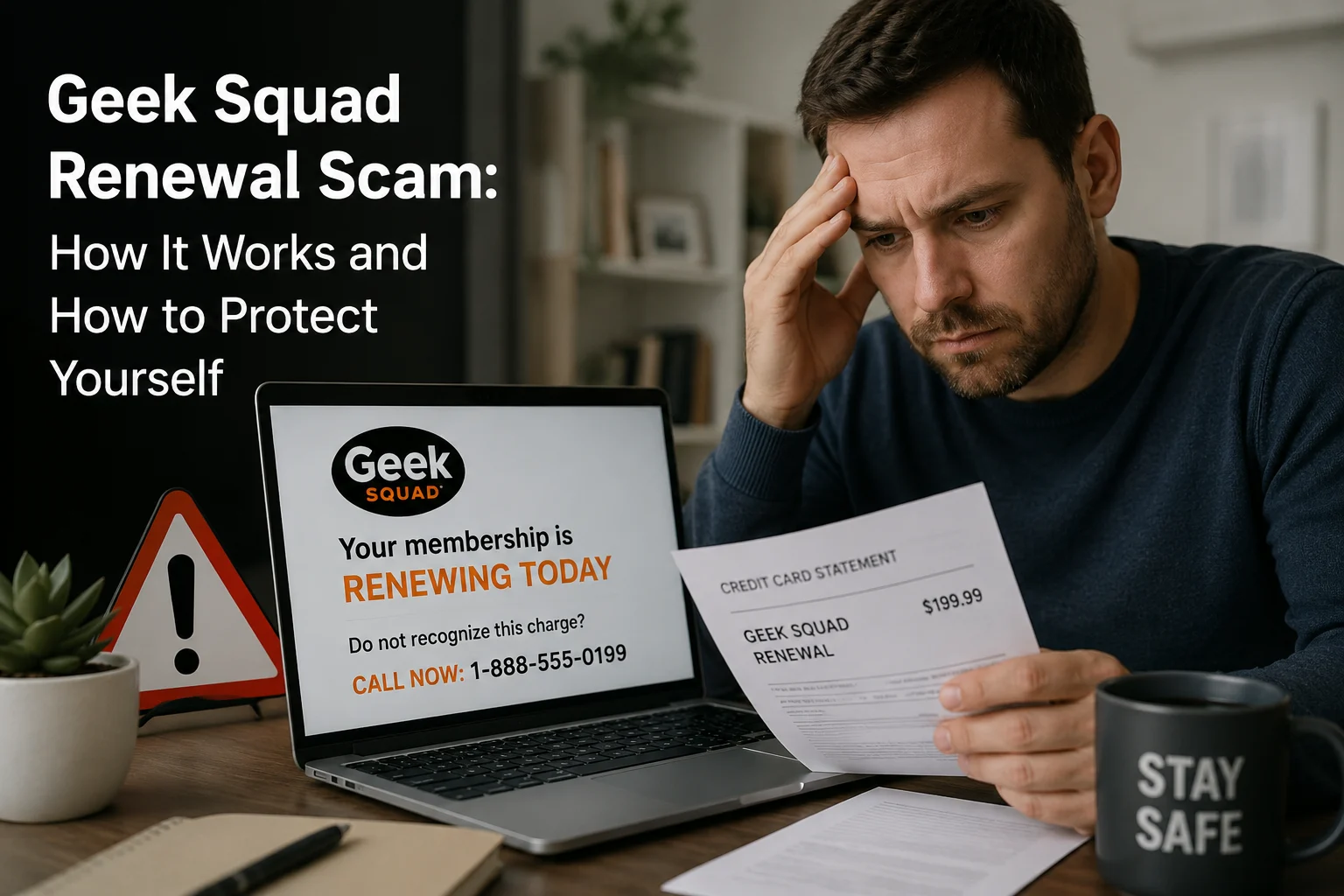
    Geek Squad Renewal Scam: How It Works and How to Protect Yourself

    Got an email saying your Geek Squad subscription just renewed for $349.99 or $399.99? Before you panic and call that number in the email, stop. You are likely looking at a Geek Squad renewal scam, and thousands of people across the US and UK fall for it every year.

    This guide will show you exactly how the scam works, what the fake emails look like, and what to do if you already clicked something you should not have.

    So What Is the Geek Squad Auto Renewal Scam, Exactly?

    Here is the short version: criminals send you a fake invoice pretending to be Best Buy’s Geek Squad tech support. The email looks like a real billing notification, complete with logos, a fake order number, and a charge somewhere between $299 and $499.99.

    The whole point is to get you scared enough to either call a number or click a link. The moment you do either of those things, they have you.

    This is not a small-time operation either. The FTC received close to 52,000 reports of people being scammed by fake Geek Squad and Best Buy impersonators in 2023 alone, more reports than Amazon and PayPal scams combined. And heading into 2026, those numbers have not dropped.

    How the Geek Squad Auto Renew Scam Actually Works

    Here is what happens step by step:

    Step 1: You get the email out of nowhere

    Subject line says something like “Invoice Attached, $399.99 Charged” or “Your Geek Squad Membership Has Been Renewed.” The email looks clean and professional. There is a Geek Squad logo, a fake invoice table, an order number, the whole thing.

    Step 2: Then comes the pressure

    Buried somewhere in the email is a line that says you only have 24 hours to cancel and get a refund. That clock ticking is not an accident. It is designed to stop you from thinking clearly and push you into acting fast.

    Step 3: You call the number or click the link

    The email makes this feel like the only logical next step. If you call, someone picks up sounding completely calm and professional, pretending to be a Geek Squad agent. They will ask for your banking information to “process your refund.” Or they will tell you your computer has a virus and ask to connect remotely to fix it.

    Step 4: That is when the real damage happens.

    Remote access means they can see everything on your device. Banking credentials, saved passwords, personal files, everything is on the table. Some victims have had their accounts drained. Others have had their identities stolen months later.

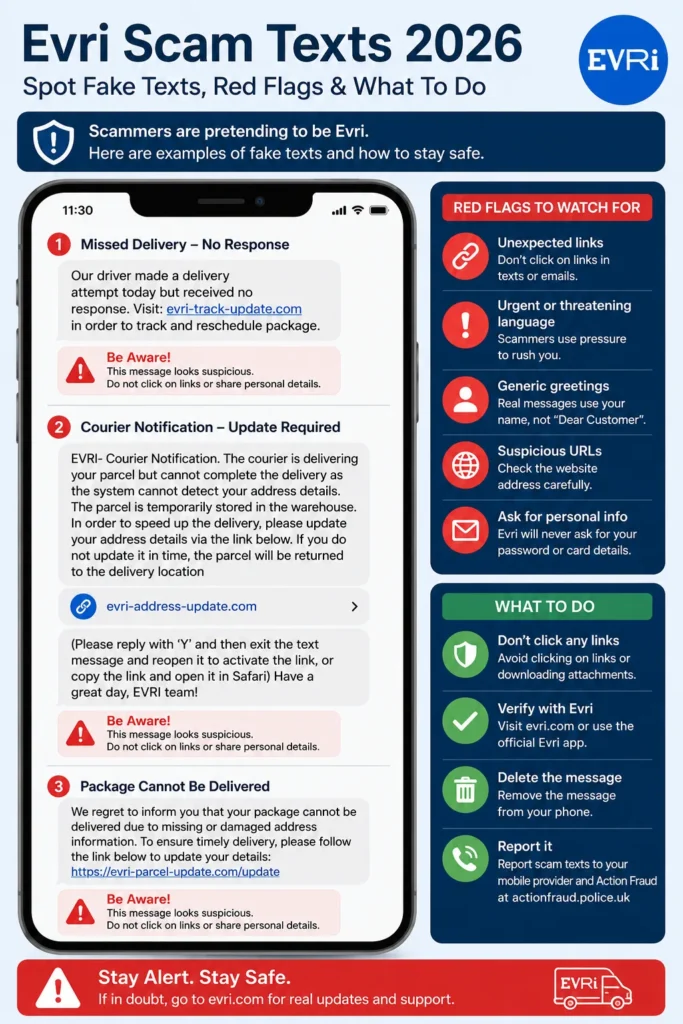
    Also Read: Evri Scam Text 2026: Spot Fake Texts, Red Flags & What To Do

    What Does a Fake Geek Squad Renewal Email Actually Look Like?

    A real Geek Squad automatic renewal scam email will usually have most of these:

    • A sender address that is not @bestbuy.com or @geeksquad.com. Think something like [email protected] or a random Gmail address
    • A generic opener like “Dear Sir/Madam” or “Dear Customer” instead of your actual name
    • A fake invoice showing a charge for something like “Geek Squad Best Buy Service, One Year Subscription”
    • An amount that feels plausible, usually between $349.99 and $499.99
    • A hard deadline, typically 24 hours, to cancel and get a refund
    • A phone number to call that goes straight to the scammer

    If you have gotten an email that checks more than two or three of these boxes, you are looking at a geek squad renewal email scam. Close it. Do not reply, do not call, do not click anything inside it.

    Is the Geek Squad Renewal Email a Scam? Here Is How to Know for Sure

    Yes, in almost every case it is. But if you want to be completely certain, here is the one thing to do: open your browser, type BestBuy.com yourself, log in, and check your account under Subscriptions or Protection Plans.

    If there is no active Geek Squad subscription sitting there, that email is fake. End of story.

    Real Geek Squad renewal emails come from official @bestbuy.com addresses. They never give you a 24-hour panic window. And they never ask you to call a random number to dispute a charge.

    The Different Types of Geek Squad Subscription Renewal Scams Running in 2026

    The basic scam has a few variations. All of them are designed to hit different pressure points.

    The Classic Fake Invoice Email

    This is the most common one. You get a geek squad auto renewal scam email claiming you have been billed $300 to $500 for a membership you never signed up for. The only way to cancel, the email says, is to call their number. That number is not Best Buy. It is a scammer sitting somewhere waiting for you to hand over your bank details.

    The Overpayment Refund Trick

    In this version, the scammer claims they accidentally refunded you too much money and now needs you to send some back. They might even show you a fake bank screen to “prove” it. They want the money sent through gift cards or wire transfer because those are nearly impossible to trace or recover.

    The Remote Access Play

    You get told your device has been infected with malware. They urgently ask you to download software so their “technician” can clean it up. Once they have remote access to your computer, they have access to everything on it.

    The Best Buy Geek Squad Renewal Scam via Phone

    Not every geek squad membership renewal scam starts with an email. Some people get a cold call from someone claiming to be a Geek Squad agent. Same script, same urgency, same goal. If you did not initiate the call, hang up.

    How to Cancel Geek Squad Auto Renewal the Right Way

    If you actually do have a Geek Squad subscription and want to cancel it, here is how to do it without getting tricked:

    1. Open your browser and type BestBuy.com yourself. Never use a link from an email.
    2. Sign in to your account.
    3. Head to Account Settings and look for Subscriptions or Protection Plans.
    4. Find your plan and cancel from there.
    5. Or call Geek Squad directly at (888) 237-8289, which is their official number.

    That is it. No third-party links, no emailed phone numbers, just your account and the official site.

    Already Fell for It? Here Is What to Do Right Now

    This happens to smart people every day. These scams are built by professionals. If you already made a move, here is how to limit the damage:

    Gave them your credit card or bank info?

    Call your bank immediately. Ask them to freeze the card and flag any recent transactions as potentially fraudulent. Request a chargeback if any money has already moved.

    Let them into your computer?

    Disconnect from the internet right now. Run a full scan with a trusted antivirus program. Then change every important password, starting with your email and banking accounts.

    Handed over your Social Security number?

    Place a fraud alert or credit freeze with Experian, Equifax, and TransUnion. File an identity theft report at IdentityTheft.gov. This creates an official record and helps you dispute anything fraudulent that pops up later.

    Sent money through gift cards?

    This is the hardest situation to recover from because gift card payments are almost untraceable. Report it to the FTC immediately and contact the gift card company directly. Some issuers can put a hold on unused card balances if you catch it fast enough.

    Where to Report a Geek Squad Membership Renewal Scam

    Reporting matters because it helps the FTC and FBI track these operations and warn other people. Here is where to go:

    • Your email provider: Hit “Report Phishing” inside Gmail or Outlook so they can filter similar messages in the future
    • FTC: reportfraud.ftc.gov
    • Best Buy fraud team: Forward the scam email to abuse@bestbuy.com
    • FBI Internet Crime Complaint Center: ic3.gov

    Also Check: How to Report PayPal Scam Emails: A Complete Guide

    Red Flags to Spot a Geek Squad Phishing Email

    Bookmark these. They will save you one day:

    • Sender email is not from @bestbuy.com or @geeksquad.com
    • Email addresses you as “Dear Sir/Madam” or “Dear Customer”
    • There is a charge for a subscription you never signed up for
    • You are given 24 hours or less to respond
    • The email asks you to call a number to cancel
    • Any mention of gift cards as a way to send or receive money
    • Grammar feels slightly off or sentence structure seems automated

    Final Thoughts

    The Geek Squad renewal scam is not going anywhere in 2026. It works too well for scammers to give up on it. It creates instant fear, uses a name people recognize and trust, and gives victims just enough time to react without thinking.

    The single best thing you can do is slow down. If you get an unexpected billing email from Geek Squad, do not call the number. Do not click the link. Open a browser tab, go to BestBuy.com yourself, and check your account. That 30-second step is the difference between staying safe and handing a scammer your financial information.

    If you found this helpful, share it with someone who shops at Best Buy regularly. Older adults are particularly targeted by this scam and are less likely to have seen a warning like this before.

    FAQs About the Geek Squad Renewal Scam

    Is Geek Squad a scam?

    No. Geek Squad is a legitimate tech support service owned by Best Buy. Scammers are impersonating the brand. If you contact Geek Squad through the official Best Buy website or phone number, you are talking to real people.

    How do I cancel my Geek Squad auto renewal without getting scammed?

    Go directly to BestBuy.com, sign in, and manage your plan from your account. Never use a cancellation link from an unsolicited email.

    What amounts do the fake Geek Squad renewal emails claim in 2026?

    Most geek squad automatic renewal scam emails in 2026 claim charges of $349.99, $359.99, $399.99, or $499.99. These amounts are chosen to feel believable for an annual tech subscription.

    Can I get my money back?

    It depends on how you paid. Credit card payments have the best shot at recovery through a bank chargeback. Wire transfers and gift card payments are very difficult to recover. The faster you act, the better your chances.

    How do I know if a Geek Squad renewal email is real?

    Log into your Best Buy account directly and check your active subscriptions. If nothing is there, the email is fake. Also verify the sender address ends in @bestbuy.com.

  • Evri Scam Text 2026: Spot Fake Texts, Red Flags & What To Do

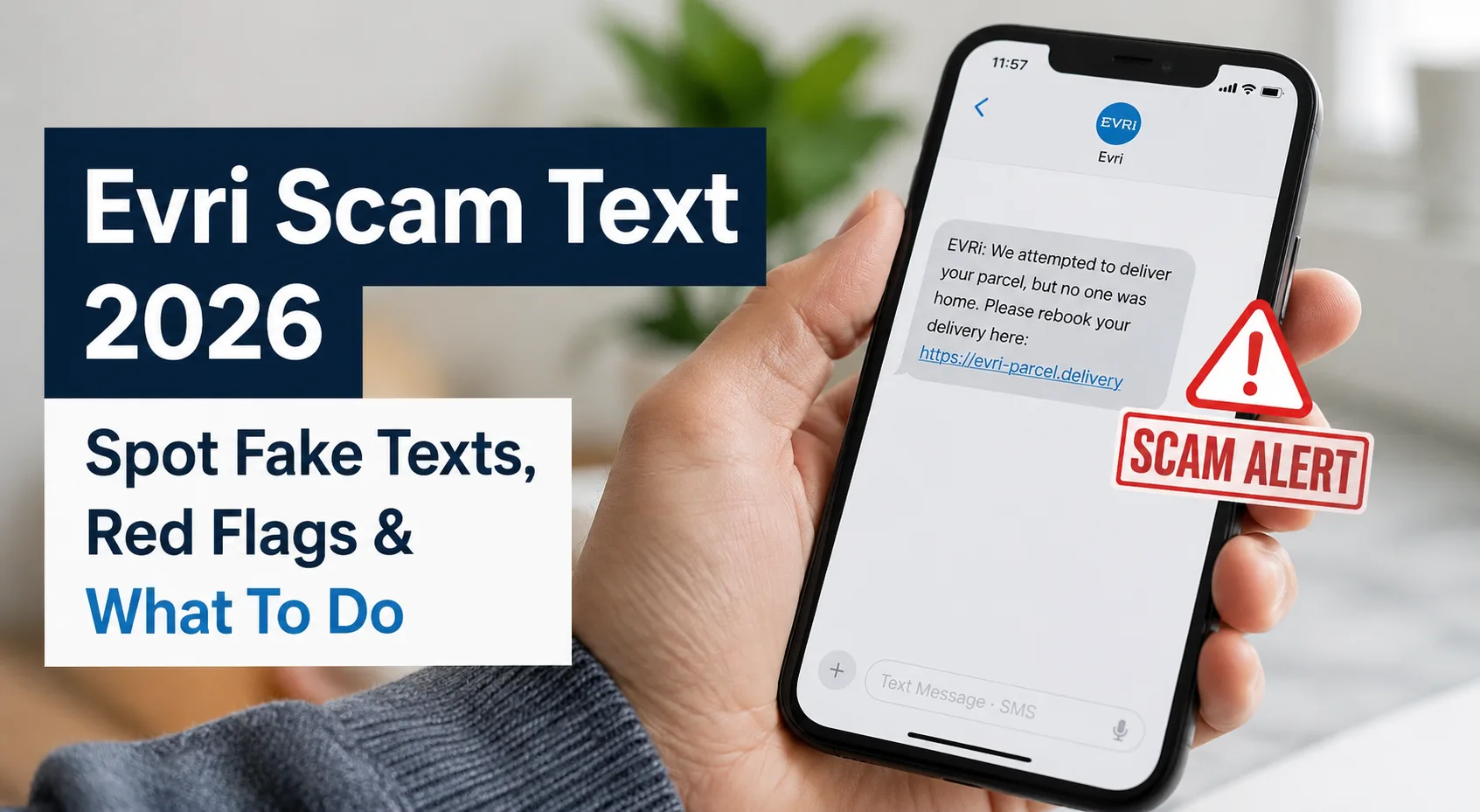
    Evri Scam Text 2026: Spot Fake Texts, Red Flags & What To Do

    Got a text from “Evri” saying your parcel couldn’t be delivered? Maybe it’s asking you to pay 79p or update your address?

    Stop. Don’t click that link.

    There’s a very good chance it’s a scam and thousands of people across the UK are falling for it every single week. We’ve been tracking Evri scam texts throughout 2025 and 2026, and the patterns are getting more sophisticated. In this guide, we break down exactly how these scams work, what real examples look like, and what you should do right now if you’ve already clicked.

    What Is the Evri Scam Text?

    The Evri scam text is a type of smishing attack (SMS phishing) where fraudsters impersonate Evri, one of the UK’s largest parcel delivery companies (formerly Hermes).

    These fake text messages typically claim that:

    • Your parcel couldn’t be delivered
    • You need to pay a small redelivery fee (usually 79p or £1.99)
    • Your address is “incomplete” and needs updating
    • You must reschedule delivery by clicking a link

    The goal? Steal your bank details, personal information, or both.

    According to Action Fraud UK, parcel delivery scams increased by over 35% between 2024 and 2025, with Evri being one of the most impersonated brands. The National Cyber Security Centre (NCSC) has also issued multiple warnings about these fraudulent messages.

    Here’s the thing these texts look genuinely convincing. The scammers have gotten really good at copying Evri’s branding, tone, and even their tracking page layout.

    Real Evri Scam Text Examples (2026 Latest)

    We’ve collected the most common Evri scam text formats currently circulating across the UK. Here’s what they look like:

    Example 1: The “79p Redelivery Fee” Scam

    “Evri: We attempted to deliver your parcel today but no one was available. Please pay £0.79 redelivery fee to reschedule: [suspicious-link.com]”

    Why it works: The small amount (79p) makes people think “what’s the harm?” but the linked page captures your full card details.

    Example 2: The “Incomplete Address” Scam

    “Evri: Your parcel is on hold due to an incomplete address. Please update your delivery details here: [evri-address-update.com]”

    Why it works: If you’ve recently ordered something online, this feels completely believable.

    Example 3: The “Driver David” Scam

    “Evri: Our driver David attempted to deliver your package today, but was unsuccessful. To arrange a redelivery, please visit: [fake-link.com]”

    Why it works: Adding a driver’s name makes it feel personal and authentic. This version went viral on Reddit’s r/Scams and r/AskUK communities.

    Example 4: The WhatsApp Version

    A WhatsApp message from an unknown number with Evri’s logo as the profile picture, asking you to “confirm your delivery slot.”

    Why it works: People trust WhatsApp messages more than random SMS texts.

    Example 5: The Email Version (donotreply@evri)

    Subject: “Your Evri delivery requires action”
    Body: “We were unable to deliver your parcel. Customs charges of £1.45 must be paid before redelivery. Click here to pay.”

    Why it works: The “donotreply” sender name mimics legitimate corporate emails.

    Example 6: The “Reschedule Delivery” Text

    “EVRI: Your delivery is scheduled for today. We need you to confirm your time slot. Reschedule here: [evri-reschedule.com]”

    Why it works: Creates urgency, you think you’ll miss your parcel if you don’t act fast.

    How to Spot a Fake Evri Text: 9 Red Flags

    Not sure whether that Evri text message is real or fake? Look for these red flags:

    1. It Asks for Payment

    Evri never charges for redelivery. This is confirmed directly on Evri’s official website. If any text asks for 79p, £1.99, or any amount, it’s fake. Period.

    2. Suspicious Links

    Real Evri links only come from evri.com. Scam links often look like:

    • evri-redelivery.com
    • evri-address.com
    • evr.i-c26829gb.com
    • evri.psocy.com

    Pro tip: Hover over (or long-press on mobile) any link to see the actual URL before clicking.

    Run the link through a URL checker first

    3. Sent from a Mobile Number

    Genuine Evri messages come from a verified sender ID that shows as “Evri” not from a random mobile number like 07xxx.

    4. Urgency and Pressure

    Phrases like “act within 24 hours” or “your parcel will be returned” are classic pressure tactics. Real delivery companies don’t threaten you.

    5. Spelling and Grammar Mistakes

    While scammers are getting better, many texts still contain awkward phrasing, random capitalisation, or spelling errors.

    6. No Personal Greeting

    A real Evri notification typically includes your name or tracking reference. Scam texts are generic they don’t know your name.

    7. Asks for Card Details

    No legitimate delivery company will ever ask for your full card details via a text message link.

    8. Comes Via Email from a Personal Address

    If you get an Evri email from a Hotmail, Gmail, or Yahoo address that’s obviously not Evri. Their emails come from official @evri.com domains.

    9. You Weren’t Expecting a Parcel

    This seems obvious, but it works. If you haven’t ordered anything, why would Evri text you? Scammers play the numbers game they send millions of texts hoping some people are actually waiting for a delivery.

    Real Evri Text vs Scam Text: Side-by-Side Comparison

    Here’s how to tell the difference at a glance:

    FeatureReal Evri TextScam Evri Text
    SenderShows as “Evri”Random mobile number
    Linkevri.com onlyevri-redelivery.com, evr.i-xxx.com
    Payment requestNever asks for moneyAsks for 79p, £1.99 etc.
    Tracking numberIncludedUsually missing
    Personal detailsMay include your nameGeneric “Dear Customer”
    GrammarProfessionalOften has errors
    UrgencyCalm tone“Act now or lose your parcel!”

    Does Evri Send Text Messages? How Does Evri Actually Contact You?

    Yes, Evri does send legitimate text messages, which is exactly why these scams are so effective. Here’s how the real Evri contacts customers:

    Legitimate Evri communications include:

    • SMS updates with your tracking number
    • Emails from @evri.com addresses
    • Notifications through the Evri app
    • A card left at your door if delivery was attempted

    Evri will NEVER:

    • Ask you to pay a redelivery fee
    • Request your bank or card details via text
    • Send messages from personal email addresses (Hotmail, Gmail)
    • Ask you to click a link to “verify your address” with payment

    This is confirmed on Evri’s official FAQ page about genuine communications.

    Clicked the Evri Scam Link? Do This RIGHT NOW

    Already clicked the link or worse entered your details? Don’t panic, but act fast. Here’s your step-by-step action plan:

    Step 1: Disconnect from the Internet

    If you clicked on your phone, switch to Aeroplane Mode immediately. This can prevent any malware from sending your data.

    Step 2: Contact Your Bank (Immediately)

    If you entered any card or banking details:

    • Call your bank’s fraud department (number is on the back of your card)
    • Ask them to freeze your card and block any pending transactions
    • Request a new card to be issued

    Most UK banks have 24/7 fraud lines. Don’t wait until morning.

    Step 3: Change Your Passwords

    If you entered any login credentials, change passwords immediately especially for:

    • Email accounts
    • Banking apps
    • Any account using the same password

    Step 4: Report to Action Fraud

    File a report at actionfraud.police.uk or call 0300 123 2040. This helps UK authorities track and shut down scam operations.

    Step 5: Forward the Text to 7726

    Forward the scam text message to 7726 this is the UK’s free spam reporting service run by Ofcom. Your network provider will investigate.

    Step 6: Report to the NCSC

    Forward suspicious emails to report@phishing.gov.uk the National Cyber Security Centre actively takes down scam websites based on these reports.

    Step 7: Run an Antivirus Scan

    If you clicked a link on your phone, run a full scan using a trusted antivirus app. Some scam links install malware that monitors your keystrokes.

    Step 8: Monitor Your Accounts

    For the next 30-90 days, keep a close eye on:

    • Bank statements for unusual transactions
    • Credit report (use free services like ClearScore or Experian)
    • Email for password reset notifications you didn’t request

    Can You Get Your Money Back?

    If scammers have already taken money from your account, here’s what we know:

    Through your bank:

    • Under the Contingent Reimbursement Model (CRM) Code, many UK banks will refund victims of Authorised Push Payment (APP) fraud
    • Contact your bank’s fraud team and request a chargeback or Section 75 claim (for credit card payments)
    • From October 2024, the PSR (Payment Systems Regulator) requires banks to reimburse APP fraud victims in most cases

    Success rate: According to UK Finance data, approximately 62% of APP fraud cases received full or partial reimbursement in 2024.

    Important: The sooner you report, the higher your chances of getting money back.

    Why Are Evri Scam Texts So Common?

    You might wonder why Evri specifically? Why not Royal Mail or DPD?

    A few reasons:

    1. Evri handles millions of parcels daily – so the chances of someone actually expecting an Evri delivery when they receive the scam text are high
    2. Evri’s reputation – let’s be honest, Evri already has a mixed reputation for missed deliveries, so a “failed delivery” text feels believable
    3. Low-cost shipping – many online retailers use Evri as their default courier, so most UK online shoppers have dealt with them
    4. Easy to impersonate – Evri’s simple branding and short company name makes it easy to fake convincingly

    How to Report an Evri Scam Text (Complete Guide)

    Here’s every way you can report these fraudulent messages:

    MethodDetails
    Forward SMSSend the text to 7726 (free)
    Action Fraudactionfraud.police.uk or call 0300 123 2040
    NCSC EmailForward to report@phishing.gov.uk
    Evri directlyReport at evri.com/digital-security
    Your networkContact your mobile provider to block the sender

    Every report helps. The NCSC has taken down over 235,000 scam URLs since 2020 based on public reports (source: NCSC Annual Review 2024).

    The Bottom Line

    Evri scam texts aren’t going away anytime soon. Scammers know that millions of people across the UK use Evri regularly, and they exploit that familiarity. The best defence is simple never click links in unexpected delivery texts, and remember that Evri never charges for redelivery.

    If something feels off about a text or email, trust your instinct. Check directly on the official Evri website. And if you’ve already fallen victim, act fast, contact your bank, report the scam, and monitor your accounts.

    Stay safe out there.

    For more scam alerts and verification guides, explore ScamDekho.in we help you spot scams before they spot you.

    Frequently Asked Questions

    Are texts from Evri a scam?

    Not all texts from Evri are scams. Evri does send legitimate delivery notifications. However, any text asking for payment, card details, or directing you to a non-evri.com website is almost certainly a scam. Always verify by checking your tracking number directly on the official Evri website or app.

    Does Evri charge for redelivery?

    No. Evri does not charge any fee for redelivery. They attempt delivery up to 3 times free of charge. Any text asking for 79p, £1.45, or £1.99 for redelivery is a scam no exceptions.

    What does a real Evri text look like?

    A genuine Evri text will come from a verified “Evri” sender ID (not a mobile number), contain your tracking reference number, and will never ask for payment or card details. Real texts simply provide delivery updates or estimated delivery windows.

    What happens if you click an Evri scam link?

    If you only clicked the link but didn’t enter any details, the risk is lower but you should still run an antivirus scan on your device. If you entered personal or banking information, contact your bank immediately to freeze your card and report the incident to Action Fraud.

    How do you verify if an Evri text is genuine?

    Copy the tracking number from the text and enter it directly on evri.com/track-a-parcel. If the tracking number doesn’t exist on their official site, the message is fake. You can also contact Evri directly through their app or website chat.

    What is the donotreply Evri email scam?

    This is a phishing email that appears to come from “donotreply@evri.com” but actually uses a spoofed or slightly altered email address. These emails typically claim you need to pay customs charges or update delivery information. Always check the actual sender address carefully.

    Is evri.psocy.com a real Evri website?

    No. Any website that isn’t evri.com is not affiliated with Evri. Domains like evri.psocy.com, evr.i-c26829gb.com, and evri-redelivery.com are all scam websites designed to steal your information.

  • How to Report PayPal Scam Emails: A Complete Guide(2026)

    How to Report PayPal Scam Emails: A Complete Guide(2026)

    I’ll be honest with you. I’ve received my fair share of sketchy PayPal emails over the years. That moment when you see “Your account has been limited” or “Unusual activity detected” in your inbox? Your heart skips a beat, right?

    Here’s the thing: you’re definitely not alone. Scammers send out millions of fake PayPal emails every single day, and they’re getting scarily good at it. But there’s good news too. Reporting these scam emails is actually pretty straightforward, and it makes a real difference.

    Why Should You Report PayPal Scam Emails?

    Your first instinct might be to just delete the email and move on. And yeah, that’s better than clicking anything suspicious. But reporting matters. Here’s why:

    • You help shut down scam operations before they trick someone else, maybe your mom, your friend, or someone less tech-savvy
    • PayPal tracks patterns and enough reports about one scam means they can find the fake websites and shut them down fast
    • Spam filters improve because your report helps block similar emails automatically for everyone
    • You put up a warning sign that protects the next person

    How Do I Know If It’s Actually a Scam?

    Before hitting report, make sure you’re actually looking at a scam. Here’s what to check:

    Red FlagWhat to Look For
    Generic greeting“Dear User” or “Dear PayPal Customer” instead of your real name
    Urgent language“Your account closes in 24 hours!” PayPal doesn’t operate like that
    Suspicious sender addressLook for tricks like “paypa1@randomsite.xyz” (number 1 instead of letter l)
    Strange link URLsHover without clicking. If it doesn’t end in paypal.com, it’s a scam
    Grammar mistakesProfessional companies have editors. Scammers don’t.

    Golden Rule: When in doubt, open a new browser tab, type paypal.com directly, log in, and check your notifications there. If there’s really a problem, you’ll see it.

    How to Report PayPal Scam Email: Step by Step

    Method 1: Forward the Email (Easiest, Takes 30 Seconds)

    This is hands-down the easiest method:

    1. Don’t click anything in the suspicious email, no links, no buttons
    2. Hit Forward in your email client
    3. Enter phishing@paypal.com as the recipient
    4. Send it as-is and don’t add comments or change the subject line
    5. Delete the original and empty your trash

    PayPal’s security team needs the email exactly as you received it. Headers, links, everything. That’s how they track the scammers.

    Note: You may see older articles mention spoof@paypal.com. That still works, but phishing@paypal.com is the current recommended address.

    Method 2: Report Through Your PayPal Account

    1. Go to PayPal.com (type it yourself, don’t Google it)
    2. Log into your account
    3. Click Help at the top
    4. Select Contact Us
    5. Find “Report a security issue or unauthorized activity”
    6. Describe what happened and submit

    Takes a bit longer but feels more official if you prefer that.

    Method 3: Using the PayPal Mobile App

    1. Tap your profile picture
    2. Go to Help & Contact
    3. Select Report a Problem
    4. Choose Security
    5. Follow the prompts

    Method 4: Report to Additional Authorities

    Want to go the extra mile? Also report to:

    Check out our PayPal Email Checker if you want a quick way to verify whether an email is legit.

    Where to Report PayPal Scam Email: All Official Channels

    ChannelWhere
    Primary reportingphishing@paypal.com
    Account-based reportingPayPal Resolution Center (after logging in)
    Help CenterDesktop or mobile app
    US incidentsreportfraud.ftc.gov
    Global phishing databasereportphishing@apwg.org

    Honestly? Just forwarding to phishing@paypal.com covers 90% of what you need.

    What Happens After You Report?

    Don’t expect a personal thank-you. PayPal handles thousands of reports daily. But your report doesn’t disappear:

    • Automated scanning pulls out all links and checks where they lead
    • Fake websites get shut down usually within a few hours
    • Spam filters get smarter with every report they receive
    • If you actually clicked something and entered info, you’ll hear back within 24 to 48 hours and they’ll help secure your account

    Common Questions

    I already clicked the link. What do I do?

    Did you enter your password or personal info?

    • If no: you’re probably fine
    • If yes: change your PayPal password immediately at PayPal.com, enable two-factor authentication, contact PayPal support, and run a virus scan

    I don’t have a PayPal account. Can I still report?

    Yes. Forward to phishing@paypal.com anyway. Scammers blast these to millions of addresses. Your report still helps protect real users.

    Will PayPal ever email me about account issues?

    Yes, but they’ll never ask you to click a link to fix anything. Real PayPal emails tell you to log in directly. Never “click here to verify.”

    I keep getting the same scam email. Report every time?

    Once is enough for the identical email. But different versions or new scam types? Yes, report those separately.

    How long before PayPal responds?

    • Phishing reports to phishing@paypal.com: typically no personal response
    • Unauthorized transaction reports via Resolution Center: 24 to 48 hours

    PayPal Scam Email Examples to Watch For (2026)

    These are the ones making the rounds right now:

    1. Fake Invoice Scam You receive a PayPal invoice for something expensive like Norton antivirus or random electronics. It actually comes through PayPal’s system so it looks real. The scam is a fake phone number to “call if you didn’t authorize this” and that number connects you to scammers.

    2. Cryptocurrency Payment Scam Claims you bought Bitcoin through PayPal with a large charge listed. Designed to make you panic and call a fake support number.

    3. DocuSign Combination Scam Looks like it’s from both PayPal and DocuSign asking you to sign a document. Extremely professional-looking and has fooled a lot of people.

    4. Receipt Scam A fake PayPal receipt for a purchase you never made, complete with fake transaction IDs. Looks identical to real receipts.

    5. Account Limitation Scam Claims your account is limited due to “suspicious activity.” Classic fear tactic that’s still very effective.

    What NOT to Do When You Get a Scam Email

    • Don’t reply because it confirms your email is active and invites more scams
    • Don’t click any links, even out of curiosity. Phishing sites can install malware just by visiting
    • Don’t download attachments as they often contain keyloggers or ransomware
    • Don’t call phone numbers in the email because those connect directly to scammers
    • Don’t enter your password anywhere except PayPal.com, even if the page looks identical

    How to Protect Yourself Going Forward

    • Enable two-factor authentication Use an authenticator app like Google Authenticator or Authy. It’s more secure than SMS and takes only 10 extra seconds to log in. Worth every second.
    • Check your account regularly Glance at your PayPal transactions once a week. Takes 30 seconds and you’ll catch anything weird immediately.
    • Use a unique password If you’re reusing your PayPal password anywhere else, stop. Get a password manager.
    • Use a separate email for financial accounts One email just for banking and PayPal gets far fewer scam attempts than a general-use email.
    • Review linked accounts periodically Every few months, check what bank accounts, cards, and apps are connected. Remove anything you don’t use.

    How to Reduce the Number of Scam Emails You Get

    • Turn on your email provider’s spam filters because Gmail, Outlook, and Yahoo all have them built in
    • Mark scams as spam before deleting to train the filter
    • Don’t post your email publicly since bots scrape addresses from forums and social media
    • Report and block senders when possible

    Final Thoughts

    Reporting a PayPal scam email takes maybe 60 seconds. That minute could save someone from losing their hard-earned money.

    The process is simple: see a scam, forward to phishing@paypal.com, delete, and move on.

    Share this with anyone who might not be familiar with these scams. The people most at risk are the ones who trust every email in their inbox.

    Stay safe. When something feels fishy about a PayPal email, it usually is.

  • PayPal DocuSign Phishing Scam: How to Identify Fake Emails Before It’s Too Late

    PayPal DocuSign Phishing Scam: How to Identify Fake Emails Before It’s Too Late

    You open your inbox and see an email from DocuSign. It looks completely normal. The DocuSign logo is right there, the formatting is clean, and it says PayPal needs you to review a document about an unauthorized transaction on your account. Your stomach drops a little. $755 charged to Coinbase? You never made that purchase.

    So you click.

    And that is exactly what the scammers want.

    The PayPal DocuSign phishing scam is one of the most convincing fraud techniques circulating in 2025, and it has already fooled thousands of people including business owners, finance teams, and everyday PayPal users. What makes it so dangerous is simple: the email is not fake. It actually comes from DocuSign’s real servers.

    Let’s break down how this works, what to look for, and how to protect yourself.

    What Exactly Is the PayPal DocuSign Phishing Scam?

    Most phishing emails are easy to spot if you know what to look for. Misspelled words, weird sender addresses, links to strange domains. But this scam is built differently.

    Here is what cybercriminals actually do. They sign up for a real DocuSign account. Then they use DocuSign’s own API and templates to create a document that looks like a PayPal invoice. Inside that document, there is a fake transaction alert, usually for a few hundred dollars, along with a phone number or link for “dispute resolution.” They then send this through DocuSign’s actual email system to thousands of targets.

    Because the email originates from DocuSign’s legitimate infrastructure, it bypasses spam filters that would normally catch phishing attempts. Your inbox receives it as a trusted message. DocuSign itself has confirmed this, noting an increase in sophisticated phishing scams that use the platform in combination with communication outside their system, with fake PayPal invoices being a common tactic.

    This is not your typical email scam. It weaponizes two brands that people genuinely trust.

    How the Scam Actually Plays Out

    Understanding the full sequence helps you recognize it faster. Here is how the PayPal DocuSign email scam typically works from start to finish.

    Step 1: You receive the email

    The subject line is usually something like “Action Required: PayPal Payment Authorization” or “Unauthorized Transaction Detected on Your Account.” Sometimes the attacker’s DocuSign account name is set to “PayPal Billing” or “PayPal Accounting,” and the email body uses the standard DocuSign notification template. Nothing looks off because nothing is technically off. It is a real DocuSign email.

    Step 2: You open the document

    Inside the DocuSign interface, you see what looks like a PayPal invoice. It has the PayPal logo, a fake transaction ID, an alarming dollar amount, and either a phone number or a link to contact “PayPal’s Fraud Prevention Team.”

    Step 3: You take the bait

    If you call the phone number, a live operator walks you through “verifying” your identity, which really means handing over your PayPal login, banking details, or even granting remote access to your device. If you click a link instead, you land on a fake webpage designed to steal your credentials, or worse, silently download malware onto your computer.

    6 Red Flags in a PayPal DocuSign Email

    Even though these emails are genuinely hard to spot, there are clear warning signs once you know where to look.

    1. You did not initiate anything

    This is the most important signal. PayPal does not randomly send you a DocuSign document out of nowhere. You will generally only receive a legitimate DocuSign email after coming to a prior agreement with the sender. If you did not buy anything, request anything, or sign up for anything, treat that email with serious suspicion.

    2. PayPal does not use DocuSign for transaction alerts

    This is a fact most people simply do not know. PayPal has its own transaction notification system and would not use DocuSign. There is also no mention of actually signing a document in these scam emails, which is what DocuSign is genuinely used for. A real payment alert from PayPal arrives directly from PayPal, not through a third-party document signing platform.

    3. The sender address does not add up

    Look closely at the “From” and “Reply-To” fields. A common sign of a PayPal DocuSign scam is that the customer care email inside the document ends with gmail.com, not paypal.com. No legitimate PayPal team uses a Gmail address.

    4. Your name and account details are missing

    Legitimate emails from a company you do business with will include your name and the last four digits of your account. If the email greets you with “Dear Customer” or a generic phrase, that is a red flag worth pausing on.

    5. There is a phone number inside the document itself

    Real PayPal transaction alerts do not include random customer service phone numbers inside DocuSign documents. Scammers include that number because they want you to call, so they can socially engineer you into giving up your information directly.

    6. No actual signature is required

    DocuSign exists for one core purpose: getting documents signed. If the document you are being asked to “review” has no actual signature requirement and is just an invoice or alert, someone is using DocuSign purely as a delivery vehicle to make the email look real.

    The Quick Verification Test

    Got an email from DocuSign mentioning PayPal and not sure if it is real? Do not click anything inside the email. Here is a simple way to check.

    Go directly to DocuSign.com, click “Access Documents” in the upper right corner, and enter the security code shown in the email. If you get an error message, that means the document was removed or never existed at all. That is confirmation it is a scam.

    At the same time, open a new browser tab and log into your PayPal account directly at paypal.com by typing it yourself. If there was genuinely a suspicious transaction or any account issue, it will be visible inside your PayPal dashboard. You do not need a DocuSign email to tell you about your own PayPal activity.

    “If someone sends you a PayPal payment screenshot as proof, verify any payment screenshot instantly before trusting it.”

    What to Do If You Already Clicked

    If you clicked a link or called the number in one of these emails, here is what to do right away.

    • Check your PayPal account: Log in directly and look at recent transactions. Anything suspicious should be reported immediately through the PayPal Resolution Center as fraud.
    • Change your passwords without delay: Update your PayPal password, your email password, and any other account that uses the same credentials. Enable two-factor authentication while you are at it.
    • Run a full antivirus scan: If you clicked any link in the email, there is a real possibility malware was downloaded onto your device. Run a complete scan before doing anything else online.
    • Contact your bank: If your PayPal account is connected to a bank account or card, let your bank know what happened so they can monitor for suspicious activity.
    • Report it to both platforms: Forward the phishing email to phishing@paypal.com. For the DocuSign abuse, use DocuSign’s Report Abuse feature on their website. Their team investigates suspicious accounts within 24 hours and closes them once confirmed.
    • File a complaint with the FTC: Visit reportfraud.ftc.gov to make an official report. This helps authorities track these campaigns and protect more people.

    Does PayPal Actually Send DocuSign Emails?

    This is the most common question people ask, and the answer in almost every real-world scenario is no.

    DocuSign is built for electronic document signing. PayPal is a payment processor with its own fully functioning notification system. There is no legitimate reason for PayPal to route a transaction alert, refund notice, or fraud warning through DocuSign.

    Some attackers invest in paid DocuSign accounts to access professional templates and send documents through official servers specifically to bypass email security filters. This is precisely why the email from PayPal via DocuSign looks so convincing: the delivery mechanism is technically real. The malicious content lives inside the document itself.

    If you ever receive an email titled “PayPal Customer Care via DocuSign,” treat it as a scam unless you have a very specific, pre-existing reason to expect that exact document.

    How to Stay Protected Going Forward

    You do not need to be a cybersecurity expert to stay safe from these attacks. A few consistent habits make a big difference.

    • Never click links in unexpected financial emails. If something involves your money or account security, go directly to the official website by typing the URL yourself. Do not follow email links, even if the email looks completely legitimate.
    • Recognize manufactured urgency. Scammers intentionally create panic to make you act before you think. An email claiming hundreds of dollars were just charged to your account is designed to bypass your rational thinking. Slow down. Check directly through the official app or website.
    • Turn on two-factor authentication for your PayPal account and email. Even if a scammer gets your password, they cannot access your account without the second verification step.
    • Keep your antivirus software current. Many modern tools now flag known phishing domains in real time, even when the originating email looks completely legitimate at a glance.
    • Be cautious of emails that demand immediate action, use generic greetings, or contain even minor misspellings or awkward phrasing. These are signals that something is off, even when the overall email looks polished.

    “Not sure if a link is safe? Check any suspicious URL here before clicking.”

    The Bottom Line

    The PayPal DocuSign phishing scam succeeds because it targets something completely reasonable: the habit of trusting familiar brands. When you see the DocuSign interface alongside a PayPal logo, your brain reads it as safe. That mental shortcut is the exact vulnerability being exploited.

    Once you understand how the docusign paypal scam works, the signals become obvious. The email arrived without any prior context. PayPal does not use DocuSign for transaction alerts. There is a random phone number inside the document. No actual signature is being requested.

    Any one of those signals should be enough to make you stop and verify before taking any action. Pass this along to someone you know who uses PayPal regularly. Awareness is genuinely the most effective defense against this kind of scam.

  • Mahadev App Scam: The ₹6,000 Crore Betting Scam That Is Still Not Over

    Mahadev App Scam: The ₹6,000 Crore Betting Scam That Is Still Not Over

    Two friends from a small city in Chhattisgarh built a betting app from Dubai. That app made ₹200 crore every single day. It pulled in Bollywood stars, a former Chief Minister, and top agencies like ED and CBI.

    And even after arrests, raids, and court orders, the app came back during IPL 2026.

    This is the full story of the Mahadev App scam. Everything in one place, no confusion.

    What Is the Mahadev App Scam?

    Mahadev App was an illegal betting platform. People used it to place bets on cricket, tennis, card games, poker, and even elections.

    It was run by two people: Saurabh Chandrakar and Ravi Uppal. Both from Bhilai, Chhattisgarh. Both operating from Dubai.

    But here is what made this different from a regular gambling website.

    They did not run it alone. They created over 3,200 “panels.” Think of each panel like a franchise. A local operator would get a panel, find users in their area, collect money, and send it up the chain. The app kept 70% of all profits. The operator kept 30%.

    This is how ₹200 crore was flowing in every single day.

    The numbers:

    • Total scam size: over ₹6,000 crore
    • Panels active across India: 3,200+
    • Assets attached by ED so far: over ₹2,600 crore
    • Daily earnings at peak: ₹200 crore

    All this money was hidden through fake bank accounts, hawala, shell companies, and crypto.

    Also Read: What Information Is Safe to Share Online? A Real Guide for Indian Users

    ₹508 Crore or ₹6,000 Crore? What Is the Real Number?

    You will see different numbers in different news articles. Here is what each one means:

    • ₹508 crore is what ED attached or froze in the early part of the investigation. It was just the beginning.
    • ₹6,000 crore is the total estimated size of the whole scam. This includes all betting money, laundered funds, and assets.
    • ₹2,600 crore is the total value of properties and assets ED has attached so far across India and Dubai.

    So no number is wrong. They are just measuring different things. The scam itself is ₹6,000 crore.

    The Full Timeline: 2022 to 2026

    1. 2022: Mahadev App quietly starts. The network grows fast in Chhattisgarh and then spreads across India.
    2. February 2023: Saurabh Chandrakar gets married in Ras Al-Khaimah, UAE. The wedding reportedly costs ₹200 crore. Bollywood artists are flown in. This wedding is what first caught the attention of ED.
    3. 2023: The ED begins investigation. An Interpol Red Corner Notice is issued against Chandrakar.
    4. Late 2023: Ravi Uppal is briefly detained in Dubai but is later released. He does not remain in custody.
    5. 2024: CBI and ED both run investigations at the same time. Raids happen across 29 locations in five districts of Chhattisgarh. The name of former Chief Minister Bhupesh Baghel comes up in the probe.
    6. October 10, 2024: Saurabh Chandrakar is formally arrested by UAE authorities. Indian officials are officially informed on this date. Extradition proceedings begin.
    7. March 26, 2025: CBI conducts searches at around 60 locations including Bhupesh Baghel’s homes in Raipur and Bhilai.
    8. March 2025: ED attaches ₹1,700 crore worth of properties in Dubai and New Delhi.
    9. November 2025: Ravi Uppal flees the UAE. The Supreme Court of India directs ED to trace him and calls out how the main accused keep escaping the legal system.
    10. April 2026: Mahadev App is active again during IPL season. Despite everything, the betting network is still running.

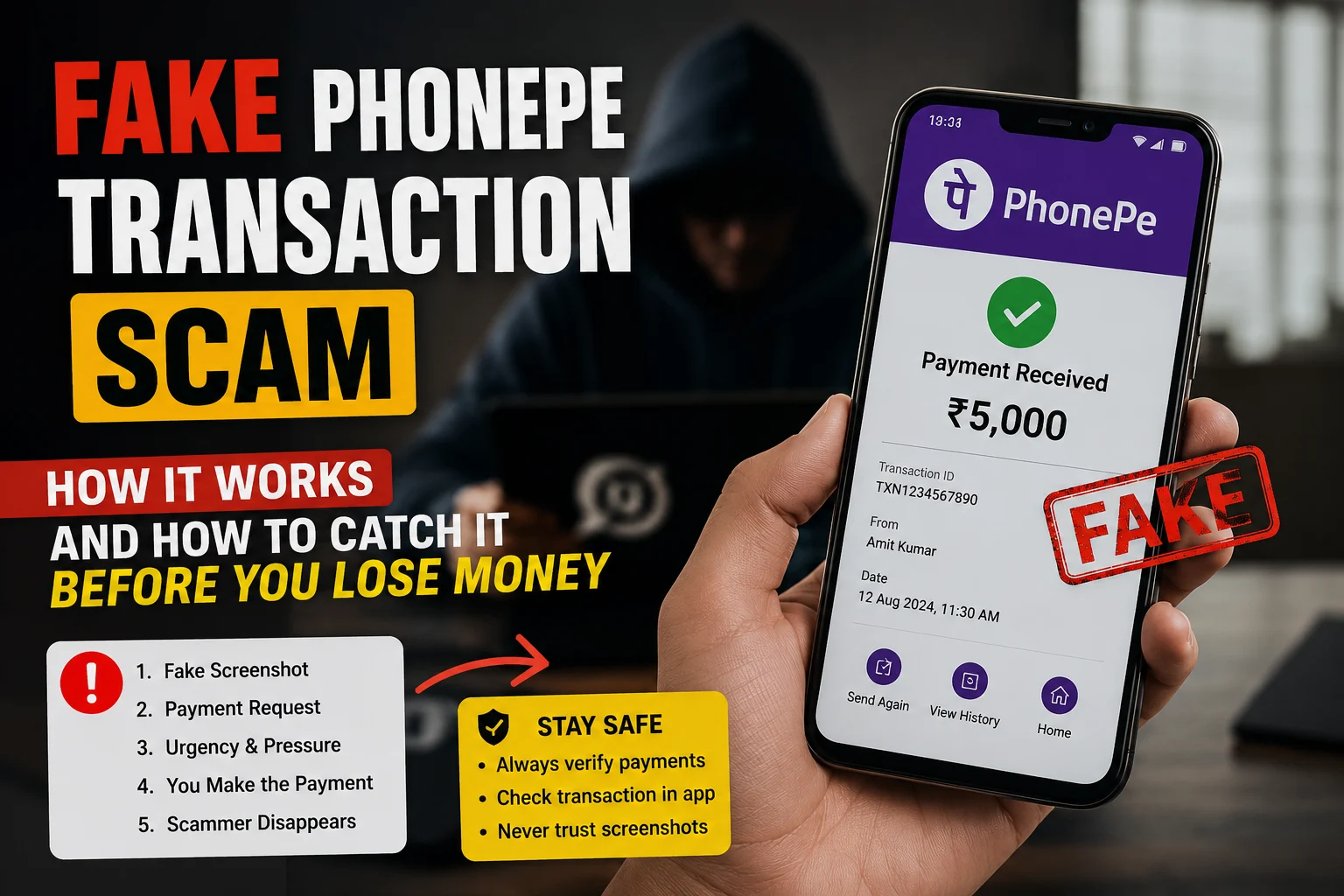
    Scammers often send fake payment screenshots, you can detect fake payment proof here.

    Who Are Saurabh Chandrakar and Ravi Uppal?

    • Saurabh Chandrakar grew up in Bhilai. He moved to Dubai and built the Mahadev App with his childhood friend Ravi Uppal.

      His February 2023 wedding in Ras Al-Khaimah is what really blew the cover off this scam. When investigators asked how a person could spend ₹200 crore on one wedding, the trail led straight to the app.

      He was formally arrested on October 10, 2024 by UAE authorities. Extradition to India is still ongoing.
    • Ravi Uppal was the co-founder. He was briefly detained in Dubai in late 2023 but was released. After that he stayed mostly off the radar. In November 2025, he fled the UAE completely. He is now officially a fugitive. The Supreme Court has ordered ED to find him.

      His escape is a big problem for investigators. Because as long as the people who built this network are free, the operation can always start again somewhere.

    Check: Fake UPI Payment Screenshot Scam: Complete Guide for Indian Shopkeepers

    How Did They Hide ₹6,000 Crore?

    This is the part that made ED and CBI both take this case so seriously. The money did not just sit in one bank account. It went through many layers on purpose.

    Step 1: Fake bank accounts Real people’s KYC documents were stolen and used to open thousands of fake accounts. Betting money came in through these first.

    Step 2: Shell companies The money then moved into fake companies that existed only on paper. This made the money look like business income.

    Step 3: Hawala Hawala moved money across borders with zero paper trail. No bank. No record.

    Step 4: Crypto Some money was converted to cryptocurrency. This made it almost impossible to track using normal banking systems.

    Step 5: Real estate Finally, the cleaned money was used to buy properties in Dubai and India. This is why ED has been able to attach ₹2,600 crore worth of assets.

    Every rupee passed through several of these steps. That is why untangling this has taken years.

    The Bollywood and Baghel Connection

    The Ras Al-Khaimah wedding is connected to both parts of this story.

    Several Bollywood celebrities attended or performed at Chandrakar’s wedding. ED called many of them in for questioning. The main question was whether they were paid in cash and whether they knew where the money was coming from. As of now, no celebrity has been formally charged.

    Bhupesh Baghel is a more serious name in this case. He was the Chief Minister of Chhattisgarh when the app was growing fast. His name came up in ED’s probe. On March 26, 2025, CBI searched around 60 locations including his homes in Raipur and Bhilai.

    Baghel publicly called the raids politically motivated and said they were timed to serve political purposes. His role in the case is still being investigated.

    The political angle makes this more than just a money laundering case. It is also a story about how illegal networks can grow when the right people look the other way.

    Where Does the Case Stand in 2026?

    Here is the current status of everything:

    • Saurabh Chandrakar arrested in UAE in October 2024, extradition pending
    • Ravi Uppal is a fugitive, Supreme Court has ordered ED to trace him
    • ₹2,600 crore in assets attached across India and Dubai
    • Bhupesh Baghel under investigation, CBI raids done in March 2025
    • EaseMyTrip CEO Nishant Pitti has also been probed by ED
    • The app came back during IPL 2026, showing the network is still alive

    Why Did Mahadev App Come Back During IPL 2026?

    This is the part that should worry everyone.

    In April 2026, reports confirmed that Mahadev App was running again during IPL season. Bans, arrests, raids, Supreme Court orders, nothing stopped it fully.

    The reason is how the network was designed. With 3,200 panels spread across India, the platform was never dependent on just two people at the top. When one operator gets caught, another picks up from where they left off. The whole thing was built to survive exactly this kind of pressure.

    This is also why Ravi Uppal still being free matters so much. The architects of this system have not been fully brought to justice. And until they are, the Mahadev betting scam will keep finding ways to come back.

    What This Case Is Really About

    The Mahadev app case is not just about two guys running a gambling website. It is about a much bigger problem:

    • Online gambling rules in India are still weak and easy to work around
    • Thousands of fake KYC accounts were created without anyone catching it for years
    • Hawala and crypto together make money almost untraceable
    • When powerful people are involved, investigations slow down
    • IPL season is peak time for illegal betting in India every single year

    The case is still going on. Until Ravi Uppal is caught and extradition for Chandrakar is completed, the final chapter of this scam has not been written.

    Sources: The Hindu, Moneycontrol, Times of India, Indian Express, ANI News, Tribune India, New Indian ExpressShare

    FAQs

    Why was the Mahadev app banned in India?

    It was running illegal betting without any license and washing thousands of crores through fake accounts and hawala networks. Authorities blocked it but the operation never fully stopped.

    What is the Mahadev app scam in simple words?

    An illegal betting app pulling in Rs 200 crore every single day through 3,200 local operators spread across India. The money was hidden through fake accounts, hawala and crypto. Total estimated scam size is over Rs 6,000 crore.

    Who is Saurabh Chandrakar and where is he now?

    One of the two co-founders, originally from Bhilai in Chhattisgarh. UAE authorities arrested him on October 10, 2024. He is currently in UAE custody and extradition to India is still pending.

    Is Ravi Uppal caught yet?

    No. He slipped out of the UAE in November 2025 and has been on the run since. The Supreme Court has directed ED to track him down. As of May 2026 he is still a fugitive.

    What is the connection between Mahadev app and Bhupesh Baghel?

    Baghel is the former Chief Minister of Chhattisgarh. His name surfaced during the ED investigation. CBI raided his properties in Raipur and Bhilai on March 26, 2025. His exact role is still being investigated.

    How did Mahadev app launder money?

    Through stolen KYC accounts, shell companies, hawala transfers, crypto conversions and finally into real estate in Dubai and India. ED has attached over Rs 2,600 crore in assets so far.

    Is Mahadev app still active in 2026?

    Yes. It was openly running during IPL 2026. The app works through 3,200 local panels across India, which means even with the founders behind bars, local operators keep the whole thing going.

  • What Information Is Safe to Share Online? A Real Guide for Indian Users

    What Information Is Safe to Share Online? A Real Guide for Indian Users

    Let me be honest with you. Most of us never really think about what we share online until something goes wrong. A scam call that knew your full name. A stranger who somehow had your address. A bank account drained overnight.

    That moment of “how did they get this?” is what this guide is trying to prevent.

    India Has a Very Specific Problem

    We are not talking about hacking in the Hollywood sense. No one is sitting in a dark room cracking codes to get into your accounts.

    What is actually happening is much simpler and honestly scarier. People are freely giving away information that criminals piece together like a puzzle. Your name from Instagram. Your workplace from LinkedIn. Your phone number from a WhatsApp group. Your home locality from a food delivery review you left two years ago.

    Put it all together and someone has enough to impersonate you, take a loan in your name, or clean out your UPI account.

    This is the reality for Indian internet users today. And most people have no idea it is happening.

    Start Here Before Anything Else

    Before getting into specifics, remember just one thing.

    Anything you share online can end up anywhere.

    Private Instagram. Closed WhatsApp group. Snapchat with disappearing messages. Does not matter. One screenshot and it lives forever. So before posting anything, ask yourself: would I be okay if this reached a complete stranger?

    If the answer is no, do not post it.

    So What Information Is Safe to Share Online?

    There is plenty you can put out there without any real risk. Your first name. The city you live in. Your opinions on films, cricket, food, or travel. Your professional wins on LinkedIn. Photos from a trip you already came back from. A restaurant review. A product recommendation.

    None of that, on its own, can hurt you.

    The problem is when you start combining things. Your first name is harmless. Your first name plus your employer plus your city plus your daily gym timing is enough for someone to find you in real life knowing exactly who you are.

    So when people ask which one of these is safe to share online, the honest answer is: it depends on what else you are sharing alongside it. A single piece of information is rarely the problem. The combination is.

    What Personal Information Should You Never Share Online

    This is the section that actually matters. Save it. Send it to your parents. Pin it somewhere.

    • Your Aadhaar number. This one gets misused more than anything else in India. With your Aadhaar, someone can get a new SIM issued in your name. With that SIM, they can reset your bank passwords and take over your accounts. You see how fast it goes.
    • OTPs. Any OTP. From any service. Ever. No bank, no government office, no legitimate company will ever call you and ask for an OTP. The second someone asks for it over call or chat, you are being scammed. Hang up immediately.
    • Your PAN number. Used in loan fraud and fake tax filings more than most people realize.
    • Real-time location. Posting “off to Shimla for a week!” tells every person following you that your house is sitting empty. Post the holiday photos when you are back home safe.
    • Your children’s details. Not their school name. Not their schedule. Not clear photos of their faces in public posts. This is non-negotiable.
    • Intimate photos. Even to someone you completely trust. Relationships end. Phones get stolen. Accounts get hacked. Draw this line firmly and do not move it.
    • Your full date of birth combined with your full name. Individually they seem fine. Together they are used to answer security questions and verify identity with banks and telecom providers.
    • Your mother’s maiden name. This one surprises people. It is one of the most common security questions used by banks. Once someone has it, they have a key.

    Is Sharing Aadhaar Card Number Online Safe?

    Short answer: No. Not even close.

    People share it in WhatsApp groups for housing societies, office onboarding, school admissions, and all sorts of everyday situations without thinking twice. It feels normal because everyone is doing it.

    But is sharing your Aadhaar card number online safe? Absolutely not. Your 12-digit Aadhaar number is linked to your mobile number, your bank account, and your entire financial identity. In the wrong hands, it can be used to get a SIM card issued in your name, which then becomes the key to everything else.

    If someone genuinely needs to verify your identity, use a masked Aadhaar instead. The UIDAI website lets you download a version that hides the first 8 digits. That is what you share, not the full card.

    And if someone is asking for your Aadhaar number over WhatsApp or email for a reason that feels even slightly off, trust that feeling.

    Also Read: Deepfake Scam in India: How AI Is Being Used to Cheat You

    The 5 Things Indians Specifically Keep Getting Wrong

    • Sending Aadhaar photos in group chats. Housing societies, office groups, school parent chats. It happens every single day and it is one of the riskiest habits on this list.
    • Trusting closed groups. A Facebook group with 300 members is not a private conversation. It is a room full of people, many of whom you have never actually met. Treat it like a semi-public space.
    • Filling every field in every online form. A food delivery app does not need your blood group. A loyalty card does not need your anniversary. If a field is optional, leave it blank.
    • Posting travel plans before leaving. Already said it above but worth repeating because it is that common and that easy to avoid.
    • Using the same photo on every platform. When your LinkedIn, Instagram, WhatsApp, and Gmail all use the same profile picture, it becomes easy to connect your identities across every platform you are on. Small change, real difference.

    Platform by Platform, Quickly

    • WhatsApp: Set your profile photo to contacts only. Turn off Last Seen for everyone outside your contacts. Never join groups from unknown invite links.
    • Instagram: If your account has photos of your home, your kids, or your daily routine, keep it private. Avoid location tagging posts taken at or near your house.
    • Facebook: Go through your friend list once a year. Remove people you would not recognize if you ran into them. Check your privacy settings every few months because they tend to reset quietly after updates.
    • LinkedIn: Do not put your personal phone number on your public profile. It will be scraped by bots and sold to spammers faster than you think.

    Check: WhatsApp Bans 9,400 Accounts Linked to Digital Arrest Scams: Supreme Court Told

    What the Law Says, Simply Put

    India’s Digital Personal Data Protection Act gives you the right to ask any company what data they hold on you and the right to ask them to delete it. Companies that leak your data now face serious penalties.

    On the flip side, sharing someone else’s private information, photos, or messages without their permission is a punishable offense under the IT Act. Forwarding an intimate image of someone, even if they once sent it to you willingly, is a criminal offense under Section 67A.

    Your data is protected by law. But so is your responsibility with someone else’s.

    If Something Has Already Gone Wrong

    First, do not panic. Then move quickly.

    Delete whatever you can still delete. Change passwords on every account connected to the information that got out. If money is involved, call your bank right now and ask them to freeze transactions while you investigate.

    File a complaint at cybercrime.gov.in or call 1930. That is India’s national cyber fraud helpline and it is the right first call to make.

    If your Aadhaar was compromised, go to uidai.gov.in and lock your biometrics immediately. It takes two minutes and can prevent a lot of damage.

    Conclusion

    Being careful online does not mean being paranoid or suspicious of everyone. It just means pausing for two seconds before you share something.

    Most privacy violations and scams targeting Indians do not happen through sophisticated attacks. They happen because someone shared the wrong detail with the wrong person at the wrong time, usually without even realizing it.

    You now know what that looks like. That already puts you ahead of most people.

    Frequently Asked Questions

    Q1: Which one of these is safe to share online?

    Your first name, a secondary email address, general interests, professional profile, and UPI ID for receiving payments are all relatively safe. OTP, Aadhaar number, PAN card, CVV, UPI PIN, and any banking credentials should never be shared with anyone under any circumstances.

    Q2: What information is safe to share online?

    Non-sensitive details like your first name, general location (city only), hobbies, secondary email, and professional work are safe to share. What is not safe: government IDs like Aadhaar and PAN, financial details like CVV and UPI PIN, one-time passwords, and your exact home address.

    Q3: What personal information should you never share online?

    Your full Aadhaar number, PAN card combined with date of birth, OTP, CVV, UPI PIN, net banking password, ATM PIN, passport scan, home address, and bank statements. No legitimate service in India will ever ask for these over a call, message, or email.

    Q4: Which information is risky to share online?

    OTP, full Aadhaar number, PAN combined with date of birth, CVV, UPI PIN, bank passwords, home address, and passport scans. These individually or in combination give scammers everything they need to commit fraud in your name.

    Q5: What are the top 3 data privacy risks in India?

    Identity theft using Aadhaar and PAN details, financial fraud through OTP and UPI PIN scams, and social engineering where scammers use your personal information to build trust before stealing from you.

    Q6: Is sharing your Aadhaar card number online safe?

    No. Sharing your full 12-digit Aadhaar number can lead to identity theft and SIM swap fraud. Use UIDAI’s Masked Aadhaar or Virtual ID instead. Only share on verified government portals with HTTPS.

    Q7: Is sharing passport details online safe?

    Never share a passport scan or photo on WhatsApp, email, or social media. Only upload it on verified visa processing or official government portals. Passport combined with date of birth is one of the most dangerous combinations for identity theft.

    Q8: Can someone misuse your PAN card details?

    Yes. PAN combined with date of birth can be used to file fake tax returns, open fraudulent bank accounts, or take loans in your name. Only share PAN on verified income tax or banking portals.

    Q9: Can someone misuse your phone number?

    By itself, a phone number is limited. But combined with other data, it enables SIM swap attacks where a scammer gets a new SIM issued on your number and then intercepts all your OTPs. Never confirm personal details to unsolicited callers.

    Q10: Is it safe to share photos online?

    Photos are generally fine as long as they do not reveal your home address, school or workplace name, car number plate, location tags, or any documents visible in the background. Always turn off geotagging before sharing.

  • Deepfake Scam in India: How AI Is Being Used to Cheat You

    Deepfake Scam in India: How AI Is Being Used to Cheat You

    A father in Pune gets a WhatsApp call. The voice on the other end is his son. Same tone. Same accent. Same way of saying “Papa.”

    “Papa, I am in serious trouble. Please transfer money right now. Do not tell anyone.”

    He transfers Rs 80,000 within minutes. His son calls him an hour later from his own phone. He had no idea what happened.

    This is not a movie scene. This is a deepfake voice scam and it is happening across India right now.

    What Exactly Is a Deepfake Scam?

    A deepfake is AI generated content, a video, image or audio clip that looks or sounds completely real but never actually happened.

    Scammers use this technology in three main ways:

    • They clone someone’s voice from just a few seconds of audio and use it to call that person’s family members
    • They create fake videos of real people, celebrities, executives, even your relatives, saying things they never said
    • They use these fake voices and videos to impersonate someone you trust and convince you to send money

    Here is the part most people do not realise. In 2026, an AI tool needs just 3 to 5 seconds of your voice to clone it with frightening accuracy. That audio does not have to come from somewhere obvious. A WhatsApp voice note you sent last month. A video you posted on Instagram. A call you picked up without knowing it was being recorded. Your voice is already out there in more places than you think.

    How Big Is This Problem in India?

    The numbers are hard to ignore.

    A 2025 analysis of AI scams found that 47 percent of Indian adults have either been targeted by an AI voice cloning or deepfake scam themselves or know someone who has. That is almost double the global average of 25 percent.

    Of those who were targeted, 83 percent lost money. And nearly half of them lost more than Rs 50,000 in a single scam.

    In just the last three months of 2025, the Haryana Cyber Cell alone recorded over 2,300 voice cloning fraud cases. That is a 450 percent jump from the year before.

    This is not something that might happen someday. It is already happening, in every city, to people of every age, including people who consider themselves careful.

    How Does a Deepfake Scam Actually Work?

    There are three main types of deepfake scams targeting Indians in 2026.

    Type 1: AI Voice Cloning Scam (Most Common)

    This is the “Papa, I am in trouble” scam described above. Here is the full process:

    1. The scammer finds a voice sample of someone you trust, from social media, YouTube, or a public video
    2. They feed it into an AI voice cloning tool, freely available online
    3. The AI generates a clone of that voice in seconds
    4. The scammer calls you using that cloned voice and creates a fake emergency
    5. You panic and transfer money before verifying

    This works on families, colleagues, and employees. A Mumbai CFO authorized a Rs 2.3 crore wire transfer after receiving what sounded like a call from his own CEO. The CEO was in a meeting the whole time. The voice was AI-generated.

    Type 2: Deepfake Video Scam (Growing Fast)

    In this version scammers create a fake video of a celebrity or trusted public figure promoting a fake investment scheme.

    One of the most well known cases in India involved Ankur Warikoo, a popular personal finance educator. AI generated deepfake videos using his face, voice and likeness spread across social media and convinced his followers to join WhatsApp groups for fraudulent stock market advice. The videos looked real enough that the Delhi High Court had to step in and grant emergency relief to get them taken down.

    You have probably seen similar videos yourself. Mukesh Ambani promoting a guaranteed return investment app. Narendra Modi endorsing a trading platform. Virat Kohli recommending a scheme that will double your money in 30 days.

    All fake. All deepfake. None of them ever said any of it.

    Type 3: Deepfake Video Call Scam (Most Dangerous)

    This is the newest and most dangerous variant. The scammer joins a video call with you using a real-time AI face filter that overlays someone else’s face onto theirs.

    You see the face of your boss, your bank manager, or a government official. You hear their voice. You believe it is them. And then you follow their “urgent instructions.”

    In 2024, a Hong Kong company lost the equivalent of Rs 210 crore when an employee attended a video conference where every participant, including the CFO, was a deepfake. This type of attack is now reaching India.

    Real Cases from India

    Case 1: Indore Deepfake Kidnapping Video Scam

    A family in Indore received a video call showing their relative being kidnapped. The visuals looked completely real. The caller was aggressive and demanded money immediately.

    The family panicked and transferred the money.

    Their relative was sitting at home, completely safe, with no idea any of this had happened. The kidnapping video was entirely AI generated. None of it was real.

    Source: Indian Express

    Case 2: AI Voice Clone Scam (Kanpur – Nephew Impersonation)

    A man in Kanpur received a call from someone who sounded exactly like his nephew. The voice, the tone, everything matched. The caller said he was in serious trouble and needed money urgently.

    The man transferred around ₹ 1 lakh without hesitating. Why would he? It sounded exactly like his nephew.

    It was not. The voice had been cloned using AI and the real nephew had never made that call.

    Source: Times of India

    Case 3: ₹2+ Crore Digital Arrest Scam (Mangaluru)

    A man in Mangaluru got a call from someone claiming to be a law enforcement official. They told him his SIM card had been linked to illegal activities and that he was under investigation. The pressure was immediate and relentless.

    To clear his name, they said, he needed to transfer money.

    He transferred over ₹2 crore before he realised what had happened.

    Source: Economic times

    How to Know If a Voice Call or Video Is Fake

    This is getting harder as AI improves. But there are still signs to watch for.

    For voice calls:

    • The voice sounds slightly flat or emotionless, even if the words are right
    • There are no background sounds, no natural pauses, no breathing
    • The caller creates extreme urgency and asks you not to call back or verify
    • They ask for money via UPI, crypto, or gift cards

    For videos:

    • The lip movements do not perfectly match the words
    • The face looks slightly blurry around the edges, especially when moving
    • The lighting on the face looks different from the background
    • Eye blinking is unnatural or missing
    • The video freezes briefly when the person turns their head

    The most important sign in both cases: Someone is creating panic and asking you to act immediately without telling anyone.

    What Should You Do If You Get a Deepfake Call?

    If you receive a suspicious call claiming to be from a family member, colleague, or official:

    1. Do not transfer any money immediately, no matter how urgent they sound
    2. Hang up and call the person back on their known number directly
    3. Ask a question only that person would know the answer to
    4. If a video call looks suspicious, ask them to wave or blink, which trips up some AI filters
    5. Report the number immediately by calling 1930

    If a suspicious link was shared during the call, paste it into the ScamDekho URL Checker before clicking anything.

    How Are Scammers Getting Your Voice Sample?

    You might be thinking: I am not a celebrity, why would anyone clone my voice?

    The answer is that scammers do not need you to be famous. They target your family members. If your child has even one Instagram Reel or YouTube Short online, that voice can be cloned.

    Common sources scammers use to steal voice samples:

    • Instagram Reels and Stories
    • YouTube videos
    • WhatsApp voice notes forwarded publicly
    • LinkedIn introduction videos
    • Facebook Live recordings
    • Podcast appearances

    This does not mean you should disappear from the internet. It means your family needs to know this threat exists.

    What Is the Indian Government Doing About Deepfakes?

    The government has taken some steps in 2026 worth knowing about.

    New IT rules that came into effect in February 2026 now require social media platforms to remove deepfakes within 3 hours of receiving a government or court order. For non-consensual intimate imagery the window is even shorter at 2 hours.

    Instagram, Facebook and YouTube are now legally required to explicitly ban AI deepfake content in their terms of service and respond to takedown requests quickly. MeitY has also issued advisories requiring platforms to inform users about AI content policies at the time of registration and login.

    But here is what experts are saying honestly. Regulation cannot keep up with how fast this technology is moving. By the time a rule is written, the tools have already moved three steps ahead. Your own awareness is still your strongest protection, more than any policy or platform guideline.

    How to Protect Yourself and Your Family

    You cannot prevent scammers from trying. But you can make it much harder for them to succeed.

    • Set a family code word. Agree on a secret word that only your family knows. If anyone calls claiming to be a family member in trouble, ask for the code word before doing anything else.
    • Create a verification habit. Any request for money over a call, even from a known voice, must be followed by a callback on the person’s saved number. No exceptions.
    • Limit public voice and video content. Not everything needs to be shared publicly. Consider making your social media accounts private.
    • Tell your parents and elderly relatives. They are the most common targets because scammers know they trust voice recognition. One conversation about this scam could save lakhs.
    • Use multi-factor authentication. For financial transactions, never rely on a phone call alone. Banks and companies should require OTP plus manager approval for large transfers

    Also read: AI Voice Cloning Scam in India: How It Works and How to Stay Safe for a deeper look at voice scams specifically.

    What to Do If You Already Lost Money

    Act within the first hour if possible.

    1. Call 1930 immediately, this is India’s cyber crime financial fraud helpline
    2. File a complaint at cybercrime.gov.in with all details, the number, the amount, the UPI ID used
    3. Contact your bank to freeze or reverse the transaction
    4. Keep all evidence: call logs, screenshots, transaction IDs

    Also check if any suspicious message or link was involved using the ScamDekho Scam Message Checker.

    A Word on AI Voice Cloning Scams Specifically

    Your voice is now as sensitive as your fingerprint. It can be copied, replicated, and weaponized against people who love you.

    This does not mean living in fear. It means having one honest conversation with your family about how this technology works. Show them this article. Tell them about the family code word. Make a rule that no one transfers money based on a call alone, ever.

  • How to Report a Scam Call or Fraud Number in India (Step-by-Step)

    How to Report a Scam Call or Fraud Number in India (Step-by-Step)

    Just got a suspicious call from someone claiming to be a bank officer, CBI agent or courier company? You are in the right place.

    Reporting that number takes less than 5 minutes. And the faster you do it, the better the chance of stopping that scammer from targeting someone else, or getting your money back if you have already lost some.

    This guide covers every official way to report a fraud call in India in 2026, step by step.

    Why Reporting a Scam Call Actually Matters

    Most people hang up and move on. That is exactly what scammers are counting on.

    When you report a fraud number, authorities can trace the SIM card, freeze linked bank accounts and warn others before more people get hurt. The government’s MuleHunter AI system, run by I4C, actively uses reported numbers to track criminal networks operating across India.

    One report from you can lead to dozens of arrests. It takes 5 minutes.

    Before You Report: Save This Evidence First

    Do not call or text the fraud number back. Before you start reporting, take two minutes and gather these:

    • Screenshot your call log. The number, the date, the time, all of it
    • Save any SMS, WhatsApp message or link they sent you
    • If money was transferred, note down the transaction details from your banking app
    • Screenshot any UPI ID or account number they shared during the call

    The more you have, the stronger your complaint. Now here is how to actually report it.

    Method 1: Call 1930 (Fastest Option If You Lost Money)

    What is it India’s official National Cyber Crime Financial Fraud Helpline, run by the Ministry of Home Affairs.

    When to use it The moment you realise you have been scammed or money has been taken from your account. Speed is everything here. Calling 1930 within the first hour gives authorities the best chance to freeze the fraudster’s account before the money moves further.

    How to use it

    1. Dial 1930 from any phone in India
    2. Tell the operator you received a fraud call or lost money to a scam
    3. Share the fraud number, transaction details and your bank name
    4. Note down the complaint reference number they give you

    The helpline runs 24 hours a day, 7 days a week. It is free to call.

    Real example A Delhi resident who lost Rs 45,000 to a fake KYC scam called 1930 within 20 minutes. The transaction was flaggtes. The transaction was flagged and the money was recovered within 3 days through the I4C system.

    Method 2: File a Complaint at cybercrime.gov.in (For Detailed Complaints)

    What is it The official National Cyber Crime Reporting Portal run by the Indian government.

    When to use it Use this for any cyber fraud, even if no money was lost. You can report phishing calls, fake job offers, WhatsApp scams, impersonation and more.

    Step by step process

    1. Go to cybercrime.gov.in
    2. Click on File a Complaint
    3. Select Other Cyber Crimes if no financial loss, or Financial Fraud if money was taken
    4. Register with your mobile number and OTP
    5. Fill in the details, the fraud number, date, time, what happened and any transaction IDs
    6. Upload your screenshots or any other evidence
    7. Submit and save your complaint ID

    You can track your complaint status using the same portal. Your complaint goes directly to the nearest cyber police station.

    Method 3: Report on Chakshu Portal at sancharsaathi.gov.in (For Suspicious Calls You Did Not Fall For)

    What is it Chakshu is the Department of Telecommunications’ fraud reporting tool on the Sanchar Saathi portal. It is specifically designed for reporting suspicious calls, SMS or WhatsApp messages before you become a victim.

    When to use it You got a call that felt like a scam but you did not lose any money. Report it here so telecom authorities can block that number.

    Step by step process

    1. Go to sancharsaathi.gov.in
    2. Click on Citizen Centric Services
    3. Select Chakshu from the menu
    4. Choose the type of communication, Call, SMS or WhatsApp
    5. Select the fraud category such as impersonation of a government official, KYC fraud, fake job offer and so on
    6. Enter the suspicious number and the date of the call
    7. Upload a screenshot if you have one
    8. Submit the complaint

    Important note If you have already lost money, do not use Chakshu. Go to 1930 or cybercrime.gov.in instead. Chakshu is only for reporting suspicious activity before any financial loss happens.y before financial loss.

    Method 4: File an FIR at Your Local Police Station (For Large Financial Losses)

    If you lost a significant amount of money, filing an FIR gives you stronger legal standing to pursue recovery and prosecution.

    What to carry

    • Your Aadhaar card or any government issued ID
    • Printout or screenshots of the fraud call, messages and transactions
    • Bank statement showing the fraudulent debit
    • Your complaint ID from cybercrime.gov.in, file this first before going to the station

    Ask specifically for the cyber crime cell at your nearest police station. If they are unavailable, a regular FIR under Section 66C or 66D of the IT Act 2000 works just as well.

    Method 5: Report to Your Telecom Operator Directly

    Every telecom provider in India has a spam reporting mechanism. This is the quickest way to get that number blocked at the network level.

    • Jio users: Dial 199 or use the MyJio app
    • Airtel users: Dial 121 or use the Airtel Thanks app
    • Vi users: Dial 199 or use the Vi app
    • BSNL users: Dial 1503

    You can also SMS SPAM followed by the fraud number to 1909. For example, SPAM 9XXXXXXXXX. This registers the number for review with TRAI within 3 days.. This registers the number for review with TRAI within 3 days.

    Method 6: Report on WhatsApp Directly (If the Scam Happened on WhatsApp)

    If the fraud call came via WhatsApp specifically:

    1. Open the chat or call log from that number
    2. Tap on the contact name at the top
    3. Scroll down and tap “Report”
    4. Select “Report and Block”

    WhatsApp shares reported numbers with its safety team. As we saw in the recent Supreme Court case, WhatsApp has already banned 9,400 accounts in India after such reports led to network-wide investigations. Your report matters.

    Read more about that crackdown here: WhatsApp Bans 9,400 Accounts Linked to Digital Arrest Scams

    Not Sure If That Call Was a Scam? Check Before You Report

    Sometimes you are not 100% sure if a call was genuine or fraud. Here is what to do:

    If they sent you a link, paste it into the ScamDekho URL Checker before clicking anything. It will tell you in seconds whether the link is safe or known to be malicious.

    If they sent you a message or WhatsApp forward, paste it into the ScamDekho Scam Message Checker to verify instantly.

    These tools are free and take less than 30 seconds.

    What Happens After You Report?

    This is the question most people have and most guides never answer.

    Here is what actually happens:

    • Within hours: The 1930 helpline flags the fraud number with telecom operators. Banks linked to the scammer’s UPI ID or account are alerted.
    • Within 1 to 3 days: Cyber crime police review your complaint. If strong evidence exists, they can freeze the receiving account.
    • Within 1 to 4 weeks: A formal investigation may begin. You may be contacted by cyber crime police for additional details.
    • Long term: Repeat fraud numbers get added to government databases like the Suspect Repository on cybercrime.gov.in. Others searching that number will see it flagged.

    Also read: How Law Enforcement Investigates Cyber Scams in India to understand what happens behind the scenes after your report.

    What If They Called From a +91 Number But It Felt Like a Foreign Call?

    This is common. Scammers operating from outside India (often Cambodia, Myanmar, or Dubai) use VoIP technology to fake Indian mobile numbers.

    In this case, you can also report on the RICWIN portal on Sanchar Saathi. It is specifically designed for reporting incoming international calls disguised as Indian numbers. This goes directly to the Department of Telecommunications for investigation.

    Quick Reference: Which Method to Use

    Your SituationBest Method
    Lost money just nowCall 1930 immediately
    Lost money, need legal recordcybercrime.gov.in + local FIR
    Got suspicious call, no money lostChakshu on sancharsaathi.gov.in
    Scam happened on WhatsAppReport in WhatsApp + 1930
    Want to block the number at network levelSMS to 1909 or call your telecom
    Got a fake UPI payment screenshotCheck on ScamDekho first

    Common Mistakes People Make When Reporting

    • Waiting too long before calling 1930 (every hour matters when money is involved)
    • Not saving screenshots before reporting
    • Using Chakshu when money was already lost (use 1930 instead)
    • Blocking the number before taking a screenshot of the call log
    • Filing the FIR without first getting a complaint ID from cybercrime.gov.in

    Avoid these and your complaint will be processed faster.

    One More Thing: Warn Others

    After reporting, share the fraud number with your family and friends. A quick WhatsApp message saying “this number is a scam, do not pick up” could stop someone you care about from losing money.

    Summary

    If you just received a scam call, here is what to do right now:

    1. Do not call back or share any information
    2. Screenshot the call log and any messages
    3. If money was lost: Call 1930 immediately
    4. If no money lost: Report on sancharsaathi.gov.in via Chakshu
    5. File a detailed complaint at cybercrime.gov.in
    6. Report to your telecom provider via 1909 SMS

    You have done your part. Now let the authorities do theirs.

  • WhatsApp Bans 9,400 Accounts Linked to Digital Arrest Scams: Supreme Court Told

    WhatsApp Bans 9,400 Accounts Linked to Digital Arrest Scams: Supreme Court Told

    WhatsApp has banned over 9,400 accounts connected to digital arrest scams in India. The government revealed this in front of the Supreme Court as part of ongoing suo motu proceedings against cyber fraud.

    This is one of the biggest coordinated actions taken against digital arrest scammers in India so far. And if you or someone in your family has ever received a suspicious call from someone claiming to be a CBI officer or a customs official on WhatsApp, this story directly concerns you.

    Here is everything you need to know, based entirely on court submissions and verified news sources.

    What Happened?

    In January 2026, WhatsApp launched a dedicated 12-week investigation specifically targeting digital arrest scams in India. This was done in response to inputs from the Indian Cyber Crime Coordination Centre (I4C), the Ministry of Electronics and Information Technology (MeitY), and the Department of Telecommunications (DoT).

    WhatsApp followed a clear strategy for this investigation: identify seed signals, map the full criminal network, ban the entire network, and then build automated defences to prevent new accounts from doing the same thing.

    The result was 9,400 accounts banned in one targeted operation.

    Critically, WhatsApp went much further than what government agencies had requested. Authorities had flagged around 3,800 scam-related accounts under Section 79 of the IT Act. Of those, only 17 were directly tied to digital arrest scams. But WhatsApp treated each government input as a starting point to map and disrupt entire criminal networks, which led to the much larger ban.

    As WhatsApp stated in its submission: “WhatsApp does not treat signals from investigation agencies and Government of India as isolated, one-off reports. Each signal is treated as a seed to map and disrupt the entire criminal network.”

    Source: Bar and Bench

    Why Is the Supreme Court Involved?

    This case began in October 2025 when a senior citizen couple from India wrote directly to the Supreme Court after losing Rs 1.5 crore in just 16 days. Between September 1 and 16, 2025, scammers had called them pretending to be CBI officers, Intelligence Bureau officials and judicial authorities. They showed forged Supreme Court orders on WhatsApp video calls and threatened the couple with arrest unless they paid immediately.

    The Supreme Court took suo motu cognizance of the matter. This means the Court registered the case on its own without anyone filing a formal petition. It directed the CBI to investigate the digital arrest scam network and called for coordinated action across all central government agencies.

    In December 2025 the Court went further and ordered a full CBI probe specifically into digital arrest scams across India. The agency was also given authority to investigate bankers linked to mule accounts being used to route cyber fraud money.

    The update shared in court today was submitted by Attorney General R. Venkataramani on behalf of I4C. It was a formal status report covering all actions taken since the Supreme Court’s last directions on February 9, 2026.

    Key Numbers from the Court Submissions

    These figures come directly from the government’s status report filed before the Supreme Court today:

    • 9,400 WhatsApp accounts banned linked to digital arrest scams
    • 2,41,000+ complaints related to digital arrest scams recorded in India
    • Rs 30,000 crore in total losses reported by victims across the country
    • Rs 22.92 crore lost by a single victim in one Delhi case
    • Rs 1.5 crore lost by the senior citizen couple whose letter triggered the Supreme Court case
    • 3 major cases re-registered by CBI, each involving losses above Rs 10 crore (two from Gujarat, one from Delhi)

    Where Are These Scammers Operating From?

    According to WhatsApp’s own investigation findings submitted to the court, most accounts targeting Indian users were being run from organised scam centres in Southeast Asia, particularly Cambodia.

    These are not individuals acting alone. They are professional criminal operations running coordinated call centres with scripts, fake uniforms, fake government office setups, and teams working around the clock to target Indian phone numbers.

    WhatsApp found that fraudsters were using display names like “Delhi Police,” “Mumbai HQ,” “CBI,” and “ATS Department,” along with official-looking logos as profile pictures to appear credible to victims.

    This is also why this problem cannot be solved by Indian law enforcement alone. As WhatsApp noted in its submission, “many scams involve off-platform payment, coercion, and criminal infrastructure. WhatsApp can disrupt the accounts and networks; dismantling the underlying criminal operations requires coordinated multi-jurisdictional law enforcement action.”

    Also Read: WhatsApp Wedding Invite Scam: One Tap Can Empty Your Bank

    What New Technology Is WhatsApp Deploying?

    Beyond just banning accounts, WhatsApp has also built new systems to detect and prevent such scams going forward. These include:

    • A logo-matching system to detect accounts impersonating police or government bodies
    • Logging of account display names to track scam patterns
    • A large language model trained specifically to identify evolving digital arrest scam tactics
    • A database of known scam assets to enable faster detection of repeat offenders

    WhatsApp is also rolling out user-facing protections, including:

    • Warnings for suspicious first-time messages from unknown numbers
    • Visibility of account age for unknown contacts
    • Suppression of profile photos in high-risk interactions
    • Enhanced caller information display for unknown numbers

    WhatsApp says these combined measures are expected to create a “material and observable decline” in such scams on the platform.

    What Other Agencies Are Doing

    The status report also covered steps being taken by other government departments:

    • Department of Telecommunications: The proposed Biometric Identity Verification System for real-time SIM verification is currently at proof-of-concept stage. Full implementation is not expected before December 2026.
    • Telecom operators have been directed to reduce SIM blocking time for suspicious numbers to 2 to 3 hours, since most fraudulent calls happen within the first few hours of a new SIM being activated.
    • Reserve Bank of India: RBI has issued draft directions proposing that victims losing up to Rs 50,000 in fraudulent digital transactions may be compensated up to 85 per cent of the net loss or Rs 25,000, whichever is lower. This compensation would be available once per customer’s lifetime.
    • Department of Revenue: No rules have yet been framed under Section 12AA of the Prevention of Money Laundering Act, 2002, which would allow banks to temporarily freeze suspicious transactions. The Department indicated that framing these rules may take 30 to 45 days.
    • CBI: Three major digital arrest cases have been re-registered for deeper investigation. The Delhi case involves a single victim who lost Rs 22.92 crore.

    Check: LPG Cylinder Scam on WhatsApp

    What Is a Digital Arrest Scam?

    If this is your first time hearing this term, here is what it means.

    Scammers call you on WhatsApp video, dressed in fake police uniforms or sitting in front of what looks like a government office background. They tell you that your Aadhaar card, phone number or bank account has been linked to a serious crime like drug trafficking or money laundering.

    Then they tell you that you are under digital arrest. You cannot hang up, cannot contact anyone, and will be physically arrested if you disconnect. They keep you on that call for hours, sometimes days, wearing you down until you transfer money just to make it stop.

    Here is the most important thing to understand about digital arrest in India. It does not exist. There is no such thing in Indian law. No police officer, no CBI agent, no court official in India will ever call you on WhatsApp to threaten you with arrest or demand money over a video call.

    If you receive a call like this, hang up immediately. It is a scam, every single time.

    How to Protect Yourself

    You do not need to wait for the government or WhatsApp to protect you. Here is what you can do right now:

    • If you receive a WhatsApp video call from an unknown number claiming to be a police officer, CBI agent or any government official, hang up immediately. Do not engage, do not explain yourself, just hang up
    • Never share your OTP, Aadhaar number, bank details or UPI PIN during any call, no matter how official the person sounds or looks
    • Do not transfer money to anyone who identifies themselves as a law enforcement officer over a call. Real officers do not work this way
    • Enable two-step verification on WhatsApp right now. Go to Settings, then Account, then Two-Step Verification. Takes two minutes and makes your account significantly harder to misuse
    • Save 1930 in your phone contacts today. This is India’s National Cyber Crime Helpline and the first number you should call if something like this happens to you or anyone in your family.

    If you receive a suspicious link on WhatsApp, do not click it. Paste it into ScamDekho’s free URL Checker to find out instantly whether it is safe or a scam.

    If You Have Already Lost Money

    Act immediately. Every hour matters.

    1. Call 1930 right now. This is the National Cyber Crime Helpline and the fastest way to get the right people alerted
    2. File a complaint at cybercrime.gov.in with all the details you have, screenshots, transaction records, the scammer’s number, everything
    3. Call your bank immediately and ask them to freeze or reverse the transfer before the money moves further
    4. Save everything. The scammer’s number, their account details, any screenshots from the call or chat

    The Supreme Court has specifically pushed for faster response times from banks in digital arrest cases. The sooner you report, the better your chances of getting something back..

    Why This News Matters

    Two things stand out from today’s court proceedings.

    First, the scale of the problem is enormous. Over 2.41 lakh complaints. Rs 30,000 crore in losses. A single victim in Delhi losing Rs 22.92 crore. These are not isolated incidents. This is a national crisis that is actively growing.

    Second, the response is finally becoming coordinated. For the first time, WhatsApp, the CBI, RBI, DoT, MeitY, and I4C are all working together under Supreme Court supervision. That kind of multi-agency coordination has not happened before on this issue.

    But even with all of this, scammers create new accounts every single day. No government action replaces personal awareness. Knowing how this scam works is the single most effective protection you have.

    Share this article with your family today, especially parents and elderly relatives. One conversation could stop someone from losing everything.

  • How to Verify a Company Before Joining or Paying in India (2026)

    How to Verify a Company Before Joining or Paying in India (2026)

    You got a job offer. Or maybe someone is asking you to pay before your first day. It looks real. The logo is there. The letter has your name on it.

    But is the company actually real?

    Every day in India, people lose money or personal data to companies that exist only on paper or not at all. The scary part is that most victims trusted the offer because it “looked legitimate.”

    This guide will show you exactly how to verify any company in India before you join, sign anything, or send a single rupee.

    Why Does This Matter?

    Fake company scams are not just about job offers. People get scammed when:

    • A “company” sends a job offer and asks for a security deposit
    • Someone sells a product or service in a company’s name that does not exist
    • A recruiter collects your Aadhaar and PAN “for onboarding” and disappears
    • A vendor asks for advance payment and ghosts you

    The damage is not just financial. Once your documents are out, they can be used for identity fraud.

    If someone is asking you to trust a company, verify it first. It takes less than 10 minutes.

    Step 1: Check the Company on MCA Portal (Free and Official)

    The Ministry of Corporate Affairs (MCA) maintains a public database of every registered company and LLP in India. This is your first and most important check.

    Here is how to do it:

    1. Go to mca.gov.in
    2. Click on MCA Services in the top menu
    3. Select View Company/LLP Master Data
    4. Enter company name or its CIN (Corporate Identification Number)
    5. Click Submit

    You will see the company’s registration status, date of incorporation, registered address, director names and filing history. No account needed, no payment, nothing.

    What you are looking for:

    • Status should be Active. If it says “Strike Off” or “Under Process of Striking Off,” stop immediately. Do not pay, do not share documents, do not join.
    • The registered address should roughly match what the company told you.
    • There should be recent annual filings (MGT-7 and AOC-4). A company with no filings for years is a red flag.

    Important note: This only works for Private Limited companies, Public Limited companies, and LLPs. Sole proprietorships and general partnerships are not registered on MCA. If a company claims to be a “Private Limited” but has no MCA record, that is a major warning sign.

    Step 2: Verify the GST Number

    Any business in India with a turnover above a certain threshold must register for GST. Most genuine businesses will have a GSTIN.

    To verify:

    • Go to gst.gov.in
    • Click on Search Taxpayer
    • Enter the GSTIN shared by the company

    This will show the legal name, registration status and business type. If the details do not match what the company told you, something is off.

    If a company is claiming to be a large business but has no GST registration, ask them to explain. Most genuine companies will have one.

    Step 3: Check the Email Domain

    This one is simple but it catches a lot of fakes.

    Real companies use their own domain for email. That is just how businesses work.

    If someone is contacting you from a Gmail, Yahoo or Outlook address while claiming to represent a company, stop and think before you respond. It does not always mean it is a scam but it means something is worth checking.

    Google the company name, find their actual website and see if the email domain matches. Takes two minutes.

    Also watch out for domains that look almost right but are not. Scammers register things like tata-careers.com or infosys-hr.com specifically because they look convincing at a quick glance. Read the domain carefully every single time.al. Always check the actual official website domain.

    Step 4: Look Them Up on LinkedIn

    Go to LinkedIn and search for the company by name. A genuine business of any size will have a LinkedIn page with employees, a description, and some activity.

    Check:

    • Does the company profile exist and look active?
    • Can you find the person who contacted you on LinkedIn?
    • Do their work history and company connection look real?

    If the “HR manager” who sent you an offer has a LinkedIn profile with no connections, a blank history, and was created last month, that is suspicious.

    You can also search the name of the company on Google News to see if they have any press coverage, announcements, or complaints.

    Step 5: Call the Company’s Official Number

    Find the company’s phone number yourself. Go to their official website and get it from there, not from the offer letter and not from the recruiter’s message.

    Then call and ask two simple questions:

    • Is this person actually employed here?
    • Do you have an opening for this role?

    Five minutes. That is all it takes. And it catches fake offers almost every single time.immediately. Scammers cannot control calls to the real company.

    Step 6: Check Glassdoor and Ambitionbox

    These platforms have real employee reviews. Search the company name and see what past and current employees are saying.

    Look for:

    • Reviews mentioning salary not being paid
    • Complaints about fake promises at the time of joining
    • Warnings from other candidates who had similar experiences

    No reviews at all for a company that claims to have 500 employees is itself a red flag.

    You can also check platforms like Trustpilot or simply Google the company name with words like “fraud,” “fake,” or “complaint” to see if others have already flagged it.

    Also Read: Matrimonial Scam in India: Fake Profiles, NRI Fraud and How to Stay Safe

    Red Flags That Should Stop You Immediately

    Before you verify anything else, these signs should make you stop and investigate:

    • They are asking for money before you join. No genuine company in India charges candidates for joining, training, a laptop deposit, a security deposit, or anything else. This is the single biggest red flag. If money is being asked before your first working day, walk away.
    • The offer came out of nowhere. You never applied. They somehow found you and are very eager to hire you. Real companies that are interested in you will always have a traceable hiring process.
    • There is urgency. “Pay within 24 hours or the offer will be cancelled.” Real HR teams do not operate with this kind of pressure. This is a manipulation tactic.
    • The salary is unusually high. A fresher being offered 80,000 per month for basic data entry work. Scammers use unrealistic salaries to attract attention.
    • They want your documents early. Asking for Aadhaar, PAN, or bank details before you have even confirmed the job or met anyone in person is suspicious. Your documents are valuable. Share them only when you are sure the company is real.

    What If You Already Paid or Shared Details?

    If you already sent money:

    • Call 1930 immediately. The faster you call the better the chance of freezing the transaction before it is withdrawn
    • File a complaint at cybercrime.gov.in
    • Call your bank and ask them to raise a dispute

    If you already shared documents like Aadhaar or PAN:

    • Keep a close eye on your bank accounts and credit report for anything unusual
    • Lock your Aadhaar biometric temporarily on the UIDAI website
    • Report the incident at cybercrime.gov.in

    Read our guide on how to recover money lost in an online scam in India for detailed steps.

    Quick Summary: Company Verification Checklist

    Before you join or pay, check this:

    • Search the company on the MCA portal. The status must show Active
    • Verify their GSTIN on gst.gov.in
    • Check that the recruiter’s email matches the company’s official domain
    • Find the person on LinkedIn and make sure their profile looks real
    • Call the company’s official number yourself and confirm the offer exists
    • Look up reviews on Glassdoor or Ambitionbox
    • If anyone asks for money at any point, stop everything and report it

    One Rule That Never Fails

    Employment is based on your skills, not your money. No real company charges you to work for them. No legitimate HR team asks for a security deposit before your joining date. No genuine recruiter needs you to pay for a background check, a training kit or an ID card.

    If anyone at any point during a hiring process asks you to transfer money, pause everything. It does not matter how professional the offer letter looks, how many rounds of interviews you went through or how badly you need the job. The moment money is involved on your end, something is wrong.

    Verify before you get excited. Check the company on the MCA portal. Confirm the email domain. Call the official number. Look up the recruiter on LinkedIn. Five minutes of checking can save you months of regret.

    And if something feels off, trust that feeling. Not every red flag is obvious. Sometimes it is just a gut sense that something does not quite add up. Do not talk yourself out of it. Check first, join later.