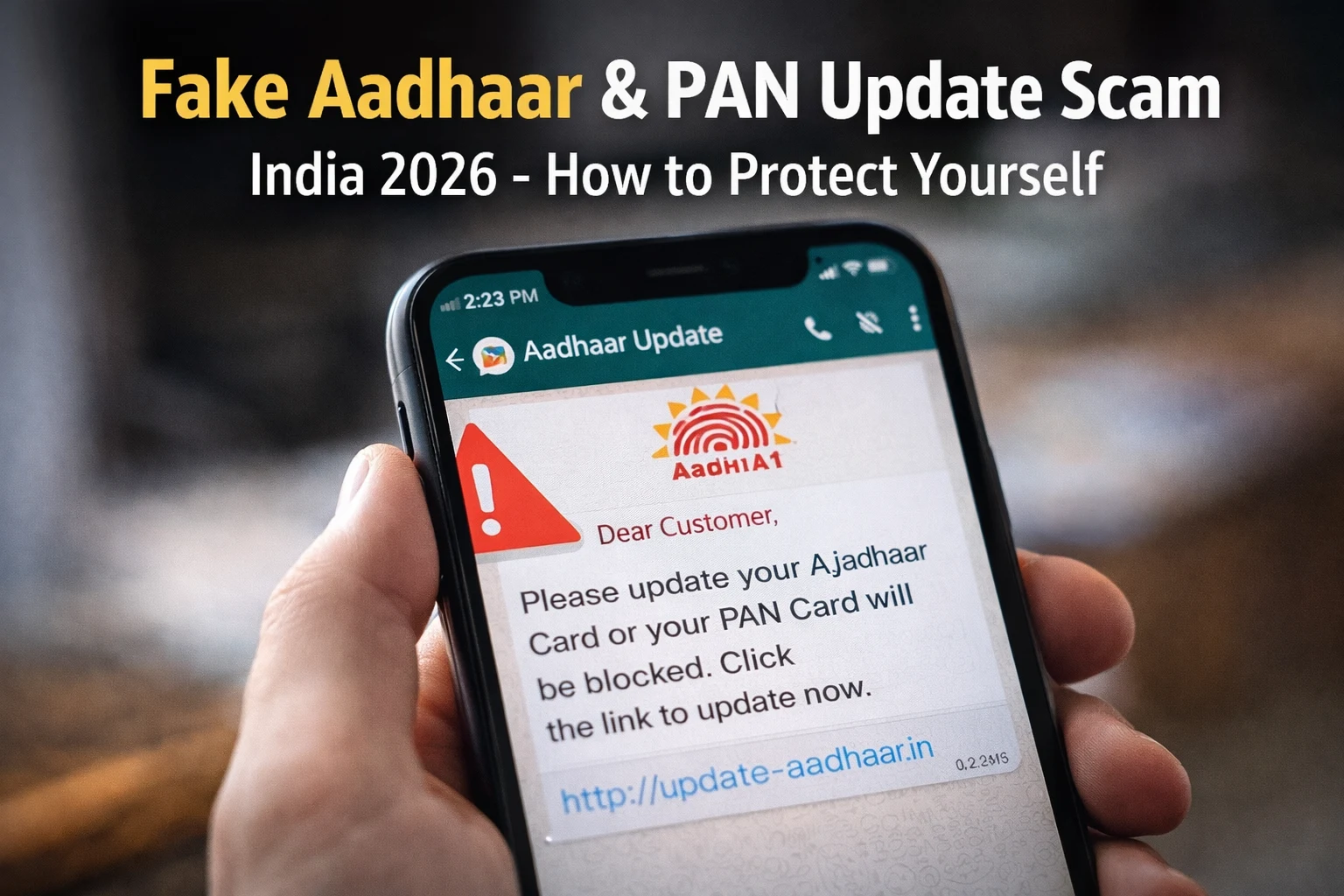
A WhatsApp message arrives on your phone. It says:
“Dear Customer, your Aadhaar card details need to be updated immediately. Failure to do so will result in your bank account being blocked. Click here to update now.”
It looks official. It has the UIDAI logo. The language sounds formal. And you are worried.
This is exactly what scammers want.
In January 2026, the Press Information Bureau (PIB) officially confirmed that a message circulating in the name of SBI was completely fake. The message claimed that users must download an APK file to update their Aadhaar or their YONO banking app would be blocked. PIB stated clearly: SBI does not ask customers to update Aadhaar through unsolicited messages or APK downloads. Thousands of people had already received this message before the fact-check was issued.
This scam — the fake Aadhaar and PAN update scam — is one of the most dangerous and widespread frauds in India right now. Here is everything you need to know to protect yourself.
How the Fake Aadhaar and PAN Update Scam Works
Scammers don’t just guess — they have a playbook. Every method they use is carefully designed to make you panic and act fast, before you have a chance to think clearly.
Method 1: Fake WhatsApp Messages
You get a WhatsApp message saying your Aadhaar needs to be updated right now or your account will be blocked. There’s a link attached. You click it, and the website looks completely real — same UIDAI logo, same colors, same layout. But the moment you type in your Aadhaar number and OTP, a scammer on the other end is watching. Your details are gone in seconds.
Method 2: Fake Phone Calls
Your phone rings. The person on the other end sounds official — they say they’re calling from UIDAI, your bank, or the Income Tax Department. They tell you your Aadhaar is linked to suspicious activity, or that your PAN card has been misused. They sound calm, professional, even concerned. All they need, they say, is your Aadhaar number and OTP to “verify” your identity. The moment you share that OTP, they’re inside your bank account.
Method 3: Fake APK Files
A message arrives — sometimes on WhatsApp, sometimes SMS — telling you to download an app to update your Aadhaar. It’s not from the Play Store. It’s an APK file, a raw app file you install directly. Once it’s on your phone, you won’t notice anything different. But quietly, in the background, it’s reading your SMS messages, stealing your OTPs, and giving scammers a window into your banking apps.
Method 4: Fake Aadhaar Centers
This one is scarier because it happens in person. In Aligarh, Uttar Pradesh, police busted a network that had created over 5,000 fake Aadhaar cards in just six months. These people set up what looked like legitimate Aadhaar registration centers. They had fake certificates on the walls. They charged a small fee and promised faster service. Thousands of people walked in trusting them completely. It got so serious that UIDAI had to personally audit 47 Jan Seva Kendras across the district.
What Happens After You Fall for This Scam
This is not just about losing money in one transaction. The consequences can be much worse.
Once scammers have your Aadhaar number and OTP, they can open bank accounts in your name, apply for loans you never took, get new SIM cards registered to your identity, perform AePS (Aadhaar Enabled Payment System) transactions to withdraw money directly from your bank account, and use your identity to commit other crimes — leaving you legally exposed.
UIDAI has confirmed that there have been multiple cases where criminals misused leaked Aadhaar biometric data to withdraw money through AePS by replicating fingerprints using compromised biometric devices.
Check: Fake Loan App Scam India: How to Identify Them and Protect Yourself
6 Red Flags to Identify a Fake Aadhaar or PAN Update Scam
1. Any message asking you to update your Aadhaar via WhatsApp or SMS
UIDAI has said this clearly and repeatedly — it never asks you to submit documents or update your Aadhaar through WhatsApp or email. Full stop. If you need to update anything, the only places to do it are myaadhaar.uidai.gov.in, the mAadhaar app, or by visiting an Aadhaar Seva Kendra in person. Anything else is a scam.
2. A link in a message that looks like UIDAI’s website
Before you click anything, look at the URL closely. The only real UIDAI website is uidai.gov.in. Scammers create sites like uidai-update.in or aadhaar-verify.com that look identical at first glance. One extra word, one hyphen, one dot out of place — and it’s fake. When in doubt, don’t click. Open your browser and type the address yourself.
3. Someone on the phone asking for your OTP
This is the simplest rule to remember. No government agency, no bank, no legitimate organization will ever ask for your OTP over a call. Not once, not ever. The moment someone asks for your OTP — hang up. Don’t explain, don’t argue, just hang up.
4. A message warning your account will be blocked unless you act immediately
That panic you feel when you read those words? That’s exactly what the scammer is counting on. Real banks and UIDAI don’t send threatening WhatsApp messages with countdown timers. They send formal notices through proper channels. If a message is designed to scare you into acting fast, slow down instead.
5. A request to download an APK file
If someone sends you an app file through WhatsApp or SMS and asks you to install it, do not touch it. Legitimate apps are on the Google Play Store or Apple App Store — that’s it. An APK file sent through a chat message is almost always malware, and once it’s installed, you may not even know it’s there.
6. Anyone offering to update your Aadhaar for a fee
Basic Aadhaar updates online are completely free. UIDAI offers this directly on their website. So if a person, a shop, or a “center” is charging you money to update your Aadhaar through some unofficial process, they are scamming you. Pay nothing, share nothing, and walk away.
Know More: SIM Swap Scam India: What It Is, Warning Signs and How to Stay Safe
How to Verify Your Aadhaar Safely — Official Methods Only
If you genuinely need to update or verify your Aadhaar, use only these official channels:
- Online: Visit myaadhaar.uidai.gov.in — this is the only official portal. Do not trust any other website.
- App: Download the mAadhaar app from the Google Play Store or Apple App Store. Do not install any APK sent via message.
- In person: Visit your nearest Aadhaar Seva Kendra or post office that is officially authorized by UIDAI.
- To verify if your Aadhaar is being misused: Go to the UIDAI Authentication History page on uidai.gov.in. Enter your Aadhaar number and OTP to check all recent authentication activity. If you see any activity you did not initiate, report it immediately.
- To lock your Aadhaar biometrics: You can lock your fingerprint and iris data on the mAadhaar app or the UIDAI website. This prevents anyone from using your biometrics for AePS transactions without your permission.
How to Verify Your PAN Card
For PAN-related fraud or verification, use only these official sources:
The official Income Tax Department portal is incometax.gov.in. You can verify your PAN status, check if your PAN is linked to your Aadhaar, and report misuse directly on this site.
The official NSDL portal for PAN services is tin.tin.nsdl.com.
If someone calls claiming your PAN is linked to illegal activity, do not share any details. Hang up and call the Income Tax helpline at 1800-180-1961 to verify.
If You’ve Already Shared Your Details, Do This Right Now
First — don’t panic. Panicking is what the scammer is counting on, and it won’t help you here. What will help you is moving fast and in the right order.
Step 1: Lock your Aadhaar biometrics
Do this before anything else. Open the mAadhaar app or go to uidai.gov.in and lock your fingerprint and iris data immediately. Once locked, nobody can use your biometrics to withdraw money from your account through AePS — even if they already have your Aadhaar number. This one step can stop a lot of damage before it starts.
Step 2: Call your bank
Call your bank’s customer care right after. Don’t visit the branch, don’t send an email — call, because it’s faster. Tell them exactly what happened and ask them to flag your account for suspicious activity and block any new UPI registrations linked to your number.
Step 3: Call 1930
This is India’s Cyber Crime helpline and it exists exactly for situations like this. The sooner you call, the better your chances of recovering any money that was taken. Have the details ready — what you shared, with whom, and when.
Step 4: File a complaint at cybercrime.gov.in
Go to cybercrime.gov.in and file a written complaint. Include everything — the phone number that contacted you, the exact message you received, any links you clicked, and screenshots if you have them. The more detail you provide, the stronger your case.
Step 5: Visit your nearest cyber cell
Take printed copies of everything — screenshots, messages, call logs — and go to your nearest cyber cell police station to file a formal report. This creates an official record that can protect you legally if the scammer has done something in your name.
Step 6: Check your credit report
Go to cibil.com and pull your credit report. Look carefully for any loans, credit cards, or accounts you didn’t open. If you find anything suspicious, dispute it immediately. Catching this early is the difference between a small problem and a years-long legal headache.
You can also check any suspicious link, UPI ID, or message on ScamDekho for free before acting on it.
FAQ
Your Aadhaar number alone is not enough to steal money. However, if someone has your Aadhaar number plus your OTP plus access to your biometrics, they can perform AePS transactions to withdraw cash directly from your bank account. Never share your OTP with anyone.
No. UIDAI never calls, messages, or emails you asking for documents or OTPs to update your Aadhaar. Any such communication is a scam.
Go to uidai.gov.in, go to the Authentication History section, enter your Aadhaar number, and verify with OTP. You will see all recent authentication activity. If anything looks unfamiliar, lock your biometrics and report to UIDAI immediately.
When sharing a photocopy of your Aadhaar, always write “For KYC only at [name of organization] — date” on it. Use a masked Aadhaar where only the last 4 digits are visible. Download masked Aadhaar from myaadhaar.uidai.gov.in.
Do not click any links. Do not call any number given in the message. Do not download any files. Report the message to cybercrime.gov.in or call 1930. You can also report it to UIDAI at help@uidai.gov.in or call 1947.
Yes. If a scammer has your PAN number and other personal details, they can apply for loans or open accounts in your name. Check your credit report at cibil.com every few months to catch any unauthorized activity early.