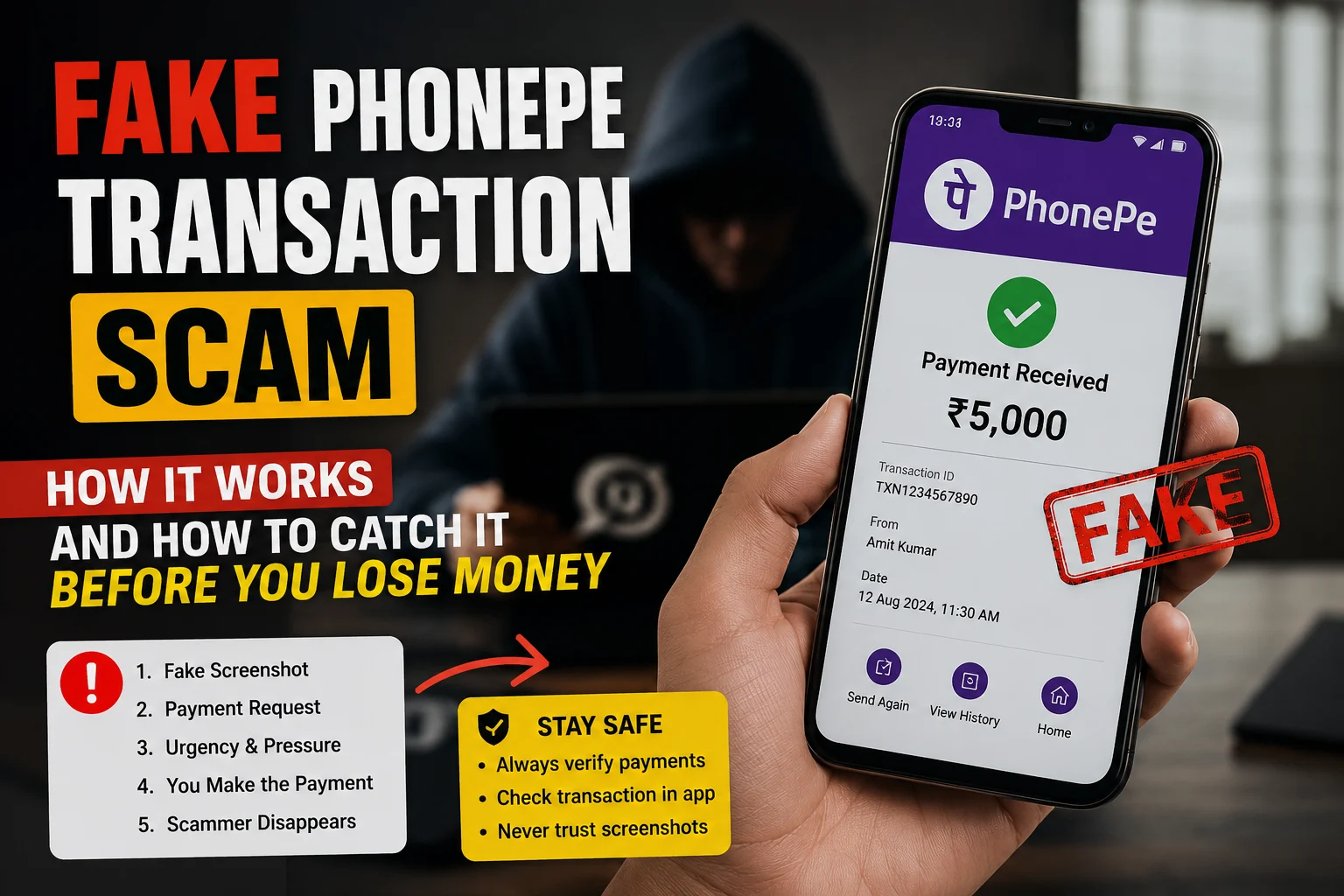
Every day, hundreds of merchants across India receive a “payment successful” notification — and hand over goods or services — only to check their bank account later and find nothing. No money. No transaction. Just a fake PhonePe payment that looked completely real.
This guide explains exactly how the fake PhonePe transaction scam works, what a real payment looks like vs. a fake one, and what you should do the moment you sense something is wrong.
What Is a Fake PhonePe Transaction?
A fake PhonePe transaction is a fraudulent payment where the scammer never actually sends money. Instead, they use one of three methods to trick the merchant into believing the payment was made:
- Fake PhonePe payment apps — Modified or cloned apps that mimic the PhonePe UI and generate fake “payment successful” screens
- Edited screenshots — Real PhonePe screenshots edited using photo editors to change the amount, name, or transaction ID
- Fake sound boxes — Devices or apps that play a pre-recorded “payment received” audio clip without any actual transaction happening
The scam targets merchants at busy moments — peak hours, festivals, crowded counters — when there’s no time to double-check.
How the Fake PhonePe Payment Scam Works Step by Step
Step 1: The scammer selects a target — usually a small shop, street vendor, or freelancer who accepts UPI payments.
Step 2: They either open a fake PhonePe app on their phone or prepare a pre-edited screenshot.
Step 3: At the time of payment, they “scan” the merchant’s QR code (but nothing is actually processed) and show the merchant a “₹500 payment successful” screen.
Step 4: If the merchant has a sound box, scammers may speak loudly near it or play a recorded beep to simulate the confirmation audio.
Step 5: The merchant, seeing the confirmation and hearing the sound, hands over the product or service.
Step 6: The scammer walks away. The money never arrives.
This entire process takes under 60 seconds.
Real vs Fake: How to Tell the Difference
Here is what genuinely distinguishes a real PhonePe payment from a fake one:
✅ Signs of a Real PhonePe Transaction
- You receive an SMS from PhonePe to your registered mobile number immediately after payment
- Your bank account balance updates (you can check via UPI app or net banking instantly)
- The PhonePe merchant app shows the transaction in your earnings history with a proper transaction ID
- The transaction ID follows a consistent alphanumeric format (e.g.,
P2406070XXXXXXXXX)
🚩 Red Flags of a Fake PhonePe Payment
- The customer shows you their phone screen but won’t let you check your own phone
- The “payment successful” screen has blurry or slightly off logos
- The font, color, or layout looks slightly different from your usual PhonePe receipts
- There is no SMS on your registered number even after 30 seconds
- The transaction does not appear in your PhonePe app’s transaction history
- The customer seems unusually rushed or distracts you during the payment
The Fake PhonePe Screenshot Problem
Fake PhonePe screenshots are a separate but equally dangerous tactic. Here the scammer does not even need a cloned app — they edit a legitimate screenshot (or use an online fake PhonePe payment generator) and send it via WhatsApp.
This is extremely common in:
- Freelance work payments (“I’ve sent the advance, check your WhatsApp”)
- OLX/Facebook Marketplace transactions
- Advance rent payments
- Online product sales
The screenshot looks authentic because it replicates the exact PhonePe UI — the green checkmark, the “Payment Successful” text, the amount, and even the transaction ID. The only difference? No money ever moved.
How to verify a PhonePe payment screenshot instantly:
Use ScamDekho’s Fake Payment Screenshot Checker — upload the screenshot you received and the tool will analyze it for signs of manipulation, metadata inconsistencies, and visual tampering. It takes under 10 seconds and is completely free.
Who Is Most at Risk?
Based on fraud patterns reported across India, these groups face the highest risk:
- Kirana and general store owners — high volume, fast transactions, easy to rush
- Street food vendors and auto drivers — no counter, harder to verify in the moment
- Freelancers and designers — paid via screenshot “proof” before work begins
- Second-hand goods sellers on OLX, Quikr, or Facebook Marketplace
- Tuition teachers and coaching institutes — often receive advance fees this way
- Small e-commerce sellers who operate without a payment gateway
If you fall into any of these categories, the risk is not theoretical — it is regular and growing.
Also Read: How to Report a Scam Call or Fraud Number in India
What to Do If You Suspect a Fake PhonePe Transaction
If a payment does not appear in your bank account or PhonePe history within 60 seconds of the claimed transaction, act immediately:
At the point of sale:
- Do not hand over the product or complete the service until you verify
- Open your own PhonePe app → Transactions → check if the payment appears
- Check your SMS inbox for the bank credit message
- Ask the customer for the UTR (Unique Transaction Reference) number — a legitimate payment always has one
If you’ve already been scammed:
- Note the customer’s face, phone number, or any identifying detail
- File a complaint at cybercrime.gov.in or call 1930 (National Cyber Crime Helpline) immediately — time matters for fund recovery
- Report to PhonePe support via the app
- File an FIR at your local police station with all transaction details
The sooner you report, the higher the chance of recovery. Most banks can freeze the destination account within hours if reported promptly.
How to Protect Your Business Going Forward
These habits will prevent the majority of fake PhonePe payment frauds:
Always verify on your own device. Never rely on what the customer shows you. Your PhonePe merchant app or SMS is the only source of truth.
Enable sound box alerts properly. If you use a PhonePe sound box, ensure it is connected to the official PhonePe merchant account — fake sound box devices exist that mimic the audio without receiving any real payment.
Ask for the UTR number. Every real UPI transaction generates a UTR. Ask the customer to show theirs — a fake transaction will not have a valid UTR that matches your records.
Use ScamDekho’s screenshot checker. When someone sends a payment screenshot remotely (via WhatsApp, email, or chat), run it through the ScamDekho’s Fake Payment Screenshot Checker before confirming the deal.
Educate your staff. If you have employees who handle payments, brief them on these red flags. One rushed transaction can cost you thousands.
Final Word
The fake PhonePe transaction scam is not a sophisticated cyberattack. It is a simple trick that works because merchants trust what they see. The defence is equally simple: always verify on your own device before completing any transaction.
If you receive a payment screenshot you are not sure about, do not guess — check it with ScamDekho’s Fake Payment Screenshot Checker in seconds.
Stay alert. One extra step can save you thousands.
Common Questions About Fake PhonePe Payments
Is the fake PhonePe app real?
Yes — cloned or modified PhonePe apps that generate fake payment screens do exist and circulate on unofficial download sites and Telegram groups. They are illegal to download or use. Downloading such an app can also expose your own device to malware.
Can you trace a fake PhonePe transaction?
If no actual transaction occurred, there is nothing to trace in the banking system. However, police can trace the scammer’s phone number, device ID, and location if you report quickly.
What is a fake PhonePe payment generator?
It is an online tool or website that creates a realistic-looking PhonePe payment screenshot with custom amounts, names, and dates. These are used to fake payment proofs. They are illegal to use for fraud.
Will PhonePe refund my money if I’m scammed?
If no actual payment was made, there is no transaction to refund. PhonePe can help by providing records that confirm no payment was received — useful for police complaints.