Category: Blog

Your blog category

  • Fake Payment UPI GPay: How to Verify Before You Act

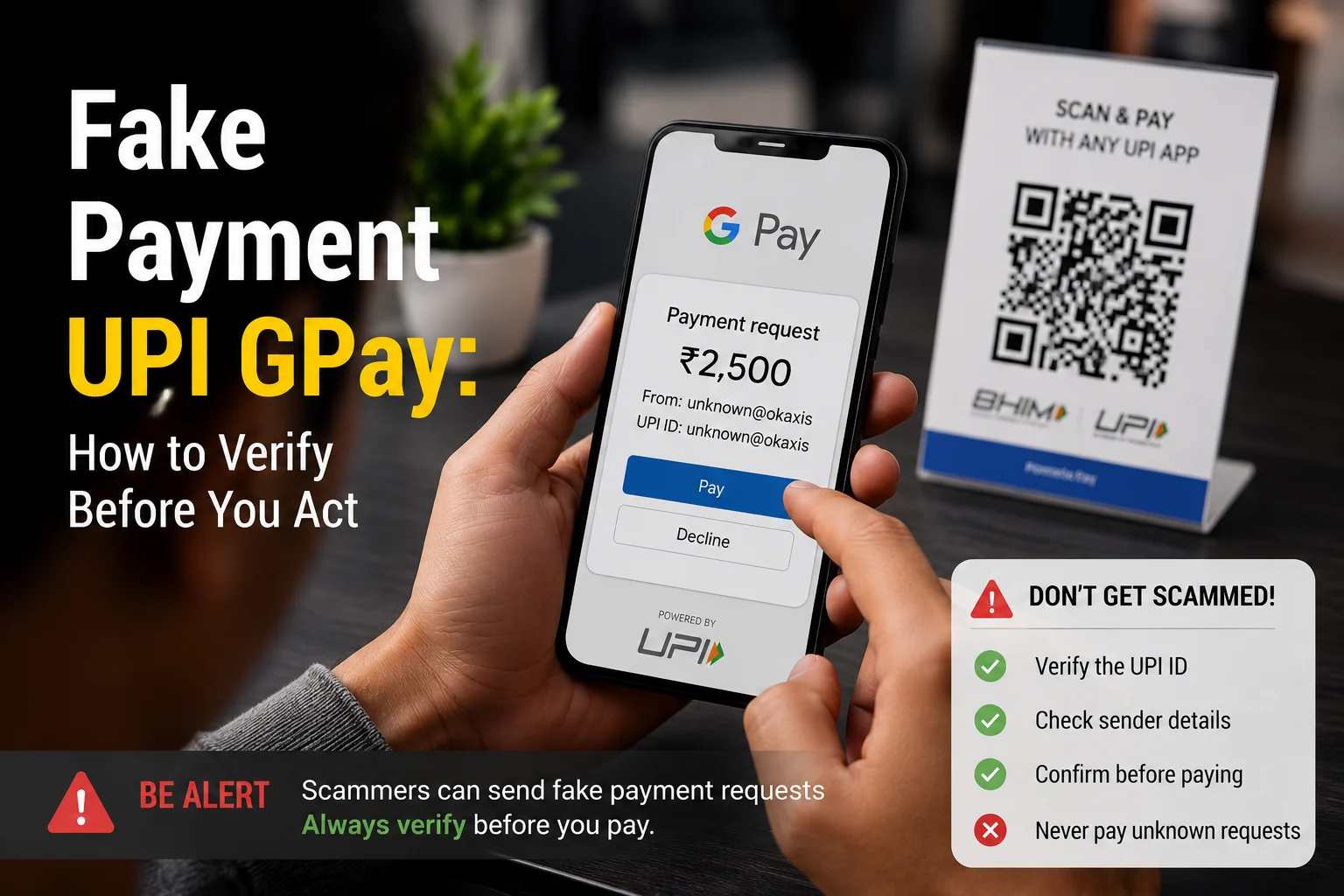
    Fake Payment UPI GPay: How to Verify Before You Act

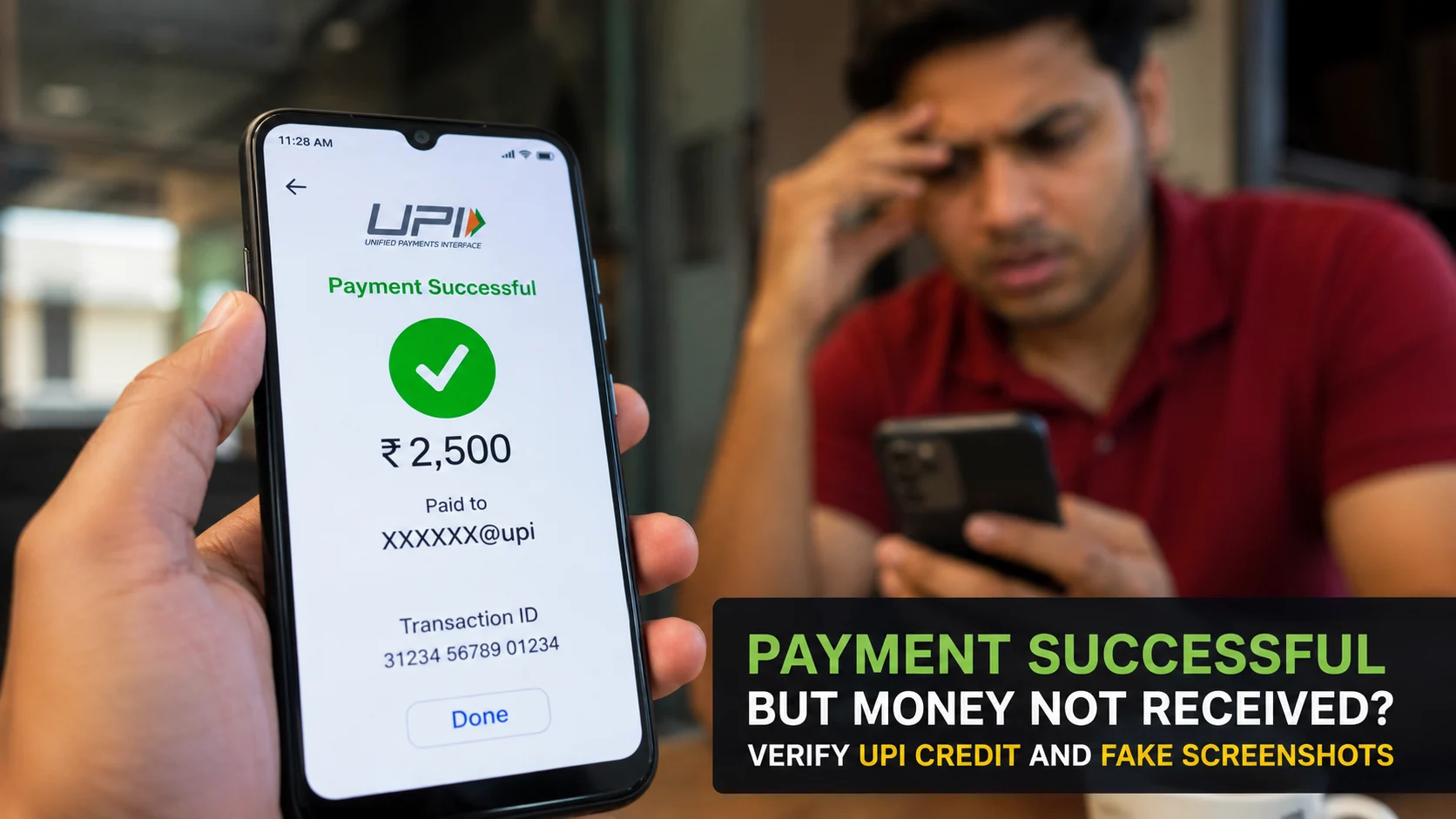
    A customer shows you a Google Pay success screen and says the money has been sent. A buyer shares a UPI screenshot on WhatsApp and asks you to hand over an item. Your phone may even play a payment-style sound. But none of these, by themselves, proves that money has reached your account.

    The safest response to a suspected fake payment UPI GPay claim is simple: pause and check the credit through your own UPI app or bank account. Do not rely on the other person’s phone, screenshot, message or sense of urgency.

    NPCI’s UPI safety guidance says a UPI PIN is used to deduct money from your account, not to receive money. This distinction is particularly important when someone asks you to scan a QR code or enter a PIN to accept a payment.

    What does a fake GPay payment look like?

    A fake payment claim can involve an edited screenshot, a screen designed to resemble a payment app, or a transaction that has not actually been completed. The person may use the apparent payment as a reason to collect goods, obtain a refund or persuade you to approve another UPI transaction.

    Common warning signs include:

    • The person shows only their own phone instead of waiting for you to verify the credit.
    • A screenshot is cropped so that transaction details are missing.
    • The sender pressures you to release an item immediately.
    • The amount, recipient name or transaction details do not match the expected payment.
    • You are asked to scan a QR code or enter your UPI PIN to receive the money.
    • The person claims to have paid extra and asks you to return the difference.

    A polished screen is not reliable evidence. Images can be edited, while imitation apps or interfaces can display convincing payment messages. Our guide to spotting a fake GPay UPI screenshot explains the visual checks in more detail.

    How to verify whether a UPI payment is genuine

    Verification should happen on a device and account you control. Do not let the supposed payer guide the check from their phone.

    1. Open your own UPI or banking app. Use the app directly rather than opening an unexpected link in a message.
    2. Check the relevant account. Confirm that you are looking at the bank account linked to the UPI ID or QR code used for the payment.
    3. Look for the incoming transaction. Match the amount and payer details available in your account’s transaction history.
    4. Check your bank record. If the app screen is unclear, inspect the account statement or transaction history supplied by your bank.
    5. Do not act while the result is uncertain. If you cannot confirm the credit, do not hand over goods, provide cash or issue a refund.

    A transaction reference shown by the other person is not a substitute for checking your account. Likewise, an SMS or notification should not be your only check. What matters is whether the expected credit appears in the account you control.

    You can also use ScamDekho’s Fake Payment Screenshot Checker to examine suspicious visual details. However, no screenshot check should replace verification through your own bank or UPI transaction history.

    Why scanning a QR code can be dangerous

    A QR code can contain payment information, but scanning one does not prove that another person is paying you. NPCI’s safety guidance says users should scan a QR code only for making a payment and should not share their UPI PIN.

    If someone says you must scan their code and enter your PIN to receive money, stop. Entering the PIN can authorise money to leave your account. You do not need to disclose or enter a UPI PIN merely to receive a normal incoming payment.

    The phrase fake payment UPI scanner is sometimes used for suspicious QR-based flows or screens that imitate a genuine payment process. Whatever the label, apply the same rule: read what the app says before approving anything. Check whether the screen is asking you to pay, approve a request or authorise a debit.

    Never proceed simply because the other person says the step is required for a refund, reward, account test or payment activation. For more examples, see our guide to UPI QR code scams in India.

    What shopkeepers and online sellers should do

    Fake payment claims are especially relevant when a transaction is happening quickly at a shop, during a delivery or through an online marketplace. A short verification routine can reduce the chance of acting on a false screen.

    • Check every incoming payment on the merchant’s own device or bank record.
    • Match the received amount before releasing goods.
    • Do not accept a customer’s success screen as final proof.
    • Keep payment verification separate from the customer’s phone.
    • If someone claims to have overpaid, first confirm the original credit in your own account.
    • Do not send a refund to a different UPI ID merely because the customer requests it.

    For marketplace sales, avoid allowing urgency to replace verification. A buyer may say that a courier is waiting or that the payment will expire. You can review related warning signs in our article on fake advance payment tricks on OLX and Facebook Marketplace.

    What to do if money has left your account

    If you entered a UPI PIN, approved an unfamiliar request or notice an unauthorised debit, contact your bank immediately through its official channel. Ask the bank to record the complaint and retain the complaint or reference number.

    The Reserve Bank of India’s customer-protection framework links a customer’s liability in unauthorised electronic banking transactions to factors including how the transaction occurred and how quickly it was reported. It also states that where loss is caused by a customer’s negligence, such as sharing payment credentials, the customer bears the loss until the unauthorised transaction is reported to the bank. Loss occurring after the report is borne by the bank under the framework.

    Because the circumstances matter, do not assume that reimbursement is automatic. Report the transaction promptly and follow the bank’s formal dispute process. Preserve screenshots, transaction identifiers, messages, phone numbers and complaint acknowledgements. Do not share your UPI PIN, one-time password or other credentials with anyone offering to recover the money.

    A quick fake-payment safety checklist

    • Verify the credit in your own UPI app or bank account.
    • Match the amount and available transaction details.
    • Do not trust screenshots, sounds or the payer’s phone alone.
    • Never enter a UPI PIN to receive money.
    • Do not scan a stranger’s QR code to accept a payment.
    • Do not refund an alleged overpayment until the original credit is confirmed.
    • Report an unauthorised debit to your bank immediately.

    Frequently asked questions

    Can a Google Pay payment screenshot be fake?

    Yes. A screenshot can be edited or created to resemble a successful payment screen. Confirm the incoming credit through your own UPI app or bank account before providing goods, cash or a refund.

    Do I need to enter my UPI PIN to receive money?

    No. NPCI’s safety guidance says the UPI PIN is used to deduct money from your account, not to receive money. Stop if someone asks you to enter it to accept a payment.

    Should I scan a QR code sent by a buyer?

    Not to receive a payment. NPCI advises scanning a QR code only when making a payment. Read the app screen carefully and do not approve a debit or payment request by mistake.

    Is a transaction ID enough to prove payment?

    A transaction ID shown by the payer should not be your only evidence. Verify that the expected credit appears in your own account and that the amount and available details match.

    What should I do after an unauthorised UPI debit?

    Contact your bank immediately using an official channel, register a complaint and keep the acknowledgement. RBI’s customer-protection framework makes prompt reporting important when liability is assessed.

  • Fake GPay UPI Screenshot: How to Spot a Fake Google Pay Payment

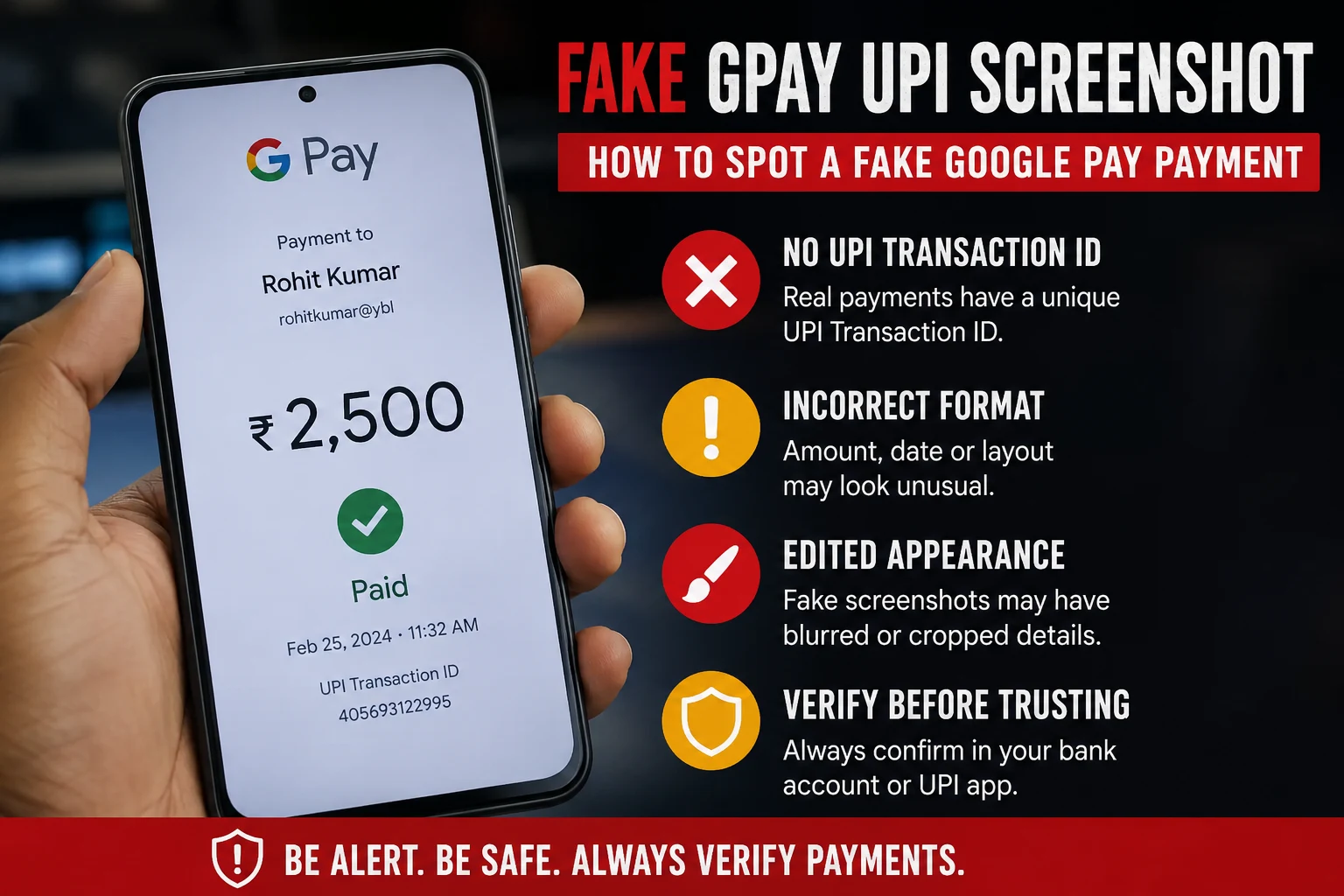
    Fake GPay UPI Screenshot: How to Spot a Fake Google Pay Payment

    A fake GPay screenshot is a manipulated or fabricated image made to look like a successful Google Pay UPI payment, even though no money was actually transferred. Scammers create these using screenshot editing apps, fake payment generator websites, or by simply copying a real screenshot and changing the amount, name, or transaction ID. You can usually catch a fake by checking three things: the UPI transaction ID (real ones are 12 digits and traceable), the actual bank balance or SMS confirmation (never trust the screenshot alone), and inconsistencies in font, alignment, or timestamp. If in doubt, always verify directly in your bank app or with your bank statement, never through the image someone sends you.

    This scam is extremely common with local sellers, freelancers, delivery agents, and small shop owners who accept UPI payments in person and don’t always check their bank balance immediately.

    Why Fake GPay Screenshots Work

    Fake payment screenshots work because of one simple human habit: we trust what we see instantly and check our bank balance later, if at all.

    Scammers rely on:

    • Urgency – “I’m in a hurry, please confirm and hand over the item.” (“Bhaiya mai jaldi me hu, please jaldi screenshot dekho, mujhe jana hai.”)
    • Trust – Regular customers or people who “seem genuine” get less scrutiny. (“Bhaiya mai toh roz ka customer hu.”)
    • Distraction – Busy shop counters, food delivery handoffs, and marketplace deals happen fast. (“Hogaya bhaiya, done.”)
    • Familiarity with the UI – GPay’s clean design is easy to copy roughly, and most people don’t examine it closely. (“Lo bhaiya, dekh lo screenshot.”)

    By the time the seller checks their actual bank account, the buyer and the goods are long gone.

    How Scammers Create Fake Screenshots

    Understanding the methods helps you know what red flags to look for.

    1. Screenshot editing apps – Apps designed to mimic UPI payment success screens, letting scammers type in any name, amount, or UPI ID.
    2. Photo editing tools – Basic apps like Photoshop or even Canva are used to edit real screenshots and change numbers.
    3. Screen recording and pausing – Some scammers start a real transaction, then cancel or fail it, and screenshot the “processing” screen before it fails, making it look like a success screen.
    4. Fake UPI apps – Cloned apps that look identical to GPay but never actually connect to a bank or NPCI network.
    5. Reused old screenshots – A genuine screenshot from a past transaction with a different person is reused and the name is edited.

    Real vs Fake GPay Screenshot: Key Differences

    FeatureReal GPay ScreenshotFake GPay Screenshot
    UPI Transaction ID (UTR)12-digit number, traceable via bank statementMissing, too short, too long, or random digits
    Bank balance updateReflects instantly or within minutes in bank app/SMSNo corresponding SMS or balance change
    Font and alignmentConsistent with Google Pay’s actual UI, sharp textSlightly blurry, misaligned, or mismatched font
    TimestampMatches device clock and real-time deliverySometimes missing or inconsistent with claimed time
    Bank SMS/notificationBank sends a separate SMS confirming creditNo SMS received at all
    Transaction history in appAppears in your own GPay/bank transaction historyCannot be found when you search your own account
    Sender name spellingMatches registered bank account name exactlySometimes has small spelling errors or odd spacing

    The single most reliable marker is the UTR number combined with your own bank statement. A screenshot is just an image; it proves nothing on its own.

    Step-by-Step: How to Verify a GPay Payment

    Follow these steps every time before releasing goods, services, or confirming an order.

    1. Do not rely on the screenshot. Treat it as a claim, not proof.
    2. Check your bank app or SMS directly. Open your own banking app and refresh the balance, or check your registered mobile number for a credit SMS.
    3. Match the UTR number. Every real UPI transaction generates a unique 12-digit UTR (also called a reference number). Search this number in your bank statement or passbook.
    4. Wait for confirmation, not promises. UPI payments are usually instant. If the money hasn’t landed within a couple of minutes, something is wrong.
    5. Use your bank’s UPI transaction status check. Most banks let you check UPI status by UTR number through their app, net banking, or customer care.
    6. Call your bank if unsure. For high-value transactions, a quick call to customer care confirms the credit instantly.
    7. Never accept “it will reflect later.” Genuine UPI payments settle in real time except in rare cases involving pending server issues, which the buyer’s own app will also show as “pending,” not “success.”

    Also Read: How to Check If a UPI Payment Screenshot Is Real or Fake (Free Method)

    Common Mistakes People Make

    • Trusting the sender’s word over their own bank balance. If someone says “check now, I’ve paid,” always check your own app, not their screenshot.
    • Handing over goods before the SMS arrives. SMS delays are rare with UPI; if there’s no SMS, don’t proceed.
    • Not checking the UTR number at all. Most victims never even look at this number, which is the easiest way to confirm authenticity.
    • Assuming familiarity means honesty. Even regular customers or acquaintances have used this trick.
    • Confusing “payment initiated” with “payment successful.” Some scammers show the loading screen and claim it’s confirmation.

    What to Do If You Receive a Fake Screenshot

    • Do not release the product or service until the amount reflects in your account.
    • Save the screenshot and any chat conversation as evidence.
    • Report the UPI ID to your bank and to the NPCI dispute redressal system if you were misled into an actual loss.
    • File a complaint on the National Cyber Crime Reporting Portal (cybercrime.gov.in) or call 1930, India’s cybercrime helpline, if money or goods were lost.
    • Block the sender and warn others in your local business or community group if this is a repeat offender.

    Prevention Tips for Sellers and Freelancers

    • Enable instant SMS/app notifications for every credit to your bank account so you never rely on memory.
    • Use a dedicated business UPI ID with alerts turned on, separate from personal use if possible.
    • Set a house rule: goods are handed over only after balance confirmation, no exceptions, regardless of how well you know the buyer.
    • For high-value or repeat transactions, ask for the UTR number upfront and verify it before proceeding.
    • Use a screenshot verification tool that checks formatting, metadata, and common fake patterns before you rely on a payment image alone.

    Final Takeaway

    A screenshot is not proof of payment. Only your own bank balance, SMS confirmation, and a matching UTR number confirm that money has actually reached your account. Make it a habit to verify before you deliver, no matter how convincing the image looks or how much you trust the person sending it.

    FAQs

    1. Can a fake GPay screenshot show a real UTR number?

    No. A genuinely valid UTR number can only be generated by an actual completed transaction through the UPI network. Scammers either leave it blank, use random digits, or copy a UTR from an unrelated old transaction. Either way, it will not match anything in your bank statement.

    2. Does GPay send any confirmation besides the screenshot?

    Yes. Every successful GPay transaction triggers an SMS from the recipient’s bank and a permanent entry in their transaction history, independent of any screenshot the sender shows.

    3. Can scammers fake the bank SMS too?

    It’s technically possible using spoofing tools, but far less common because it requires more technical effort. The safest check is still logging into your own bank app and confirming the actual balance, not just reading an SMS.

    4. Is it safe to accept payment and check later?

    No. Always confirm before handing over goods or services. “Checking later” is exactly what scammers depend on.

    5. What is a UTR number and where do I find it?

    UTR stands for Unique Transaction Reference. It is a 12-digit number generated for every UPI transaction, visible in your bank’s passbook, statement, or transaction history, and used to trace or dispute a payment.

    6. Are there tools to check if a GPay screenshot is fake?

    Yes, several online tools analyze formatting, metadata, and known fake patterns in payment screenshots. However, these should support, not replace, checking your actual bank account.

    7. What should I do if I already handed over goods based on a fake screenshot?

    Report it immediately to your bank, file a complaint at cybercrime.gov.in or call 1930, and keep all chat and screenshot evidence for the investigation.

    8. Do fake screenshots only target sellers, or can buyers be scammed too?

    This particular scam mainly targets sellers and service providers who accept payment before delivering. Buyers face different UPI scams, like fake QR codes or “collect request” frauds, which work differently.

  • Fake PhonePe Transaction Scam: How It Works and How to Catch It Before You Lose Money

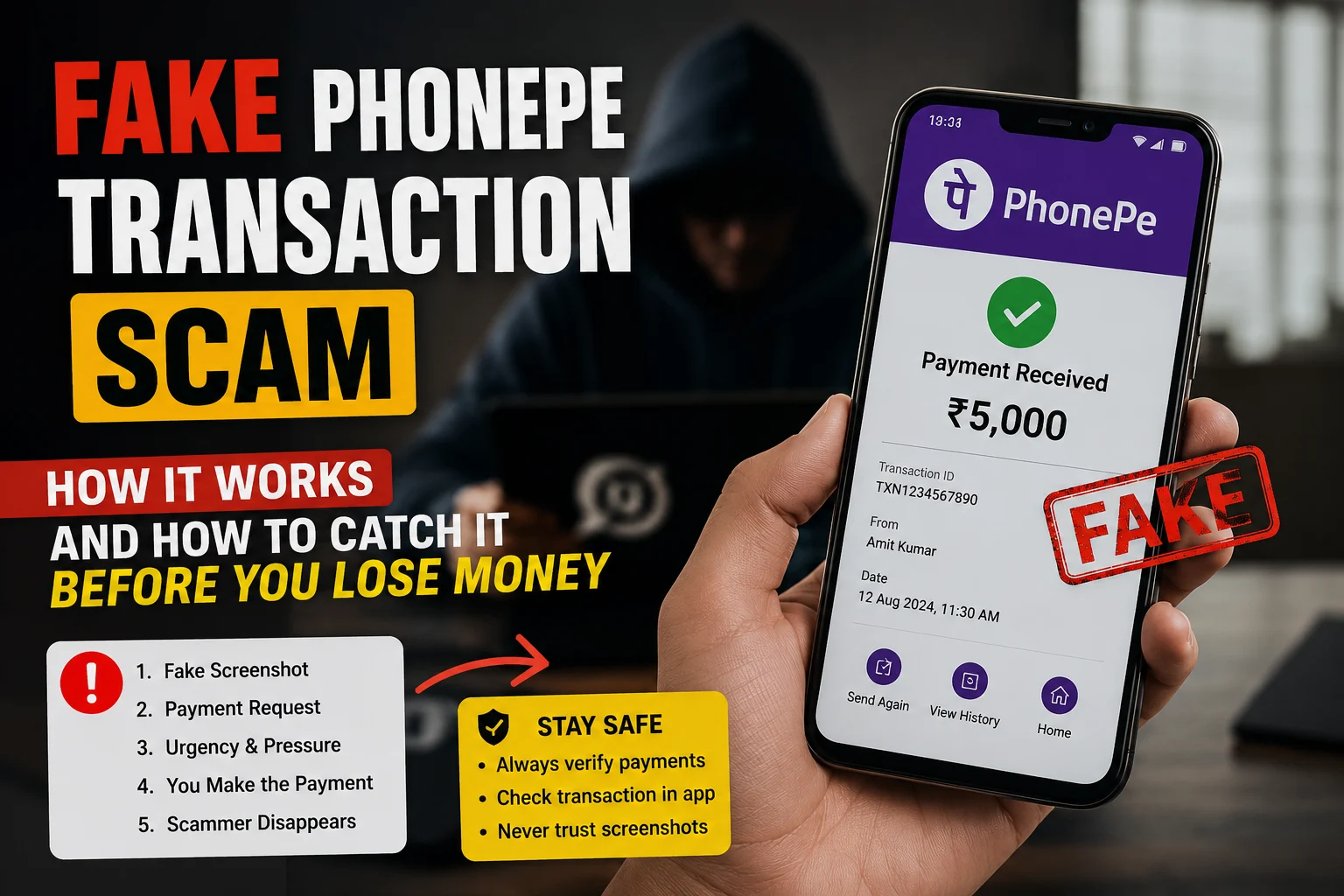
    Fake PhonePe Transaction Scam: How It Works and How to Catch It Before You Lose Money

    Every day, hundreds of merchants across India receive a “payment successful” notification — and hand over goods or services — only to check their bank account later and find nothing. No money. No transaction. Just a fake PhonePe payment that looked completely real.

    This guide explains exactly how the fake PhonePe transaction scam works, what a real payment looks like vs. a fake one, and what you should do the moment you sense something is wrong.

    What Is a Fake PhonePe Transaction?

    A fake PhonePe transaction is a fraudulent payment where the scammer never actually sends money. Instead, they use one of three methods to trick the merchant into believing the payment was made:

    1. Fake PhonePe payment apps — Modified or cloned apps that mimic the PhonePe UI and generate fake “payment successful” screens
    2. Edited screenshots — Real PhonePe screenshots edited using photo editors to change the amount, name, or transaction ID
    3. Fake sound boxes — Devices or apps that play a pre-recorded “payment received” audio clip without any actual transaction happening

    The scam targets merchants at busy moments — peak hours, festivals, crowded counters — when there’s no time to double-check.

    How the Fake PhonePe Payment Scam Works Step by Step

    Step 1: The scammer selects a target — usually a small shop, street vendor, or freelancer who accepts UPI payments.

    Step 2: They either open a fake PhonePe app on their phone or prepare a pre-edited screenshot.

    Step 3: At the time of payment, they “scan” the merchant’s QR code (but nothing is actually processed) and show the merchant a “₹500 payment successful” screen.

    Step 4: If the merchant has a sound box, scammers may speak loudly near it or play a recorded beep to simulate the confirmation audio.

    Step 5: The merchant, seeing the confirmation and hearing the sound, hands over the product or service.

    Step 6: The scammer walks away. The money never arrives.

    This entire process takes under 60 seconds.

    Real vs Fake: How to Tell the Difference

    Here is what genuinely distinguishes a real PhonePe payment from a fake one:

    ✅ Signs of a Real PhonePe Transaction

    • You receive an SMS from PhonePe to your registered mobile number immediately after payment
    • Your bank account balance updates (you can check via UPI app or net banking instantly)
    • The PhonePe merchant app shows the transaction in your earnings history with a proper transaction ID
    • The transaction ID follows a consistent alphanumeric format (e.g., P2406070XXXXXXXXX)

    🚩 Red Flags of a Fake PhonePe Payment

    • The customer shows you their phone screen but won’t let you check your own phone
    • The “payment successful” screen has blurry or slightly off logos
    • The font, color, or layout looks slightly different from your usual PhonePe receipts
    • There is no SMS on your registered number even after 30 seconds
    • The transaction does not appear in your PhonePe app’s transaction history
    • The customer seems unusually rushed or distracts you during the payment

    The Fake PhonePe Screenshot Problem

    Fake PhonePe screenshots are a separate but equally dangerous tactic. Here the scammer does not even need a cloned app — they edit a legitimate screenshot (or use an online fake PhonePe payment generator) and send it via WhatsApp.

    This is extremely common in:

    • Freelance work payments (“I’ve sent the advance, check your WhatsApp”)
    • OLX/Facebook Marketplace transactions
    • Advance rent payments
    • Online product sales

    The screenshot looks authentic because it replicates the exact PhonePe UI — the green checkmark, the “Payment Successful” text, the amount, and even the transaction ID. The only difference? No money ever moved.

    How to verify a PhonePe payment screenshot instantly:

    Use ScamDekho’s Fake Payment Screenshot Checker — upload the screenshot you received and the tool will analyze it for signs of manipulation, metadata inconsistencies, and visual tampering. It takes under 10 seconds and is completely free.

    Who Is Most at Risk?

    Based on fraud patterns reported across India, these groups face the highest risk:

    • Kirana and general store owners — high volume, fast transactions, easy to rush
    • Street food vendors and auto drivers — no counter, harder to verify in the moment
    • Freelancers and designers — paid via screenshot “proof” before work begins
    • Second-hand goods sellers on OLX, Quikr, or Facebook Marketplace
    • Tuition teachers and coaching institutes — often receive advance fees this way
    • Small e-commerce sellers who operate without a payment gateway

    If you fall into any of these categories, the risk is not theoretical — it is regular and growing.

    Also Read: How to Report a Scam Call or Fraud Number in India

    What to Do If You Suspect a Fake PhonePe Transaction

    If a payment does not appear in your bank account or PhonePe history within 60 seconds of the claimed transaction, act immediately:

    At the point of sale:

    1. Do not hand over the product or complete the service until you verify
    2. Open your own PhonePe app → Transactions → check if the payment appears
    3. Check your SMS inbox for the bank credit message
    4. Ask the customer for the UTR (Unique Transaction Reference) number — a legitimate payment always has one

    If you’ve already been scammed:

    1. Note the customer’s face, phone number, or any identifying detail
    2. File a complaint at cybercrime.gov.in or call 1930 (National Cyber Crime Helpline) immediately — time matters for fund recovery
    3. Report to PhonePe support via the app
    4. File an FIR at your local police station with all transaction details

    The sooner you report, the higher the chance of recovery. Most banks can freeze the destination account within hours if reported promptly.

    How to Protect Your Business Going Forward

    These habits will prevent the majority of fake PhonePe payment frauds:

    Always verify on your own device. Never rely on what the customer shows you. Your PhonePe merchant app or SMS is the only source of truth.

    Enable sound box alerts properly. If you use a PhonePe sound box, ensure it is connected to the official PhonePe merchant account — fake sound box devices exist that mimic the audio without receiving any real payment.

    Ask for the UTR number. Every real UPI transaction generates a UTR. Ask the customer to show theirs — a fake transaction will not have a valid UTR that matches your records.

    Use ScamDekho’s screenshot checker. When someone sends a payment screenshot remotely (via WhatsApp, email, or chat), run it through the ScamDekho’s Fake Payment Screenshot Checker before confirming the deal.

    Educate your staff. If you have employees who handle payments, brief them on these red flags. One rushed transaction can cost you thousands.

    Final Word

    The fake PhonePe transaction scam is not a sophisticated cyberattack. It is a simple trick that works because merchants trust what they see. The defence is equally simple: always verify on your own device before completing any transaction.

    If you receive a payment screenshot you are not sure about, do not guess — check it with ScamDekho’s Fake Payment Screenshot Checker in seconds.

    Stay alert. One extra step can save you thousands.

    Common Questions About Fake PhonePe Payments

    Is the fake PhonePe app real?

    Yes — cloned or modified PhonePe apps that generate fake payment screens do exist and circulate on unofficial download sites and Telegram groups. They are illegal to download or use. Downloading such an app can also expose your own device to malware.

    Can you trace a fake PhonePe transaction?

    If no actual transaction occurred, there is nothing to trace in the banking system. However, police can trace the scammer’s phone number, device ID, and location if you report quickly.

    What is a fake PhonePe payment generator?

    It is an online tool or website that creates a realistic-looking PhonePe payment screenshot with custom amounts, names, and dates. These are used to fake payment proofs. They are illegal to use for fraud.

    Will PhonePe refund my money if I’m scammed?

    If no actual payment was made, there is no transaction to refund. PhonePe can help by providing records that confirm no payment was received — useful for police complaints.

  • Is This Number a Scam? How to Check Unknown Mobile Number Online

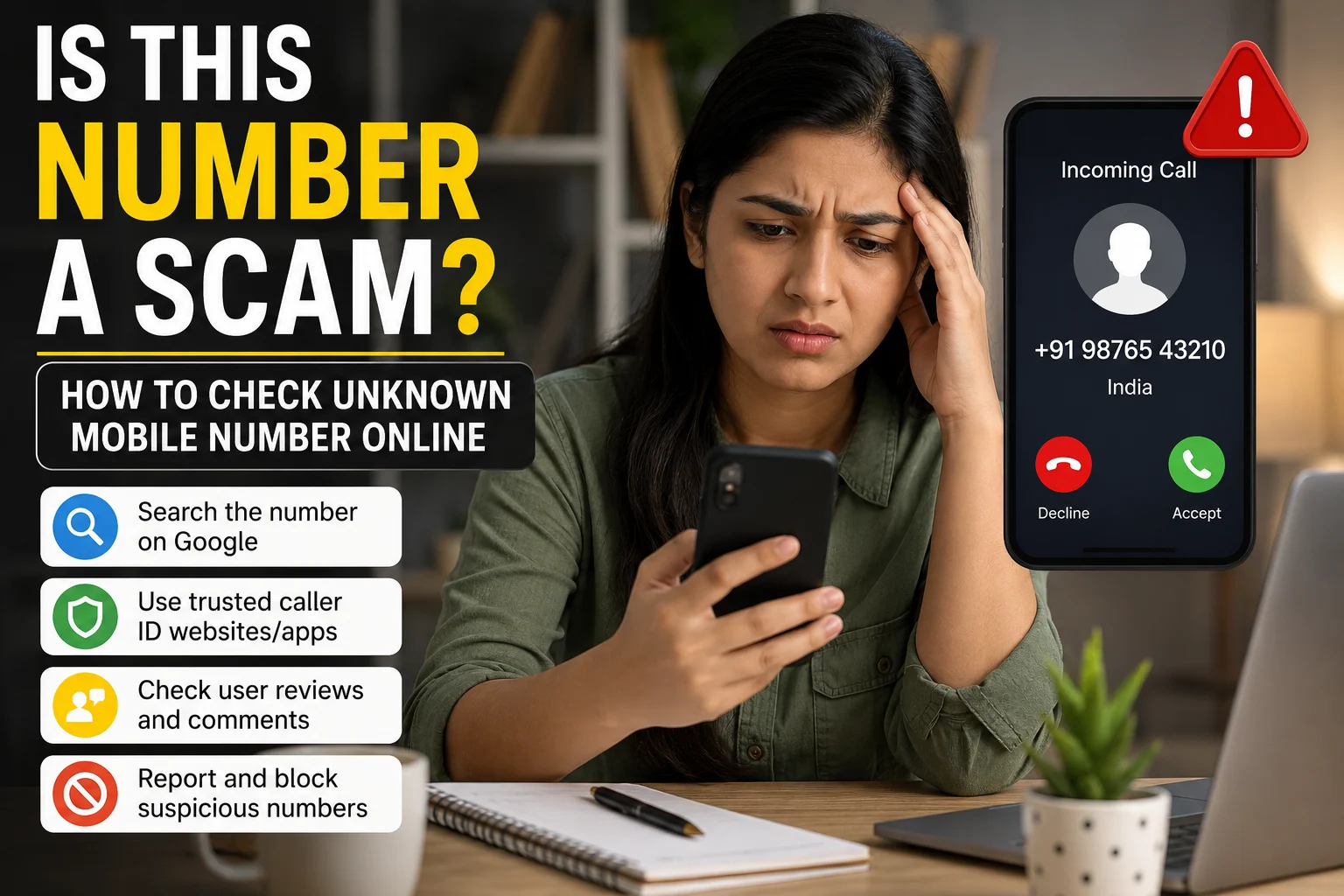
    Is This Number a Scam? How to Check Unknown Mobile Number Online

    Every day, thousands of people receive calls from unknown mobile numbers. Some calls are genuine, but many are spam, fraud, or scam attempts. A missed call from an unknown number, a WhatsApp message from someone claiming to be from a bank, or a phone call saying “your account will be blocked” can make anyone worried. The real question is: is this number a scam, and how can you check it online before responding?

    Scammers are becoming smarter. They use mobile numbers, fake caller IDs, WhatsApp profiles, and even professional language to trick people. Sometimes they pretend to be from a bank, courier company, police department, customer care center, job agency, loan app, or investment group. Their goal is usually the same: to get your personal information, OTP, UPI PIN, bank details, Aadhaar details, or money.

    This guide will help you understand how to check an unknown mobile number online, how to identify scam calls, and what steps you should take if you suspect fraud.

    Why Unknown Numbers Can Be Dangerous

    Not every unknown number is dangerous. It could be a delivery person, office call, friend using a new number, or customer support team. But unknown numbers become risky when the caller asks for sensitive information or creates panic.

    Scam callers often use fear, urgency, or greed. They may say your bank account is blocked, your parcel has illegal items, your SIM will stop working, your KYC is pending, or you have won a prize. These messages are designed to make you act quickly without thinking.

    A genuine company usually does not ask for your OTP, UPI PIN, password, full card number, or remote access to your phone. If someone asks for these details, it is a major warning sign.

    Common Types of Scam Calls from Unknown Numbers

    Before checking a number online, it is useful to understand what type of scam you may be dealing with.

    1. Fake Bank Call

    The caller says they are from your bank and claims your account, debit card, credit card, or net banking will be blocked. They may ask for your OTP, card number, CVV, ATM PIN, or Aadhaar details. This is a common banking fraud technique.

    2. Fake Customer Care Number

    Many people search for customer care numbers on Google. Scammers create fake listings and websites with fake helpline numbers. When you call them, they may ask you to install an app, share your screen, or make a small payment that later becomes a big fraud.

    Many fraud calls start from a fake customer care scam, where scammers post fake helpline numbers online and trick users into sharing payment details.

    3. UPI Scam Call

    The scammer may ask you to accept a collect request, scan a QR code to receive money, or enter your UPI PIN for a refund. Remember, you do not need to enter your UPI PIN to receive money.

    4. Fake Courier or Parcel Scam

    The caller says your parcel contains illegal items or has been stopped by customs, police, or a courier company. They may threaten you with legal action and ask you to transfer money to “clear” the case.

    5. Loan App Scam

    Some callers offer instant loans with no documents. Later, they may demand processing fees, insurance charges, or threaten you by using your contacts and photos if you installed a fake loan app.

    6. Fake Job or Work From Home Scam

    The caller offers easy online jobs, typing work, review tasks, or Telegram tasks. They may pay a small amount first to build trust and then ask you to deposit money for bigger tasks.

    7. Investment and Trading Scam

    Scammers may invite you to WhatsApp or Telegram groups promising high returns from stocks, crypto, forex, or trading apps. They may use fake profit screenshots and fake websites to trap you.

    How to Check If an Unknown Mobile Number Is a Scam

    Here are practical ways to check a suspicious number online before calling back or replying.

    1. Search the Number on Google

    The easiest first step is to copy the number and search it on Google. Use different formats:

    • Search with the full number
    • Search with country code, such as +91
    • Search the number with words like “scam”, “fraud”, “spam”, “customer care”, or “complaint”

    For example, search:

    9876543210 scam
    +91 9876543210 fraud
    9876543210 fake customer care

    If many people have reported the same number, you may find complaints, forum posts, scam alerts, or social media warnings.

    2. Check the Number on Caller ID Apps

    Caller ID apps can show how other users have saved or reported a number. These apps may label numbers as spam, telemarketing, fraud, delivery, bank, or customer care.

    However, do not trust caller ID apps blindly. Sometimes genuine numbers are wrongly marked as spam, and sometimes scam numbers are not yet reported. Use these apps as one signal, not final proof.

    3. Check WhatsApp Profile Carefully

    Many scammers use WhatsApp because it feels personal and trusted. Save the number temporarily and check the WhatsApp profile.

    Look for these warning signs:

    • No profile photo
    • Fake company logo
    • Poor spelling in status or message
    • Recently created business account
    • Asking for OTP, payment, or personal details
    • Pressure to respond quickly
    • Sending suspicious links or APK files

    A WhatsApp business profile does not automatically mean the number is genuine. Anyone can create a business account with a name and logo.

    4. Search on Social Media

    Search the number on platforms like Facebook, Instagram, X, Telegram, and LinkedIn. Sometimes scam numbers are posted by victims. You may also find that the number is linked to a fake page, fake seller, or suspicious group.

    For shopping scams, check whether the number is connected with an Instagram store, Telegram channel, or fake website. If many users are complaining about non-delivery, blocked accounts, or fake products, avoid dealing with that number.

    5. Check If the Number Claims to Be from a Company

    If the caller says they are from a bank, courier company, e-commerce platform, government office, or loan company, do not trust the number immediately.

    Go to the official website of the company and verify the customer care number from there. Do not use numbers found in random Google listings, comments, WhatsApp messages, or social media posts.

    For example, if someone claims to be from your bank, call the official number printed on your debit card, bank passbook, or official website. Never call back on the number that contacted you unless you are sure it is genuine.

    6. Check the Message Content

    Sometimes the number itself may not reveal much, but the message can expose the scam.

    Be careful if the message contains:

    • “Your KYC will expire today”
    • “Your account will be blocked”
    • “You have won a lottery”
    • “Click this link to claim reward”
    • “Download this app for refund”
    • “Share OTP for verification”
    • “Your parcel has been seized”
    • “Pay penalty immediately”
    • “Join Telegram for guaranteed income”

    These are common scam patterns. Scammers want you to panic or feel excited so you make a mistake.

    If the unknown number sent you an SMS or WhatsApp message, you can also check suspicious scam messages online before clicking any link or replying.

    7. Do Not Click Suspicious Links

    Unknown numbers often send links through SMS, WhatsApp, or email. These links may look like bank pages, courier tracking pages, job portals, or payment pages. But they can be fake websites designed to steal your data.

    Before clicking any link, check the domain name carefully. A genuine company website usually has a clean and official domain. Scam websites often use extra words, spelling mistakes, numbers, or strange extensions.

    For example, a fake bank website may look similar to the real one but have extra words like “verify”, “update”, “secure-kyc”, or “support”.

    Before opening any payment, KYC, courier, or bank link sent by an unknown number, always check if a link is safe using a trusted URL checker.

    8. Never Share OTP, UPI PIN, or Password

    This is the most important rule. No genuine bank, government officer, police officer, delivery company, or customer care agent will ask for your OTP, UPI PIN, ATM PIN, password, or CVV.

    OTP is used to approve transactions or login attempts. If you share it, the scammer may access your account or transfer money. UPI PIN is only used when you are sending money, not receiving it.

    If the caller says “just tell me the OTP for verification,” disconnect the call immediately.

    9. Do Not Install Apps Suggested by Unknown Callers

    Scammers may ask you to install screen-sharing apps, remote support apps, loan apps, trading apps, or APK files. Once installed, these apps can give them access to your screen, messages, contacts, or banking activity.

    Never install an app because an unknown caller told you to. Download apps only from official app stores and only after checking the company name, reviews, permissions, and website.

    10. Ask Simple Verification Questions

    If you are unsure whether the caller is genuine, ask basic questions:

    • What is your full name?
    • Which company are you calling from?
    • What is my customer ID or order ID?
    • Can I call your official customer care number?
    • Can you send an email from your official company email ID?

    Scammers usually avoid proper verification. They may become angry, threaten you, or push you to act quickly. That itself is a warning sign.

    Red Flags That an Unknown Number Is a Scam

    You should be extra careful if the caller:

    • Asks for OTP, PIN, CVV, or password
    • Asks you to download an app
    • Sends payment links or QR codes
    • Creates fear of police, legal case, or account blocking
    • Offers unrealistic rewards or profit
    • Refuses to verify identity
    • Speaks in a threatening or overly urgent tone
    • Claims you must act immediately
    • Asks for an advance fee
    • Moves conversation to Telegram or WhatsApp groups
    • Sends APK files or suspicious links

    One red flag is enough to pause. Multiple red flags mean you should stop communication immediately.

    What to Do If You Answered a Scam Call

    If you only answered the call but did not share any information, usually you do not need to panic. Block the number and avoid further communication.

    If you shared OTP, PIN, banking details, card details, or installed an app, act quickly:

    1. Contact your bank immediately.
    2. Block your debit card, credit card, or net banking if needed.
    3. Change passwords for important accounts.
    4. Remove suspicious apps from your phone.
    5. Report the number on caller ID apps.
    6. File a cybercrime complaint.
    7. Inform your family members so they do not fall for the same scam.

    Speed matters in financial fraud. The faster you report, the better the chance of stopping or tracing the transaction.

    How to Report a Scam Mobile Number in India

    If you believe a number is being used for fraud, report it instead of simply ignoring it. Reporting helps protect others.

    You can report cyber fraud through the official cybercrime portal or call the cybercrime helpline number 1930 if money has been lost. You can also report spam calls and messages through your mobile operator or spam reporting tools available on your phone.

    When reporting, keep these details ready:

    • Scam mobile number
    • Date and time of call or message
    • Screenshot of WhatsApp/SMS
    • Payment details, if any
    • Bank transaction ID
    • UPI ID or account number used by scammer
    • Recording of call, if available
    • Links or websites shared by the scammer

    Do not delete evidence. Screenshots, transaction IDs, and chat history can help in complaint investigation.

    Should You Call Back an Unknown Number?

    Avoid calling back unknown numbers immediately, especially if they gave a missed call from a strange number or sent a suspicious message. Some scammers use missed call tricks to make people call back. Others use pressure tactics once you respond.

    Before calling back, check the number online. If it seems suspicious, block and report it. If it may be important, verify through official channels first.

    How to Protect Yourself from Scam Calls

    You can reduce risk by following simple habits:

    • Do not share personal details with unknown callers.
    • Do not trust caller ID alone.
    • Keep banking alerts active.
    • Use strong passwords and two-factor authentication.
    • Keep your phone software updated.
    • Do not install unknown APK files.
    • Do not scan QR codes to receive money.
    • Teach family members about OTP and UPI fraud.
    • Verify customer care numbers only from official websites.
    • Report suspicious numbers so others can stay safe.

    Final Words

    Unknown mobile numbers are not always scams, but you should never trust them blindly. A scammer’s biggest weapon is urgency. They want you to panic, click, download, pay, or share details quickly. Your best protection is to pause and verify.

    Whenever you receive a suspicious call or message, search the number online, check the WhatsApp profile, verify the company through official sources, and never share OTP, UPI PIN, password, or card details. If the number is linked to fraud, block it and report it.

    Before you respond to any unknown number, ask yourself one simple question: is this number trying to help me, or is it trying to make me act without thinking?

    Staying alert can save your money, identity, and peace of mind.

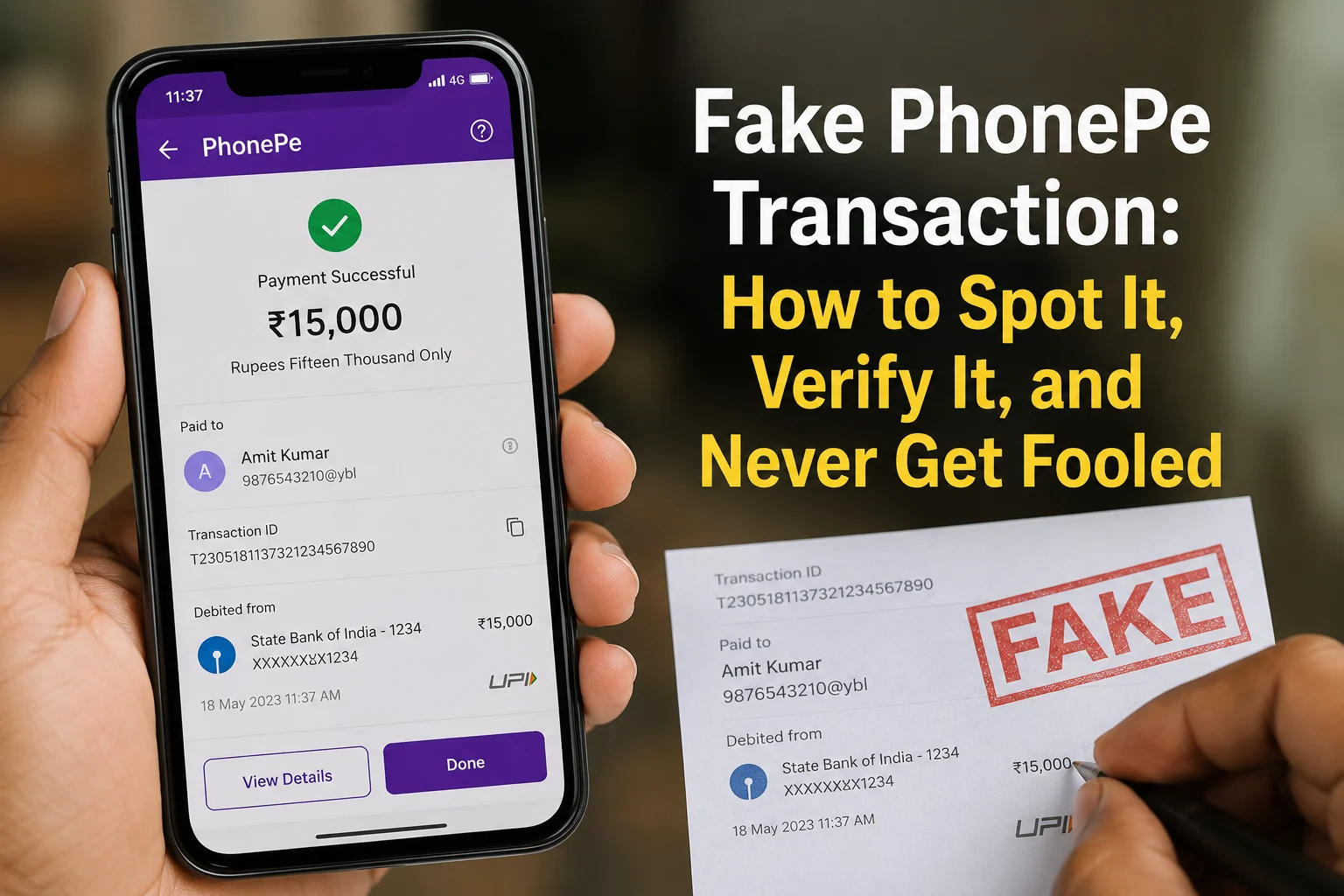
  • Fake PhonePe Transaction: How to Spot It, Verify It, and Never Get Fooled

    Fake PhonePe Transaction: How to Spot It, Verify It, and Never Get Fooled

    You just sold something. The buyer shows you a PhonePe success screen. You hand over the goods. Later you open your app and nothing is there.

    This is not a rare occurrence anymore. It is happening every day across India, in grocery stores, petrol pumps, mobile shops, and to freelancers receiving online payments. In January 2026 alone, UPI processed over 21.70 billion transactions worth more than Rs 28 lakh crore. Scammers know that at this volume, all they need is for a few people to skip the verification step.

    This guide explains exactly how fake PhonePe transactions work in 2026, how to verify any payment in under 60 seconds, and what to do if you have already been scammed.

    What Is a Fake PhonePe Transaction

    A fake PhonePe transaction is a false payment where the scammer shows you a convincing proof of payment but no real money ever moves. Your bank account receives nothing. The transaction exists nowhere except on the scammer’s screen or in an edited image.

    There are three methods being actively used in 2026:

    Method 1: Edited Screenshot

    The scammer takes a real old payment receipt and edits it using a photo editing app. They change the amount, the recipient name, the date, and sometimes even the transaction ID. The result looks pixel-perfect. Many victims cannot tell the difference just by looking.

    Method 2: Spoof or Clone App

    This is more dangerous. Apps like PhonePe clone APK or PhonePe spoof APK mimic the original PhonePe interface exactly, including the green tick, the payment sound, and the success animation. The scammer enters your name and the amount, and the app generates a fake “Payment Successful” screen. Many fake payment apps can generate fake success screens without contacting bank servers or transferring any money.

    Method 3: Cancelled Payment

    The scammer initiates a real payment but cancels it at the last moment, or deliberately sends a negligible amount like Rs 1. They screenshot the in-progress “processing” screen and show it as completed. The screenshot is technically from PhonePe but it proves nothing.

    All three methods share one weakness: the payment will never appear in your own transaction history.

    How to Verify Any PhonePe Payment in 60 Seconds

    This is the only section that matters. Follow these steps every single time before releasing any goods or services.

    Step 1: Open your own PhonePe app

    Go to your transaction history. If the payment is real, it will appear immediately. UPI is instant. Most genuine UPI transactions appear instantly in your history, although rare banking or server delays can sometimes occur. If it is not there, the payment is likely incomplete or unsuccessful, though rare technical delays are possible.

    Step 2: Check your bank SMS

    When a real UPI credit hits your account, your bank sends an SMS to your registered mobile number. This SMS comes from your bank, not from PhonePe, and not from the customer’s phone. If you did not receive this SMS, verify the payment through your bank balance or transaction history before releasing goods or services.

    Step 3: Cross-check the Transaction ID

    Ask for the transaction ID. Look it up in your PhonePe app. A real transaction ID will correspond to an actual entry in your history. Fake PhonePe screenshots either use random numbers that match nothing, or reuse old IDs from real transactions that will not match the amount or date being claimed.

    Never accept as proof: A screenshot on the buyer’s phone. A sound from the buyer’s phone. A message forwarded on WhatsApp. An SMS on the buyer’s phone. The safest proof is verifying the payment in your own app, bank account, or merchant transaction history.

    If you want a faster second opinion on a suspicious screenshot, use the Fake Payment Screenshot Checker on ScamDekho. Upload the screenshot and get an instant result. Free, no signup needed.

    7 Warning Signs a PhonePe Payment Is Fake

    1. Payment does not appear in your transaction history This is the definitive sign. Everything else below is secondary.

    2. The buyer is rushing you Scammers depend on speed. They will say “aur log wait kar rahe hain,” “mujhe jaldi hai,” “screenshot dekh lo, ho gaya.” Genuine buyers do not panic when you say “ek second, let me verify.”

    3. Font, spacing, or color looks slightly off In edited fake PhonePe screenshots, the font weight is sometimes inconsistent with the real app, the green color shade is slightly different, or the numbers have irregular spacing.

    4. No bank SMS arrived Real payment, real SMS. No SMS means no payment.

    5. The transaction ID cannot be verified In the PhonePe app, go to history and search for the transaction ID. If it does not exist, the screenshot is fake.

    6. The “Paid to” name does not match yours In a real transaction to you, the name shown should be your name or your registered merchant name. If it shows something else, the screenshot was taken from a different transaction and edited.

    7. They claim “PhonePe transaction failed due to security reasons” but show a success screen This contradiction is a deliberate confusion tactic. A failed transaction means no money reached you. There is nothing to show on a success screen if it failed.

    The Pending Payment Trap

    Sometimes a genuine customer’s payment gets stuck. The money was debited from their account but did not reach you. This is a real technical issue and different from a scam.

    How to tell the difference: In a genuine pending case, you will see the transaction in your PhonePe history marked as “Pending” or “In Progress.” In a fake payment situation, nothing appears in your history at all.

    If a payment shows as pending in your history, wait up to 48 hours. Most pending UPI transactions are resolved automatically within a few hours to 48 hours. If the PhonePe transaction is still pending and money was debited from the sender, they should raise a dispute from their own PhonePe app under “Issue with this payment.” Their bank will investigate and either complete the transfer or refund them.

    Do not release goods or services based on a pending transaction. Wait for final confirmation.

    If You Are a Merchant: 4 Rules to Post at Your Counter

    These rules, applied consistently, will prevent this scam entirely.

    Rule 1: “Payment confirmed only after it appears in our PhonePe app. Screenshots are not accepted as proof.”

    Rule 2: “For transactions above Rs 2,000, we also wait for the bank SMS before completing the sale.”

    Rule 3: “Sound box alerts are a secondary indicator only. App verification is the final step.”

    Rule 4: “If payment is pending, we will complete the transaction once it clears. This is our policy for all customers.”

    Posting these visibly at your counter serves two purposes. It sets clear expectations for genuine customers, and it signals to scammers that your shop is not an easy target. Most scammers will simply leave.

    Is Using a Fake PhonePe Transaction Illegal

    Yes, completely. Creating, using, or forwarding a fake PhonePe transaction is a criminal offence under Indian law.

    The applicable sections are IPC 420 (cheating), IPC 468 (forgery for the purpose of cheating), IPC 471 (using forged documents as genuine), and IT Act Section 66D (cheating by personation using computer resources).

    The punishment can include up to 7 years imprisonment, fines, or both, especially when actual financial loss is involved. Cases are actively being filed and pursued. The Huzurnagar and Rajasthan arrests mentioned above are examples from 2026 and 2024 respectively.

    If you encounter someone using a fake payment app, report it immediately. The legal framework exists and is being enforced.

    What to Do If You Have Already Been Scammed

    Act within the first hour. Speed determines whether you recover anything.

    • Immediately call 1930, India’s Cyber Crime Helpline. It operates 24 hours a day, 7 days a week. Reporting fast allows authorities to flag the scammer’s account before funds are withdrawn.
    • File a complaint at cybercrime.gov.in under “Financial Fraud.” Attach every piece of evidence you have: the fake screenshot, the scammer’s phone number or UPI ID, CCTV footage if available, any chat messages.
    • Report inside PhonePe as well. Go to Help inside the app, find the transaction, and select “Report a Fraud.” You can also email social@phonepe.com.
    • Note down everything immediately before memory fades: time of the incident, description of the person, vehicle number if applicable, any name or UPI ID they provided.

    For the complete step-by-step complaint filing process, read our guide on Cyber Crime Helpline Number and How to File a Complaint in India.

    Real Cases From 2026

    In Huzurnagar, Telangana, a man from Andhra Pradesh was arrested in April 2026 after targeting multiple small traders using a fake PhonePe app. He had been operating across the Nalgonda district for weeks before local residents caught him red-handed and handed him to police. By then, several shopkeepers had already lost money.

    In Indore, two scammers visited multiple petrol pumps claiming they needed emergency cash. They showed fake PhonePe payment screens and walked away with money from several outlets before being caught.

    In Rajasthan, a teenager was arrested after using a modified PhonePe APK to make fake payments across five mobile phone shops. He was charged under IPC Section 420, 468, 471, and IT Act Section 66C and 66D.

    These are not edge cases. This scam operates in every state, targets small merchants who move fast, and relies entirely on the victim not checking their own app.

    Sources: Free Press Journal, The Hans India

    Related Scams That Work the Same Way

    Fake payment fraud does not stop at PhonePe. UPI QR code scams use the same visual deception to steal money. Scammers swap a merchant’s real QR code with a fake one so payments go to them instead. Read how it works: UPI QR Code Scam: How Fake Scanners Drain Your Account

    If you want to check a suspicious UPI QR code before scanning it, use the UPI QR Checker on ScamDekho.

    The One Rule That Stops Every Fake PhonePe Scam

    After everything covered in this guide, it comes down to one habit.

    Before anything leaves your hands, open your own PhonePe app and look for the payment in your transaction history.

    Not the buyer’s phone. Not a forwarded screenshot. Not a sound. Your own app, your own history.

    If it is there and matches the amount, you are done. If it is not there, no payment happened, regardless of what the buyer shows you.

    That one step, applied consistently, makes every version of this scam impossible.

  • Online Shopping Scams in India: Spot Fake Sites Before Paying Online

    Online Shopping Scams in India: Spot Fake Sites Before Paying Online

    Every day, thousands of Indians lose their hard earned money to online shopping scams. From fake shopping sites offering “90% off” deals to pyramid schemes like Safe Shop, digital scams are growing faster than ever in India.

    If you have ever wondered what is online fraud and how it actually works, you are in the right place. In this guide, I will break down real online shopping fraud cases, show you how to identify fake shopping websites, and give you practical steps to protect yourself in 2026.

    Let me be honest. I have personally come across multiple fake shopping sites while researching for this blog. Some of them looked so real that even I had to double check. That is exactly why this guide exists.

    What is Internet Fraud and Why Should You Care?

    Internet fraud is any illegal activity where someone uses the internet to steal money, personal data, or both. When we talk specifically about what is online fraud in the context of shopping, it means scammers creating fake platforms or offers to trick you into paying for products that never arrive.

    India reported over 11 lakh cyber crime complaints in 2024 alone, according to the National Cyber Crime Reporting Portal. And a large chunk of these were related to online shopping scams in India.

    The problem? Most people do not even report these scams because the amount lost feels “too small.” But when you add it all up, we are talking about thousands of crores every year.

    How Do Online Shopping Scams Actually Work?

    Before I list the types, let me explain the basic pattern that most digital scams follow. Understanding this pattern will help you spot any new scam, even the ones that do not exist yet.

    The usual flow looks like this:

    1. You see an unbelievable deal on social media or WhatsApp
    2. You click and land on a website that looks professional
    3. You place an order and make the payment
    4. Either the product never arrives, or you get a cheap knockoff
    5. When you try to contact customer support, the number is dead

    Simple. Effective. And thousands of Indians fall for it every single week.

    Types of Online Shopping Fraud in India (2026)

    1. Fake Shopping Sites with Huge Discounts

    These are standalone websites that copy the design of popular brands. They run Instagram and Facebook ads showing branded products at 70 to 90 percent off.

    Red flags to watch for:

    • Domain registered only a few weeks ago
    • No physical address or GSTIN mentioned
    • Only prepaid payment options, no cash on delivery
    • Too good to be true pricing
    • Poor grammar and blurry product images

    Quick tip: Before buying from any new website, check its domain age on Whois. If it was registered less than 6 months ago, stay away.

    2. Fake Seller Accounts on Legitimate Platforms

    Even on trusted platforms like Amazon, Flipkart, and Meesho, some sellers create fake accounts. They list products at low prices, collect orders, and either send empty boxes or never ship at all.

    How to protect yourself:

    • Always check seller ratings and reviews
    • Look for “Fulfilled by Amazon” or “Flipkart Assured” tags
    • Avoid sellers with zero reviews or brand new accounts

    3. Social Media Shopping Scams

    This is probably the fastest growing category of online scams in India right now. Scammers run paid ads on Instagram and Facebook with stolen product photos. They create urgency with phrases like “Only 2 left” or “Sale ends tonight.”

    I personally tracked one such Instagram page last month. It had 50,000 followers, all bought. The comments were full of bots saying “Received my order, quality is amazing.” But when I reverse searched their product photos, they were stolen from AliExpress listings.

    4. WhatsApp and Telegram Shopping Scams

    You get added to a group. Someone shares a Google Form or a direct UPI link for discounted electronics or branded clothes. You pay. Product never comes. And you get removed from the group.

    This is extremely common in tier 2 and tier 3 cities where people trust WhatsApp forwards more than official websites.

    Safe Shop Scams: India’s Biggest MLM Shopping Fraud

    Let me talk about this in detail because Safe Shop frauds have affected lakhs of Indians, mostly in smaller towns and rural areas.

    Safe Shop, also known as Safe Shop India, presented itself as a direct selling or network marketing company. They sold overpriced products like tablets, health supplements, and educational courses. But the real “business” was not about selling products. It was about recruiting new members.

    Here is how the Safe Shop scam worked:

    • You paid a joining fee, usually between Rs 3,000 to Rs 12,000
    • You received a low quality product that was worth a fraction of what you paid
    • To earn money, you had to recruit more people under you
    • The people at the top made money while those at the bottom lost everything

    The FTC and even Indian consumer courts have flagged such models as pyramid schemes. Multiple complaints were filed on consumer forums and the National Consumer Helpline against Safe Shop.

    Why did so many people fall for it?

    Because the pitch was emotional. Recruiters showed fake income proof, rented luxury cars for seminars, and promised “financial freedom.” In states like Bihar, Jharkhand, UP, and Rajasthan, thousands of students, unemployed youth, and small town workers invested their savings.

    If someone is pitching you a “business opportunity” where the income depends more on recruitment than actual product sales, it is almost certainly a scam. Walk away.

    How to Identify Fake Shopping Websites in 2026

    Here is a quick checklist you can use every time you shop on a new website:

    Check ThisWhat to Look For
    URLShould start with https, look for misspellings
    Contact InfoReal phone number, email, and physical address
    GSTINLegitimate Indian businesses display this
    Payment OptionsCOD available or only prepaid?
    Return PolicyClearly mentioned or hidden?
    Domain AgeUse Whois lookup, avoid sites less than 6 months old
    ReviewsSearch “[website name] + review” or “+ scam” on Google

    Pro tip : Use the Government of India’s Sanchar Saathi portal to verify suspicious numbers. Also, check the DPIIT recognition page if a website claims to be a registered startup also you can check website on scamdekho

    What to Do If You Have Been Scammed

    If you have already lost money to an online shopping fraud, do not panic. Take these steps immediately:

    Step 1: Take screenshots of everything. The website, payment confirmation, WhatsApp chats, ads, everything.

    Step 2: Report on the National Cyber Crime Portal at cybercrime.gov.in. You can also call 1930, which is the cyber crime helpline.

    Step 3: File a complaint with your bank or UPI app (Google Pay, PhonePe, Paytm) to initiate a chargeback or reversal.

    Step 4: Report the website or social media page. On Instagram, use the “Report” option. For websites, report to Google Safe Browsing.

    Step 5: If the amount is significant, file an FIR at your local police station under the IT Act.

    The faster you act, the higher your chances of getting your money back.

    5 Simple Rules to Stay Safe While Shopping Online

    1. If the deal feels too good, it probably is. No one sells an iPhone for Rs 5,000.
    2. Never share OTP with anyone. No legitimate company will ever ask for it.
    3. Use credit cards instead of debit cards for online shopping. Credit cards offer better fraud protection.
    4. Avoid clicking on links from unknown WhatsApp messages or SMS. Type the URL manually.
    5. Keep your apps and browser updated. Security patches fix vulnerabilities that scammers exploit.
    6. Never trust payment screenshots as proof. Scammers use fake payment screenshot generators to show you fabricated UPI or bank transfer confirmations. Always verify the payment directly in your bank app or UPI app before handing over any product or service.

    Final Thoughts

    Online shopping scams in India are not going away anytime soon. If anything, they are getting smarter. From fake shopping websites that look identical to real brands, to pyramid schemes like Safe Shop that prey on people’s dreams, the threats are real and evolving.

    Your best defence is awareness. Bookmark this guide, share it with your family and friends, and always verify before you pay. A two minute check can save you from losing thousands.

    Stay alert. Shop smart. And if something feels off, trust your gut.

    FAQ: Online Shopping Scams in India

    Q: What are some common online shopping scams examples in India?
    Fake discount websites, duplicate product listings on marketplaces, WhatsApp group scams, Instagram page frauds, and MLM schemes like Safe Shop are the most common examples in 2026.

    Q: How do I report online shopping fraud in India?
    Visit cybercrime.gov.in or call 1930. You can also file a complaint on the National Consumer Helpline at 1800-11-4000.

    Q: Are all direct selling companies scams?
    No. Legitimate direct selling companies follow the Consumer Protection (Direct Selling) Rules, 2021. The difference is that real companies focus on product sales, not recruitment.

    Q: Can I get my money back after being scammed?
    Yes, if you act fast. Contact your bank, file a complaint on the cyber crime portal, and request a chargeback through your payment app.

  • Mahadev App Scam: The ₹6,000 Crore Betting Scam That Is Still Not Over

    Mahadev App Scam: The ₹6,000 Crore Betting Scam That Is Still Not Over

    Two friends from a small city in Chhattisgarh built a betting app from Dubai. That app made ₹200 crore every single day. It pulled in Bollywood stars, a former Chief Minister, and top agencies like ED and CBI.

    And even after arrests, raids, and court orders, the app came back during IPL 2026.

    This is the full story of the Mahadev App scam. Everything in one place, no confusion.

    What Is the Mahadev App Scam?

    Mahadev App was an illegal betting platform. People used it to place bets on cricket, tennis, card games, poker, and even elections.

    It was run by two people: Saurabh Chandrakar and Ravi Uppal. Both from Bhilai, Chhattisgarh. Both operating from Dubai.

    But here is what made this different from a regular gambling website.

    They did not run it alone. They created over 3,200 “panels.” Think of each panel like a franchise. A local operator would get a panel, find users in their area, collect money, and send it up the chain. The app kept 70% of all profits. The operator kept 30%.

    This is how ₹200 crore was flowing in every single day.

    The numbers:

    • Total scam size: over ₹6,000 crore
    • Panels active across India: 3,200+
    • Assets attached by ED so far: over ₹2,600 crore
    • Daily earnings at peak: ₹200 crore

    All this money was hidden through fake bank accounts, hawala, shell companies, and crypto.

    Also Read: What Information Is Safe to Share Online? A Real Guide for Indian Users

    ₹508 Crore or ₹6,000 Crore? What Is the Real Number?

    You will see different numbers in different news articles. Here is what each one means:

    • ₹508 crore is what ED attached or froze in the early part of the investigation. It was just the beginning.
    • ₹6,000 crore is the total estimated size of the whole scam. This includes all betting money, laundered funds, and assets.
    • ₹2,600 crore is the total value of properties and assets ED has attached so far across India and Dubai.

    So no number is wrong. They are just measuring different things. The scam itself is ₹6,000 crore.

    The Full Timeline: 2022 to 2026

    1. 2022: Mahadev App quietly starts. The network grows fast in Chhattisgarh and then spreads across India.
    2. February 2023: Saurabh Chandrakar gets married in Ras Al-Khaimah, UAE. The wedding reportedly costs ₹200 crore. Bollywood artists are flown in. This wedding is what first caught the attention of ED.
    3. 2023: The ED begins investigation. An Interpol Red Corner Notice is issued against Chandrakar.
    4. Late 2023: Ravi Uppal is briefly detained in Dubai but is later released. He does not remain in custody.
    5. 2024: CBI and ED both run investigations at the same time. Raids happen across 29 locations in five districts of Chhattisgarh. The name of former Chief Minister Bhupesh Baghel comes up in the probe.
    6. October 10, 2024: Saurabh Chandrakar is formally arrested by UAE authorities. Indian officials are officially informed on this date. Extradition proceedings begin.
    7. March 26, 2025: CBI conducts searches at around 60 locations including Bhupesh Baghel’s homes in Raipur and Bhilai.
    8. March 2025: ED attaches ₹1,700 crore worth of properties in Dubai and New Delhi.
    9. November 2025: Ravi Uppal flees the UAE. The Supreme Court of India directs ED to trace him and calls out how the main accused keep escaping the legal system.
    10. April 2026: Mahadev App is active again during IPL season. Despite everything, the betting network is still running.

    Scammers often send fake payment screenshots, you can detect fake payment proof here.

    Who Are Saurabh Chandrakar and Ravi Uppal?

    • Saurabh Chandrakar grew up in Bhilai. He moved to Dubai and built the Mahadev App with his childhood friend Ravi Uppal.

      His February 2023 wedding in Ras Al-Khaimah is what really blew the cover off this scam. When investigators asked how a person could spend ₹200 crore on one wedding, the trail led straight to the app.

      He was formally arrested on October 10, 2024 by UAE authorities. Extradition to India is still ongoing.
    • Ravi Uppal was the co-founder. He was briefly detained in Dubai in late 2023 but was released. After that he stayed mostly off the radar. In November 2025, he fled the UAE completely. He is now officially a fugitive. The Supreme Court has ordered ED to find him.

      His escape is a big problem for investigators. Because as long as the people who built this network are free, the operation can always start again somewhere.

    Check: Fake UPI Payment Screenshot Scam: Complete Guide for Indian Shopkeepers

    How Did They Hide ₹6,000 Crore?

    This is the part that made ED and CBI both take this case so seriously. The money did not just sit in one bank account. It went through many layers on purpose.

    Step 1: Fake bank accounts Real people’s KYC documents were stolen and used to open thousands of fake accounts. Betting money came in through these first.

    Step 2: Shell companies The money then moved into fake companies that existed only on paper. This made the money look like business income.

    Step 3: Hawala Hawala moved money across borders with zero paper trail. No bank. No record.

    Step 4: Crypto Some money was converted to cryptocurrency. This made it almost impossible to track using normal banking systems.

    Step 5: Real estate Finally, the cleaned money was used to buy properties in Dubai and India. This is why ED has been able to attach ₹2,600 crore worth of assets.

    Every rupee passed through several of these steps. That is why untangling this has taken years.

    The Bollywood and Baghel Connection

    The Ras Al-Khaimah wedding is connected to both parts of this story.

    Several Bollywood celebrities attended or performed at Chandrakar’s wedding. ED called many of them in for questioning. The main question was whether they were paid in cash and whether they knew where the money was coming from. As of now, no celebrity has been formally charged.

    Bhupesh Baghel is a more serious name in this case. He was the Chief Minister of Chhattisgarh when the app was growing fast. His name came up in ED’s probe. On March 26, 2025, CBI searched around 60 locations including his homes in Raipur and Bhilai.

    Baghel publicly called the raids politically motivated and said they were timed to serve political purposes. His role in the case is still being investigated.

    The political angle makes this more than just a money laundering case. It is also a story about how illegal networks can grow when the right people look the other way.

    Where Does the Case Stand in 2026?

    Here is the current status of everything:

    • Saurabh Chandrakar arrested in UAE in October 2024, extradition pending
    • Ravi Uppal is a fugitive, Supreme Court has ordered ED to trace him
    • ₹2,600 crore in assets attached across India and Dubai
    • Bhupesh Baghel under investigation, CBI raids done in March 2025
    • EaseMyTrip CEO Nishant Pitti has also been probed by ED
    • The app came back during IPL 2026, showing the network is still alive

    Why Did Mahadev App Come Back During IPL 2026?

    This is the part that should worry everyone.

    In April 2026, reports confirmed that Mahadev App was running again during IPL season. Bans, arrests, raids, Supreme Court orders, nothing stopped it fully.

    The reason is how the network was designed. With 3,200 panels spread across India, the platform was never dependent on just two people at the top. When one operator gets caught, another picks up from where they left off. The whole thing was built to survive exactly this kind of pressure.

    This is also why Ravi Uppal still being free matters so much. The architects of this system have not been fully brought to justice. And until they are, the Mahadev betting scam will keep finding ways to come back.

    What This Case Is Really About

    The Mahadev app case is not just about two guys running a gambling website. It is about a much bigger problem:

    • Online gambling rules in India are still weak and easy to work around
    • Thousands of fake KYC accounts were created without anyone catching it for years
    • Hawala and crypto together make money almost untraceable
    • When powerful people are involved, investigations slow down
    • IPL season is peak time for illegal betting in India every single year

    The case is still going on. Until Ravi Uppal is caught and extradition for Chandrakar is completed, the final chapter of this scam has not been written.

    Sources: The Hindu, Moneycontrol, Times of India, Indian Express, ANI News, Tribune India, New Indian ExpressShare

    FAQs

    Why was the Mahadev app banned in India?

    It was running illegal betting without any license and washing thousands of crores through fake accounts and hawala networks. Authorities blocked it but the operation never fully stopped.

    What is the Mahadev app scam in simple words?

    An illegal betting app pulling in Rs 200 crore every single day through 3,200 local operators spread across India. The money was hidden through fake accounts, hawala and crypto. Total estimated scam size is over Rs 6,000 crore.

    Who is Saurabh Chandrakar and where is he now?

    One of the two co-founders, originally from Bhilai in Chhattisgarh. UAE authorities arrested him on October 10, 2024. He is currently in UAE custody and extradition to India is still pending.

    Is Ravi Uppal caught yet?

    No. He slipped out of the UAE in November 2025 and has been on the run since. The Supreme Court has directed ED to track him down. As of May 2026 he is still a fugitive.

    What is the connection between Mahadev app and Bhupesh Baghel?

    Baghel is the former Chief Minister of Chhattisgarh. His name surfaced during the ED investigation. CBI raided his properties in Raipur and Bhilai on March 26, 2025. His exact role is still being investigated.

    How did Mahadev app launder money?

    Through stolen KYC accounts, shell companies, hawala transfers, crypto conversions and finally into real estate in Dubai and India. ED has attached over Rs 2,600 crore in assets so far.

    Is Mahadev app still active in 2026?

    Yes. It was openly running during IPL 2026. The app works through 3,200 local panels across India, which means even with the founders behind bars, local operators keep the whole thing going.

  • What Information Is Safe to Share Online? A Real Guide for Indian Users

    What Information Is Safe to Share Online? A Real Guide for Indian Users

    Let me be honest with you. Most of us never really think about what we share online until something goes wrong. A scam call that knew your full name. A stranger who somehow had your address. A bank account drained overnight.

    That moment of “how did they get this?” is what this guide is trying to prevent.

    India Has a Very Specific Problem

    We are not talking about hacking in the Hollywood sense. No one is sitting in a dark room cracking codes to get into your accounts.

    What is actually happening is much simpler and honestly scarier. People are freely giving away information that criminals piece together like a puzzle. Your name from Instagram. Your workplace from LinkedIn. Your phone number from a WhatsApp group. Your home locality from a food delivery review you left two years ago.

    Put it all together and someone has enough to impersonate you, take a loan in your name, or clean out your UPI account.

    This is the reality for Indian internet users today. And most people have no idea it is happening.

    Start Here Before Anything Else

    Before getting into specifics, remember just one thing.

    Anything you share online can end up anywhere.

    Private Instagram. Closed WhatsApp group. Snapchat with disappearing messages. Does not matter. One screenshot and it lives forever. So before posting anything, ask yourself: would I be okay if this reached a complete stranger?

    If the answer is no, do not post it.

    So What Information Is Safe to Share Online?

    There is plenty you can put out there without any real risk. Your first name. The city you live in. Your opinions on films, cricket, food, or travel. Your professional wins on LinkedIn. Photos from a trip you already came back from. A restaurant review. A product recommendation.

    None of that, on its own, can hurt you.

    The problem is when you start combining things. Your first name is harmless. Your first name plus your employer plus your city plus your daily gym timing is enough for someone to find you in real life knowing exactly who you are.

    So when people ask which one of these is safe to share online, the honest answer is: it depends on what else you are sharing alongside it. A single piece of information is rarely the problem. The combination is.

    What Personal Information Should You Never Share Online

    This is the section that actually matters. Save it. Send it to your parents. Pin it somewhere.

    • Your Aadhaar number. This one gets misused more than anything else in India. With your Aadhaar, someone can get a new SIM issued in your name. With that SIM, they can reset your bank passwords and take over your accounts. You see how fast it goes.
    • OTPs. Any OTP. From any service. Ever. No bank, no government office, no legitimate company will ever call you and ask for an OTP. The second someone asks for it over call or chat, you are being scammed. Hang up immediately.
    • Your PAN number. Used in loan fraud and fake tax filings more than most people realize.
    • Real-time location. Posting “off to Shimla for a week!” tells every person following you that your house is sitting empty. Post the holiday photos when you are back home safe.
    • Your children’s details. Not their school name. Not their schedule. Not clear photos of their faces in public posts. This is non-negotiable.
    • Intimate photos. Even to someone you completely trust. Relationships end. Phones get stolen. Accounts get hacked. Draw this line firmly and do not move it.
    • Your full date of birth combined with your full name. Individually they seem fine. Together they are used to answer security questions and verify identity with banks and telecom providers.
    • Your mother’s maiden name. This one surprises people. It is one of the most common security questions used by banks. Once someone has it, they have a key.

    Is Sharing Aadhaar Card Number Online Safe?

    Short answer: No. Not even close.

    People share it in WhatsApp groups for housing societies, office onboarding, school admissions, and all sorts of everyday situations without thinking twice. It feels normal because everyone is doing it.

    But is sharing your Aadhaar card number online safe? Absolutely not. Your 12-digit Aadhaar number is linked to your mobile number, your bank account, and your entire financial identity. In the wrong hands, it can be used to get a SIM card issued in your name, which then becomes the key to everything else.

    If someone genuinely needs to verify your identity, use a masked Aadhaar instead. The UIDAI website lets you download a version that hides the first 8 digits. That is what you share, not the full card.

    And if someone is asking for your Aadhaar number over WhatsApp or email for a reason that feels even slightly off, trust that feeling.

    Also Read: Deepfake Scam in India: How AI Is Being Used to Cheat You

    The 5 Things Indians Specifically Keep Getting Wrong

    • Sending Aadhaar photos in group chats. Housing societies, office groups, school parent chats. It happens every single day and it is one of the riskiest habits on this list.
    • Trusting closed groups. A Facebook group with 300 members is not a private conversation. It is a room full of people, many of whom you have never actually met. Treat it like a semi-public space.
    • Filling every field in every online form. A food delivery app does not need your blood group. A loyalty card does not need your anniversary. If a field is optional, leave it blank.
    • Posting travel plans before leaving. Already said it above but worth repeating because it is that common and that easy to avoid.
    • Using the same photo on every platform. When your LinkedIn, Instagram, WhatsApp, and Gmail all use the same profile picture, it becomes easy to connect your identities across every platform you are on. Small change, real difference.

    Platform by Platform, Quickly

    • WhatsApp: Set your profile photo to contacts only. Turn off Last Seen for everyone outside your contacts. Never join groups from unknown invite links.
    • Instagram: If your account has photos of your home, your kids, or your daily routine, keep it private. Avoid location tagging posts taken at or near your house.
    • Facebook: Go through your friend list once a year. Remove people you would not recognize if you ran into them. Check your privacy settings every few months because they tend to reset quietly after updates.
    • LinkedIn: Do not put your personal phone number on your public profile. It will be scraped by bots and sold to spammers faster than you think.

    Check: WhatsApp Bans 9,400 Accounts Linked to Digital Arrest Scams: Supreme Court Told

    What the Law Says, Simply Put

    India’s Digital Personal Data Protection Act gives you the right to ask any company what data they hold on you and the right to ask them to delete it. Companies that leak your data now face serious penalties.

    On the flip side, sharing someone else’s private information, photos, or messages without their permission is a punishable offense under the IT Act. Forwarding an intimate image of someone, even if they once sent it to you willingly, is a criminal offense under Section 67A.

    Your data is protected by law. But so is your responsibility with someone else’s.

    If Something Has Already Gone Wrong

    First, do not panic. Then move quickly.

    Delete whatever you can still delete. Change passwords on every account connected to the information that got out. If money is involved, call your bank right now and ask them to freeze transactions while you investigate.

    File a complaint at cybercrime.gov.in or call 1930. That is India’s national cyber fraud helpline and it is the right first call to make.

    If your Aadhaar was compromised, go to uidai.gov.in and lock your biometrics immediately. It takes two minutes and can prevent a lot of damage.

    Conclusion

    Being careful online does not mean being paranoid or suspicious of everyone. It just means pausing for two seconds before you share something.

    Most privacy violations and scams targeting Indians do not happen through sophisticated attacks. They happen because someone shared the wrong detail with the wrong person at the wrong time, usually without even realizing it.

    You now know what that looks like. That already puts you ahead of most people.

    Frequently Asked Questions

    Q1: Which one of these is safe to share online?

    Your first name, a secondary email address, general interests, professional profile, and UPI ID for receiving payments are all relatively safe. OTP, Aadhaar number, PAN card, CVV, UPI PIN, and any banking credentials should never be shared with anyone under any circumstances.

    Q2: What information is safe to share online?

    Non-sensitive details like your first name, general location (city only), hobbies, secondary email, and professional work are safe to share. What is not safe: government IDs like Aadhaar and PAN, financial details like CVV and UPI PIN, one-time passwords, and your exact home address.

    Q3: What personal information should you never share online?

    Your full Aadhaar number, PAN card combined with date of birth, OTP, CVV, UPI PIN, net banking password, ATM PIN, passport scan, home address, and bank statements. No legitimate service in India will ever ask for these over a call, message, or email.

    Q4: Which information is risky to share online?

    OTP, full Aadhaar number, PAN combined with date of birth, CVV, UPI PIN, bank passwords, home address, and passport scans. These individually or in combination give scammers everything they need to commit fraud in your name.

    Q5: What are the top 3 data privacy risks in India?

    Identity theft using Aadhaar and PAN details, financial fraud through OTP and UPI PIN scams, and social engineering where scammers use your personal information to build trust before stealing from you.

    Q6: Is sharing your Aadhaar card number online safe?

    No. Sharing your full 12-digit Aadhaar number can lead to identity theft and SIM swap fraud. Use UIDAI’s Masked Aadhaar or Virtual ID instead. Only share on verified government portals with HTTPS.

    Q7: Is sharing passport details online safe?

    Never share a passport scan or photo on WhatsApp, email, or social media. Only upload it on verified visa processing or official government portals. Passport combined with date of birth is one of the most dangerous combinations for identity theft.

    Q8: Can someone misuse your PAN card details?

    Yes. PAN combined with date of birth can be used to file fake tax returns, open fraudulent bank accounts, or take loans in your name. Only share PAN on verified income tax or banking portals.

    Q9: Can someone misuse your phone number?

    By itself, a phone number is limited. But combined with other data, it enables SIM swap attacks where a scammer gets a new SIM issued on your number and then intercepts all your OTPs. Never confirm personal details to unsolicited callers.

    Q10: Is it safe to share photos online?

    Photos are generally fine as long as they do not reveal your home address, school or workplace name, car number plate, location tags, or any documents visible in the background. Always turn off geotagging before sharing.

  • Deepfake Scam in India: How AI Is Being Used to Cheat You

    Deepfake Scam in India: How AI Is Being Used to Cheat You

    A father in Pune gets a WhatsApp call. The voice on the other end is his son. Same tone. Same accent. Same way of saying “Papa.”

    “Papa, I am in serious trouble. Please transfer money right now. Do not tell anyone.”

    He transfers Rs 80,000 within minutes. His son calls him an hour later from his own phone. He had no idea what happened.

    This is not a movie scene. This is a deepfake voice scam and it is happening across India right now.

    What Exactly Is a Deepfake Scam?

    A deepfake is AI generated content, a video, image or audio clip that looks or sounds completely real but never actually happened.

    Scammers use this technology in three main ways:

    • They clone someone’s voice from just a few seconds of audio and use it to call that person’s family members
    • They create fake videos of real people, celebrities, executives, even your relatives, saying things they never said
    • They use these fake voices and videos to impersonate someone you trust and convince you to send money

    Here is the part most people do not realise. In 2026, an AI tool needs just 3 to 5 seconds of your voice to clone it with frightening accuracy. That audio does not have to come from somewhere obvious. A WhatsApp voice note you sent last month. A video you posted on Instagram. A call you picked up without knowing it was being recorded. Your voice is already out there in more places than you think.

    How Big Is This Problem in India?

    The numbers are hard to ignore.

    A 2025 analysis of AI scams found that 47 percent of Indian adults have either been targeted by an AI voice cloning or deepfake scam themselves or know someone who has. That is almost double the global average of 25 percent.

    Of those who were targeted, 83 percent lost money. And nearly half of them lost more than Rs 50,000 in a single scam.

    In just the last three months of 2025, the Haryana Cyber Cell alone recorded over 2,300 voice cloning fraud cases. That is a 450 percent jump from the year before.

    This is not something that might happen someday. It is already happening, in every city, to people of every age, including people who consider themselves careful.

    How Does a Deepfake Scam Actually Work?

    There are three main types of deepfake scams targeting Indians in 2026.

    Type 1: AI Voice Cloning Scam (Most Common)

    This is the “Papa, I am in trouble” scam described above. Here is the full process:

    1. The scammer finds a voice sample of someone you trust, from social media, YouTube, or a public video
    2. They feed it into an AI voice cloning tool, freely available online
    3. The AI generates a clone of that voice in seconds
    4. The scammer calls you using that cloned voice and creates a fake emergency
    5. You panic and transfer money before verifying

    This works on families, colleagues, and employees. A Mumbai CFO authorized a Rs 2.3 crore wire transfer after receiving what sounded like a call from his own CEO. The CEO was in a meeting the whole time. The voice was AI-generated.

    Type 2: Deepfake Video Scam (Growing Fast)

    In this version scammers create a fake video of a celebrity or trusted public figure promoting a fake investment scheme.

    One of the most well known cases in India involved Ankur Warikoo, a popular personal finance educator. AI generated deepfake videos using his face, voice and likeness spread across social media and convinced his followers to join WhatsApp groups for fraudulent stock market advice. The videos looked real enough that the Delhi High Court had to step in and grant emergency relief to get them taken down.

    You have probably seen similar videos yourself. Mukesh Ambani promoting a guaranteed return investment app. Narendra Modi endorsing a trading platform. Virat Kohli recommending a scheme that will double your money in 30 days.

    All fake. All deepfake. None of them ever said any of it.

    Type 3: Deepfake Video Call Scam (Most Dangerous)

    This is the newest and most dangerous variant. The scammer joins a video call with you using a real-time AI face filter that overlays someone else’s face onto theirs.

    You see the face of your boss, your bank manager, or a government official. You hear their voice. You believe it is them. And then you follow their “urgent instructions.”

    In 2024, a Hong Kong company lost the equivalent of Rs 210 crore when an employee attended a video conference where every participant, including the CFO, was a deepfake. This type of attack is now reaching India.

    Real Cases from India

    Case 1: Indore Deepfake Kidnapping Video Scam

    A family in Indore received a video call showing their relative being kidnapped. The visuals looked completely real. The caller was aggressive and demanded money immediately.

    The family panicked and transferred the money.

    Their relative was sitting at home, completely safe, with no idea any of this had happened. The kidnapping video was entirely AI generated. None of it was real.

    Source: Indian Express

    Case 2: AI Voice Clone Scam (Kanpur – Nephew Impersonation)

    A man in Kanpur received a call from someone who sounded exactly like his nephew. The voice, the tone, everything matched. The caller said he was in serious trouble and needed money urgently.

    The man transferred around ₹ 1 lakh without hesitating. Why would he? It sounded exactly like his nephew.

    It was not. The voice had been cloned using AI and the real nephew had never made that call.

    Source: Times of India

    Case 3: ₹2+ Crore Digital Arrest Scam (Mangaluru)

    A man in Mangaluru got a call from someone claiming to be a law enforcement official. They told him his SIM card had been linked to illegal activities and that he was under investigation. The pressure was immediate and relentless.

    To clear his name, they said, he needed to transfer money.

    He transferred over ₹2 crore before he realised what had happened.

    Source: Economic times

    How to Know If a Voice Call or Video Is Fake

    This is getting harder as AI improves. But there are still signs to watch for.

    For voice calls:

    • The voice sounds slightly flat or emotionless, even if the words are right
    • There are no background sounds, no natural pauses, no breathing
    • The caller creates extreme urgency and asks you not to call back or verify
    • They ask for money via UPI, crypto, or gift cards

    For videos:

    • The lip movements do not perfectly match the words
    • The face looks slightly blurry around the edges, especially when moving
    • The lighting on the face looks different from the background
    • Eye blinking is unnatural or missing
    • The video freezes briefly when the person turns their head

    The most important sign in both cases: Someone is creating panic and asking you to act immediately without telling anyone.

    What Should You Do If You Get a Deepfake Call?

    If you receive a suspicious call claiming to be from a family member, colleague, or official:

    1. Do not transfer any money immediately, no matter how urgent they sound
    2. Hang up and call the person back on their known number directly
    3. Ask a question only that person would know the answer to
    4. If a video call looks suspicious, ask them to wave or blink, which trips up some AI filters
    5. Report the number immediately by calling 1930

    If a suspicious link was shared during the call, paste it into the ScamDekho URL Checker before clicking anything.

    How Are Scammers Getting Your Voice Sample?

    You might be thinking: I am not a celebrity, why would anyone clone my voice?

    The answer is that scammers do not need you to be famous. They target your family members. If your child has even one Instagram Reel or YouTube Short online, that voice can be cloned.

    Common sources scammers use to steal voice samples:

    • Instagram Reels and Stories
    • YouTube videos
    • WhatsApp voice notes forwarded publicly
    • LinkedIn introduction videos
    • Facebook Live recordings
    • Podcast appearances

    This does not mean you should disappear from the internet. It means your family needs to know this threat exists.

    What Is the Indian Government Doing About Deepfakes?

    The government has taken some steps in 2026 worth knowing about.

    New IT rules that came into effect in February 2026 now require social media platforms to remove deepfakes within 3 hours of receiving a government or court order. For non-consensual intimate imagery the window is even shorter at 2 hours.

    Instagram, Facebook and YouTube are now legally required to explicitly ban AI deepfake content in their terms of service and respond to takedown requests quickly. MeitY has also issued advisories requiring platforms to inform users about AI content policies at the time of registration and login.

    But here is what experts are saying honestly. Regulation cannot keep up with how fast this technology is moving. By the time a rule is written, the tools have already moved three steps ahead. Your own awareness is still your strongest protection, more than any policy or platform guideline.

    How to Protect Yourself and Your Family

    You cannot prevent scammers from trying. But you can make it much harder for them to succeed.

    • Set a family code word. Agree on a secret word that only your family knows. If anyone calls claiming to be a family member in trouble, ask for the code word before doing anything else.
    • Create a verification habit. Any request for money over a call, even from a known voice, must be followed by a callback on the person’s saved number. No exceptions.
    • Limit public voice and video content. Not everything needs to be shared publicly. Consider making your social media accounts private.
    • Tell your parents and elderly relatives. They are the most common targets because scammers know they trust voice recognition. One conversation about this scam could save lakhs.
    • Use multi-factor authentication. For financial transactions, never rely on a phone call alone. Banks and companies should require OTP plus manager approval for large transfers

    Also read: AI Voice Cloning Scam in India: How It Works and How to Stay Safe for a deeper look at voice scams specifically.

    What to Do If You Already Lost Money

    Act within the first hour if possible.

    1. Call 1930 immediately, this is India’s cyber crime financial fraud helpline
    2. File a complaint at cybercrime.gov.in with all details, the number, the amount, the UPI ID used
    3. Contact your bank to freeze or reverse the transaction
    4. Keep all evidence: call logs, screenshots, transaction IDs

    Also check if any suspicious message or link was involved using the ScamDekho Scam Message Checker.

    A Word on AI Voice Cloning Scams Specifically

    Your voice is now as sensitive as your fingerprint. It can be copied, replicated, and weaponized against people who love you.

    This does not mean living in fear. It means having one honest conversation with your family about how this technology works. Show them this article. Tell them about the family code word. Make a rule that no one transfers money based on a call alone, ever.

  • How to Report a Scam Call or Fraud Number in India (Step-by-Step)

    How to Report a Scam Call or Fraud Number in India (Step-by-Step)

    Just got a suspicious call from someone claiming to be a bank officer, CBI agent or courier company? You are in the right place.

    Reporting that number takes less than 5 minutes. And the faster you do it, the better the chance of stopping that scammer from targeting someone else, or getting your money back if you have already lost some.

    This guide covers every official way to report a fraud call in India in 2026, step by step.

    Why Reporting a Scam Call Actually Matters

    Most people hang up and move on. That is exactly what scammers are counting on.

    When you report a fraud number, authorities can trace the SIM card, freeze linked bank accounts and warn others before more people get hurt. The government’s MuleHunter AI system, run by I4C, actively uses reported numbers to track criminal networks operating across India.

    One report from you can lead to dozens of arrests. It takes 5 minutes.

    Before You Report: Save This Evidence First

    Do not call or text the fraud number back. Before you start reporting, take two minutes and gather these:

    • Screenshot your call log. The number, the date, the time, all of it
    • Save any SMS, WhatsApp message or link they sent you
    • If money was transferred, note down the transaction details from your banking app
    • Screenshot any UPI ID or account number they shared during the call

    The more you have, the stronger your complaint. Now here is how to actually report it.

    Method 1: Call 1930 (Fastest Option If You Lost Money)

    What is it India’s official National Cyber Crime Financial Fraud Helpline, run by the Ministry of Home Affairs.

    When to use it The moment you realise you have been scammed or money has been taken from your account. Speed is everything here. Calling 1930 within the first hour gives authorities the best chance to freeze the fraudster’s account before the money moves further.

    How to use it

    1. Dial 1930 from any phone in India
    2. Tell the operator you received a fraud call or lost money to a scam
    3. Share the fraud number, transaction details and your bank name
    4. Note down the complaint reference number they give you

    The helpline runs 24 hours a day, 7 days a week. It is free to call.

    Real example A Delhi resident who lost Rs 45,000 to a fake KYC scam called 1930 within 20 minutes. The transaction was flaggtes. The transaction was flagged and the money was recovered within 3 days through the I4C system.

    Method 2: File a Complaint at cybercrime.gov.in (For Detailed Complaints)

    What is it The official National Cyber Crime Reporting Portal run by the Indian government.

    When to use it Use this for any cyber fraud, even if no money was lost. You can report phishing calls, fake job offers, WhatsApp scams, impersonation and more.

    Step by step process

    1. Go to cybercrime.gov.in
    2. Click on File a Complaint
    3. Select Other Cyber Crimes if no financial loss, or Financial Fraud if money was taken
    4. Register with your mobile number and OTP
    5. Fill in the details, the fraud number, date, time, what happened and any transaction IDs
    6. Upload your screenshots or any other evidence
    7. Submit and save your complaint ID

    You can track your complaint status using the same portal. Your complaint goes directly to the nearest cyber police station.

    Method 3: Report on Chakshu Portal at sancharsaathi.gov.in (For Suspicious Calls You Did Not Fall For)

    What is it Chakshu is the Department of Telecommunications’ fraud reporting tool on the Sanchar Saathi portal. It is specifically designed for reporting suspicious calls, SMS or WhatsApp messages before you become a victim.

    When to use it You got a call that felt like a scam but you did not lose any money. Report it here so telecom authorities can block that number.

    Step by step process

    1. Go to sancharsaathi.gov.in
    2. Click on Citizen Centric Services
    3. Select Chakshu from the menu
    4. Choose the type of communication, Call, SMS or WhatsApp
    5. Select the fraud category such as impersonation of a government official, KYC fraud, fake job offer and so on
    6. Enter the suspicious number and the date of the call
    7. Upload a screenshot if you have one
    8. Submit the complaint

    Important note If you have already lost money, do not use Chakshu. Go to 1930 or cybercrime.gov.in instead. Chakshu is only for reporting suspicious activity before any financial loss happens.y before financial loss.

    Method 4: File an FIR at Your Local Police Station (For Large Financial Losses)

    If you lost a significant amount of money, filing an FIR gives you stronger legal standing to pursue recovery and prosecution.

    What to carry

    • Your Aadhaar card or any government issued ID
    • Printout or screenshots of the fraud call, messages and transactions
    • Bank statement showing the fraudulent debit
    • Your complaint ID from cybercrime.gov.in, file this first before going to the station

    Ask specifically for the cyber crime cell at your nearest police station. If they are unavailable, a regular FIR under Section 66C or 66D of the IT Act 2000 works just as well.

    Method 5: Report to Your Telecom Operator Directly

    Every telecom provider in India has a spam reporting mechanism. This is the quickest way to get that number blocked at the network level.

    • Jio users: Dial 199 or use the MyJio app
    • Airtel users: Dial 121 or use the Airtel Thanks app
    • Vi users: Dial 199 or use the Vi app
    • BSNL users: Dial 1503

    You can also SMS SPAM followed by the fraud number to 1909. For example, SPAM 9XXXXXXXXX. This registers the number for review with TRAI within 3 days.. This registers the number for review with TRAI within 3 days.

    Method 6: Report on WhatsApp Directly (If the Scam Happened on WhatsApp)

    If the fraud call came via WhatsApp specifically:

    1. Open the chat or call log from that number
    2. Tap on the contact name at the top
    3. Scroll down and tap “Report”
    4. Select “Report and Block”

    WhatsApp shares reported numbers with its safety team. As we saw in the recent Supreme Court case, WhatsApp has already banned 9,400 accounts in India after such reports led to network-wide investigations. Your report matters.

    Read more about that crackdown here: WhatsApp Bans 9,400 Accounts Linked to Digital Arrest Scams

    Not Sure If That Call Was a Scam? Check Before You Report

    Sometimes you are not 100% sure if a call was genuine or fraud. Here is what to do:

    If they sent you a link, paste it into the ScamDekho URL Checker before clicking anything. It will tell you in seconds whether the link is safe or known to be malicious.

    If they sent you a message or WhatsApp forward, paste it into the ScamDekho Scam Message Checker to verify instantly.

    These tools are free and take less than 30 seconds.

    What Happens After You Report?

    This is the question most people have and most guides never answer.

    Here is what actually happens:

    • Within hours: The 1930 helpline flags the fraud number with telecom operators. Banks linked to the scammer’s UPI ID or account are alerted.
    • Within 1 to 3 days: Cyber crime police review your complaint. If strong evidence exists, they can freeze the receiving account.
    • Within 1 to 4 weeks: A formal investigation may begin. You may be contacted by cyber crime police for additional details.
    • Long term: Repeat fraud numbers get added to government databases like the Suspect Repository on cybercrime.gov.in. Others searching that number will see it flagged.

    Also read: How Law Enforcement Investigates Cyber Scams in India to understand what happens behind the scenes after your report.

    What If They Called From a +91 Number But It Felt Like a Foreign Call?

    This is common. Scammers operating from outside India (often Cambodia, Myanmar, or Dubai) use VoIP technology to fake Indian mobile numbers.

    In this case, you can also report on the RICWIN portal on Sanchar Saathi. It is specifically designed for reporting incoming international calls disguised as Indian numbers. This goes directly to the Department of Telecommunications for investigation.

    Quick Reference: Which Method to Use

    Your SituationBest Method
    Lost money just nowCall 1930 immediately
    Lost money, need legal recordcybercrime.gov.in + local FIR
    Got suspicious call, no money lostChakshu on sancharsaathi.gov.in
    Scam happened on WhatsAppReport in WhatsApp + 1930
    Want to block the number at network levelSMS to 1909 or call your telecom
    Got a fake UPI payment screenshotCheck on ScamDekho first

    Common Mistakes People Make When Reporting

    • Waiting too long before calling 1930 (every hour matters when money is involved)
    • Not saving screenshots before reporting
    • Using Chakshu when money was already lost (use 1930 instead)
    • Blocking the number before taking a screenshot of the call log
    • Filing the FIR without first getting a complaint ID from cybercrime.gov.in

    Avoid these and your complaint will be processed faster.

    One More Thing: Warn Others

    After reporting, share the fraud number with your family and friends. A quick WhatsApp message saying “this number is a scam, do not pick up” could stop someone you care about from losing money.

    Summary

    If you just received a scam call, here is what to do right now:

    1. Do not call back or share any information
    2. Screenshot the call log and any messages
    3. If money was lost: Call 1930 immediately
    4. If no money lost: Report on sancharsaathi.gov.in via Chakshu
    5. File a detailed complaint at cybercrime.gov.in
    6. Report to your telecom provider via 1909 SMS

    You have done your part. Now let the authorities do theirs.